

78% of Fortune 500 companies now have formal ChatGPT integration policies. Here’s how to actually use it.
⚡ Quick Answer: How to Use ChatGPT for Work
-
- Emails: Paste a rough draft, ask ChatGPT to rewrite it clearly and concisely.
- Meeting prep: Give it the agenda, ask for sharp questions to ask and risks to flag.
- Reports: Feed it bullet points, ask for a structured executive summary.
- Research: Ask it to summarize a topic and list what you still need to verify.
- Brainstorming: Give it context, ask for 10 different angles, pick the best 2.
- Role + goal + audience in every prompt = dramatically better output every time.
Most people use ChatGPT incorrectly at work. They type a vague question, get a vague answer, and conclude it’s not that useful. The problem isn’t ChatGPT, it’s the prompt.
Learning how to use ChatGPT for work effectively takes about 20 minutes. The payoff is 2–3 hours back per day, every day. McKinsey’s 2026 Productivity Report estimates that AI-assisted workers generate $23,000 more annual value per employee. That starts with knowing how to ask.
Below are the 10 highest-impact ways to use ChatGPT at work, each with a copy-paste prompt you can use today.
ChatGPT for Work: Quick Reference
| Task | What to Give ChatGPT | Time Saved |
|---|---|---|
| Email writing | Your rough points + tone + recipient | 15–20 min/email |
| Meeting prep | Agenda + your role + goal | 30–45 min/meeting |
| Report drafting | Data + audience + key message | 1–2 hrs/report |
| Research summary | Topic + what decision it feeds | 45–90 min |
| Brainstorming | Problem + constraints + context | 20–30 min |
| Feedback on writing | Your draft + what you want improved | 15–20 min |
| Job descriptions / HR | Role + requirements + company tone | 30–60 min |
| Data explanation | Numbers + what the audience needs to understand | 20–40 min |
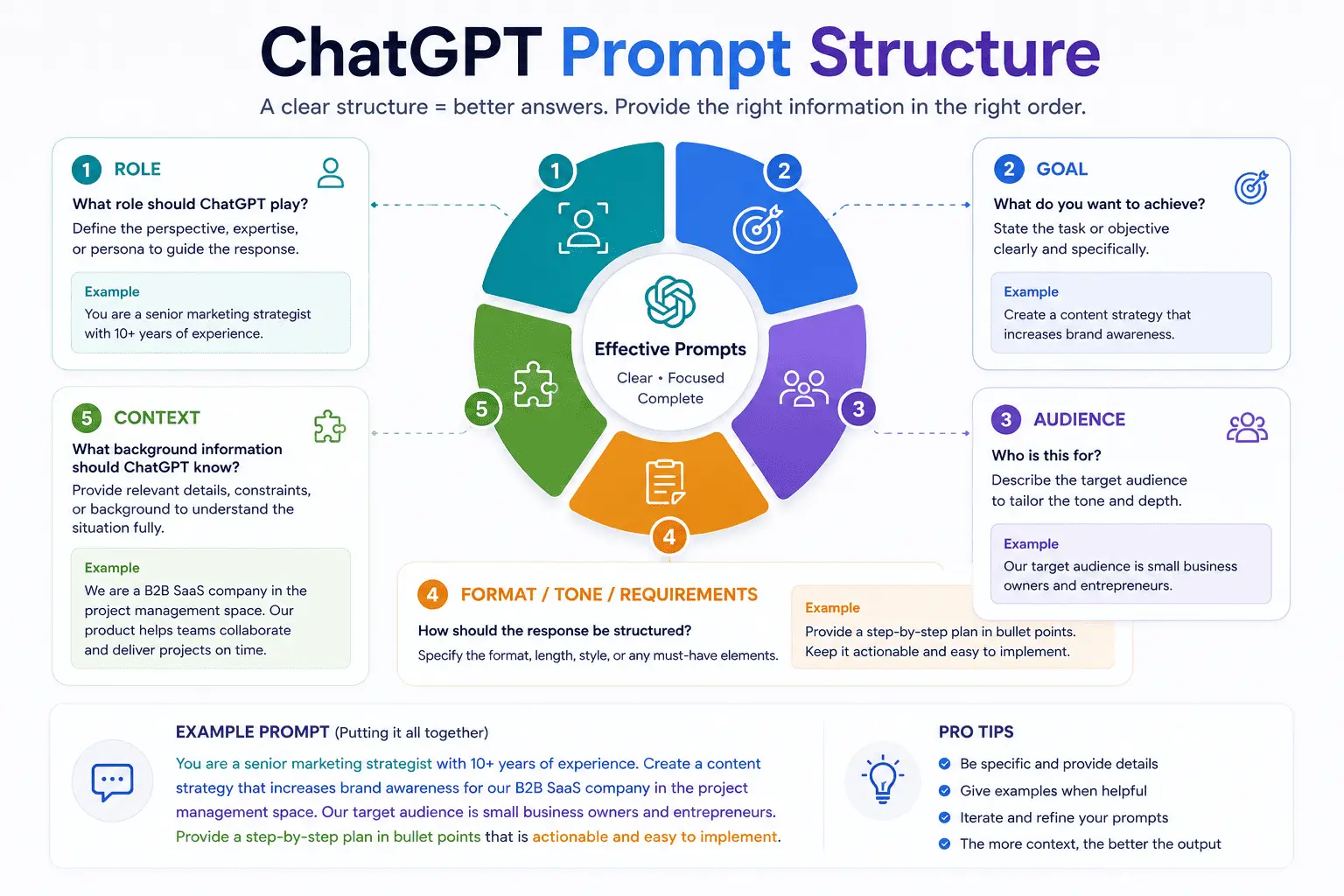
The single biggest upgrade to any ChatGPT prompt: add a role, a goal, and an audience. Every use case below uses this structure.
The One Rule That Makes Every Prompt 10x Better
Before the 10 use cases, this is the rule that underlies all of them:
💡 Role + Goal + Audience = dramatically better output. Instead of “write an email about the project delay,” write: “Act as a project manager. Write a professional email to a client explaining a 2-week delay due to a supplier issue. Keep it under 150 words. Tone: calm, confident, solution-focused.” Same task. Completely different result.
Every prompt below follows this structure. Copy, paste, and replace the brackets with your context.
USE CASE 1
Write and Rewrite Professional Emails
Email is where most office workers lose 1–2 hours a day. ChatGPT drafts, rewrites, shortens, and adjusts tone in seconds.
📋 Copy-Paste Prompt
Act as a professional business writer. Rewrite this email to be clear, concise, and [tone: confident / warm / formal]. Keep it under [150] words. The recipient is [a client / my manager / a new vendor].

[Paste your rough draft here]
⏱ Saves 15–20 min per email
⚠️ Never paste sensitive company data, client names, or confidential figures into the standard ChatGPT interface. Use your company’s approved enterprise version if available, or anonymize the details first.
USE CASE 2
Prepare for Any Meeting in 5 Minutes
Give ChatGPT the meeting agenda, your role, and what you need to achieve. It returns the right questions to ask, risks to flag, and talking points to have ready.
📋 Copy-Paste Prompt
I have a [30-minute] meeting with [a client / my team / my manager] about [topic]. My goal is to [close the deal / get sign-off / surface blockers]. Give me:
1. 5 sharp questions I should ask
2. 3 potential objections and how to respond
3. 2 things I should not say
⏱ Saves 30–45 min per meeting
USE CASE 3
Turn Bullet Points into a Polished Report or Presentation
You have the data. You don’t have the time to write it up. Give ChatGPT your raw bullet points and tell it who the audience is. It structures, writes, and clarifies.
📋 Copy-Paste Prompt
Act as a business analyst. Turn these bullet points into a clear executive summary for [C-level leadership / the board / a client]. Use plain language. Lead with the key insight. Keep it under [300] words.

[Paste your bullet points here]
⏱ Saves 1–2 hours per report

The biggest productivity gains come from integrating ChatGPT into tasks you already do daily, not from finding new tasks to give it.
USE CASE 4
Summarize Long Documents, Articles, or Threads
Paste any long document a report, an email thread, a contract clause and ask ChatGPT to extract what you actually need to know.
📋 Copy-Paste Prompt
Summarize this in 5 bullet points. For each point, note:
- What it means for me as a [role]
- Any action I need to take

[Paste document text here]
⏱ Saves 20–45 min per document
USE CASE 5
Brainstorm Ideas Without the Blank Page Problem
ChatGPT is a world-class brainstorming partner when given real constraints. The more specific you are about the problem and what you’ve already ruled out, the more useful the output.
📋 Copy-Paste Prompt
I need to [solve this problem / generate ideas for this campaign / come up with names for this product]. Context: [1–2 sentences about the situation]. Constraints: [budget, audience, timeline].

Give me 10 different ideas ranging from conventional to creative. For each, say why it could work and one risk to watch out for.
⏱ Saves 20–30 min per session
USE CASE 6
Get Instant Feedback on Anything You’ve Written
Before sending any important document, a proposal, a pitch, or a performance review, paste it into ChatGPT and ask for a brutal edit. It catches things you’re too close to the work to see.
📋 Copy-Paste Prompt
Review this [proposal / email / report] as a skeptical [client / investor / senior manager]. Tell me:

1. What's unclear or confusing
2. What's missing that they'll definitely ask about
3. What should be cut
4. One thing I should change before sending

[Paste your draft here]
⏱ Saves 15–20 min per review cycle
USE CASE 7
Research Any Topic Fast With Gaps Flagged
ChatGPT is not a search engine, and its knowledge has a cutoff. But for getting a fast, structured overview of a topic with the gaps labelled so you know what to verify, it’s faster than any other starting point.
📋 Copy-Paste Prompt
Give me a structured overview of [topic] that I need to understand for [decision / meeting / project]. Include:

- The key facts I need to know
- What experts currently disagree on
- What's changed recently that I should check
- 3 specific things I should verify independently
⏱ Saves 45–90 min per research task
🚨 Always verify facts from ChatGPT with an authoritative source before using them in a client-facing document. It can confidently state things that are outdated or wrong. Use it to build a research framework, not to replace fact-checking.
USE CASE 8
Write Job Descriptions, Performance Reviews, and HR Docs
HR writing is time-consuming and often templated anyway. ChatGPT handles the first draft in 30 seconds, you edit for specifics and tone.
📋 Copy-Paste Prompt
Write a [job description / 6-month performance review / constructive feedback email] for a [role title] at a [company type / size]. Tone: [professional and direct]. Highlight: [key responsibility / specific achievement / area for growth].

Requirements: [list 3–5 key requirements or points to cover]
⏱ Saves 30–60 min per document
USE CASE 9
Explain Complex Data to Non-Technical Audiences
You have a spreadsheet full of numbers. Your audience is the leadership team. ChatGPT translates data into a plain-language narrative in seconds.
📋 Copy-Paste Prompt
I need to explain this data to [an executive team / non-technical stakeholders] who care about [revenue / customer experience / risk].

Here's the data: [paste numbers or key figures]

Write a plain-language explanation of what this data means, why it matters, and what action it suggests. No jargon. Max 150 words.
⏱ Saves 20–40 min per data narrative
USE CASE 10
Build a Repeatable Prompt Library for Your Role
The professionals getting the most out of ChatGPT at work are not using it randomly; they have saved prompts for their most common tasks. This turns a 5-minute setup into permanent daily time savings.
📋 Copy-Paste Prompt
I am a [role] at a [company type]. My most common writing tasks are:

1. [Task 1]
2. [Task 2]
3. [Task 3]

For each task, write me a reusable prompt template I can fill in quickly each time. Include placeholders in [brackets] where I need to add context.
⏱ One-time setup → daily time savings forever
25 ChatGPT Hacks for Work (ClickUp) ·
ChatGPT Official Plans & Pricing (OpenAI) ·
How to Use ChatGPT for Work: Save 2+ Hours Daily
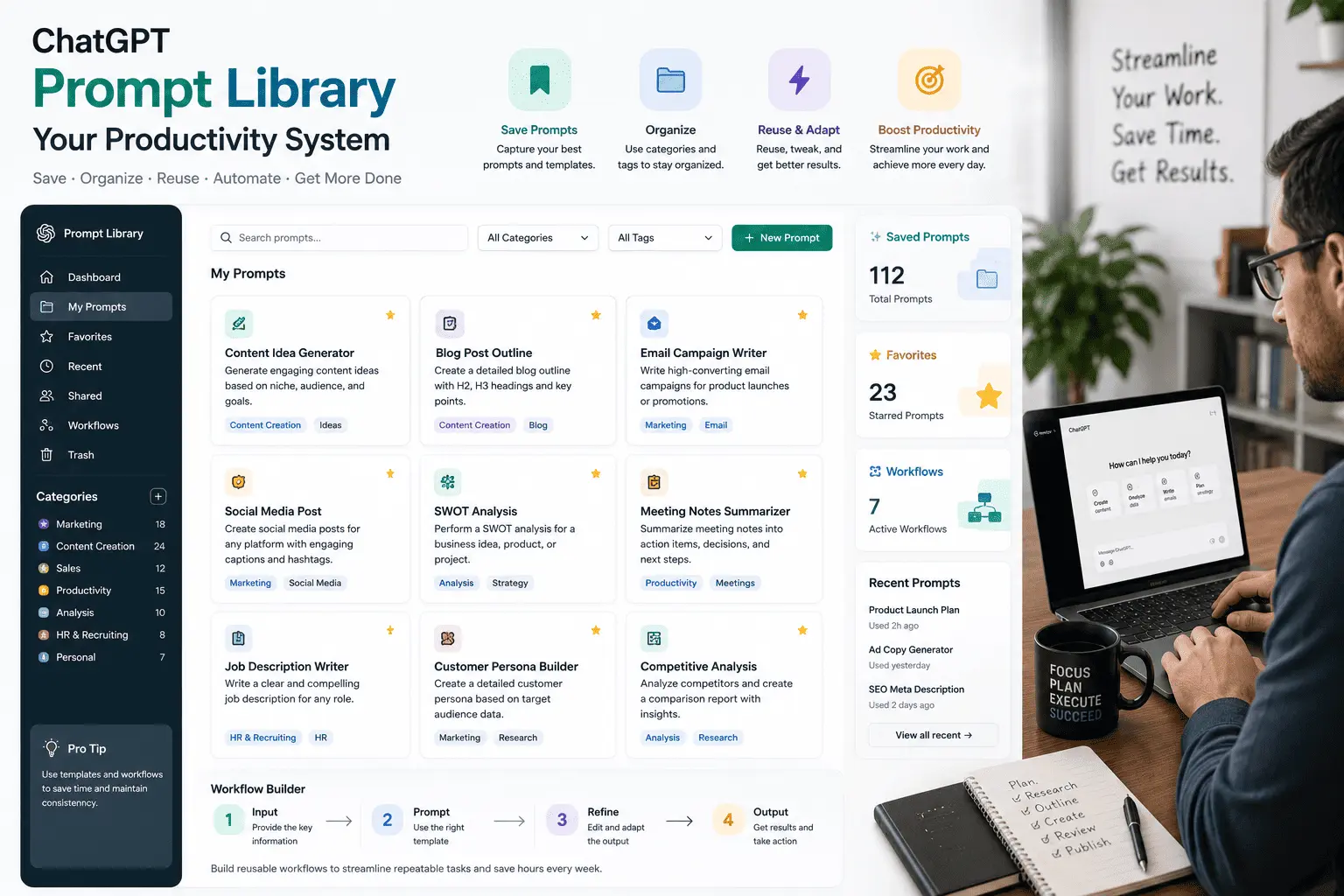
A saved prompt library is the single highest-leverage investment you can make in your ChatGPT workflow. One hour of setup pays back forever.
5 Mistakes That Make ChatGPT Useless at Work
- Vague prompts. “Write an email” produces generic garbage. “Write a 100-word follow-up email to a client who went silent after our proposal, tone: warm but nudging” produces something usable.
- Treating it as a finished product machine. ChatGPT produces strong first drafts, not final output. Always edit for specifics, accuracy, and your own voice.
- Not giving it context. It can’t read your mind. Tell it who you are, who the audience is, what decision this feeds, and what format you need.
- Pasting confidential data. Never put client names, financial figures, or proprietary strategy into the standard ChatGPT interface. Use an enterprise-approved version or anonymize first.
- Using it once and giving up. The learning curve is front-loaded. The first week feels slow. By week three, you won’t remember how you worked without it.
Frequently Asked Questions
Can I use ChatGPT for work for free?
Yes. ChatGPT’s free tier is capable enough for most workplace tasks email writing, summarization, brainstorming, and research overviews. The paid plan (ChatGPT Plus, $20/month) adds faster responses, access to the most capable models, and features like Agent Mode for autonomous tasks. For most individual professionals, start free and upgrade when you hit the limits.
Is it safe to use ChatGPT at work?
The standard ChatGPT interface should not be used with confidential company data, client names, or proprietary information. OpenAI offers an enterprise version with stricter data privacy controls that does not use inputs for model training. Always check your employer’s AI usage policy before integrating ChatGPT into any workflow that touches sensitive information.
How do I get better results from ChatGPT at work?
Three things make the biggest difference: (1) Give it a role “Act as a senior copywriter.” (2) Specify the audience “This is for non-technical executives.” (3) Constrain the output “Keep it under 150 words, use bullet points.” The more context you give, the less generic the output.
What tasks is ChatGPT worst at for work?
Anything requiring real-time information (current stock prices, today’s news), precise numerical calculations you need to trust completely, and tasks where the specific details matter but you can’t provide them. It’s also poor at tasks where your own judgment, relationships, or institutional knowledge are the actual value; it can support those tasks, but not replace them.
How long does it take to learn how to use ChatGPT for work effectively?
Most professionals feel comfortable within 1–2 weeks of daily use. The key is building a prompt library for your most common tasks early. This creates immediate, repeatable value and speeds up the learning curve significantly.
ChatGPT for Work: Your First-Week Checklist
- Sign up for ChatGPT free at chat.openai.com
- Use it for one email today, paste a draft, ask for a rewrite
- Prep for one meeting this week using the meeting prompt above
- Summarize one long document or email thread
- Build your personal prompt library using Use Case 10
- Save your best prompts in a Notion page or Google Doc for reuse
- Check your employer’s AI policy before using it for sensitive tasks
The Bottom Line
Learning how to use ChatGPT for work is not complicated. It rewards one thing above all else: specificity. The more context you give it your role, the audience, the goal, the constraints the more useful the output. The professionals saving 2–3 hours a day are not using any special tricks. They’re using the same interface as everyone else, with better-structured prompts and saved templates for their most common tasks.
Start with one task today. Rewrite one email. Prep for one meeting. Build one prompt template. The habit compounds fast.
Statistics sourced from publicly available 2026 research, including McKinsey’s 2026 Productivity Report and OpenAI enterprise data. ChatGPT features and pricing may change verify current plans at openai.com. This article contains no sponsored placements.