

The best free AI tools in 2026 are not the ones everyone keeps talking about
Every week, another list tells you to use ChatGPT. You already know about ChatGPT.
The real problem in 2026 is not awareness. It is knowing which tools are actually performing right now, in May 2026, for the specific tasks that drain your hours every week. The AI landscape has shifted so fast that tools rated highly just 12 months ago are already obsolete or paywalled beyond usefulness.
I spent 30+ hours cutting through the noise to find the free AI tools 2026 edition that actually deliver. Not tools with great marketing. Tools that replace the work of a researcher, a designer, a meeting coordinator, an automation engineer, a writer, a voice artist, and an analyst. Together.
Every tool in this list has a meaningful free tier as of May 2026. No credit card tricks. No expiring trials. Real, usable tools you can open today.

Why these 7 free AI tools for 2026 made the cut
The selection criteria were simple and unforgiving: the tool had to have a genuine free tier in May 2026, had to show real, measurable time savings in testing, and had to cover a function most small teams or solopreneurs genuinely need filled.
The seven tools cover: deep research, presentations, document intelligence, workflow automation, meeting transcription and analysis, text-to-speech and voice cloning, and long-form reasoning and writing.
Together, that is the workload of a 3-person team. Here is each one in detail.
Tool #1: Perplexity AI, the best free AI research tool in 2026
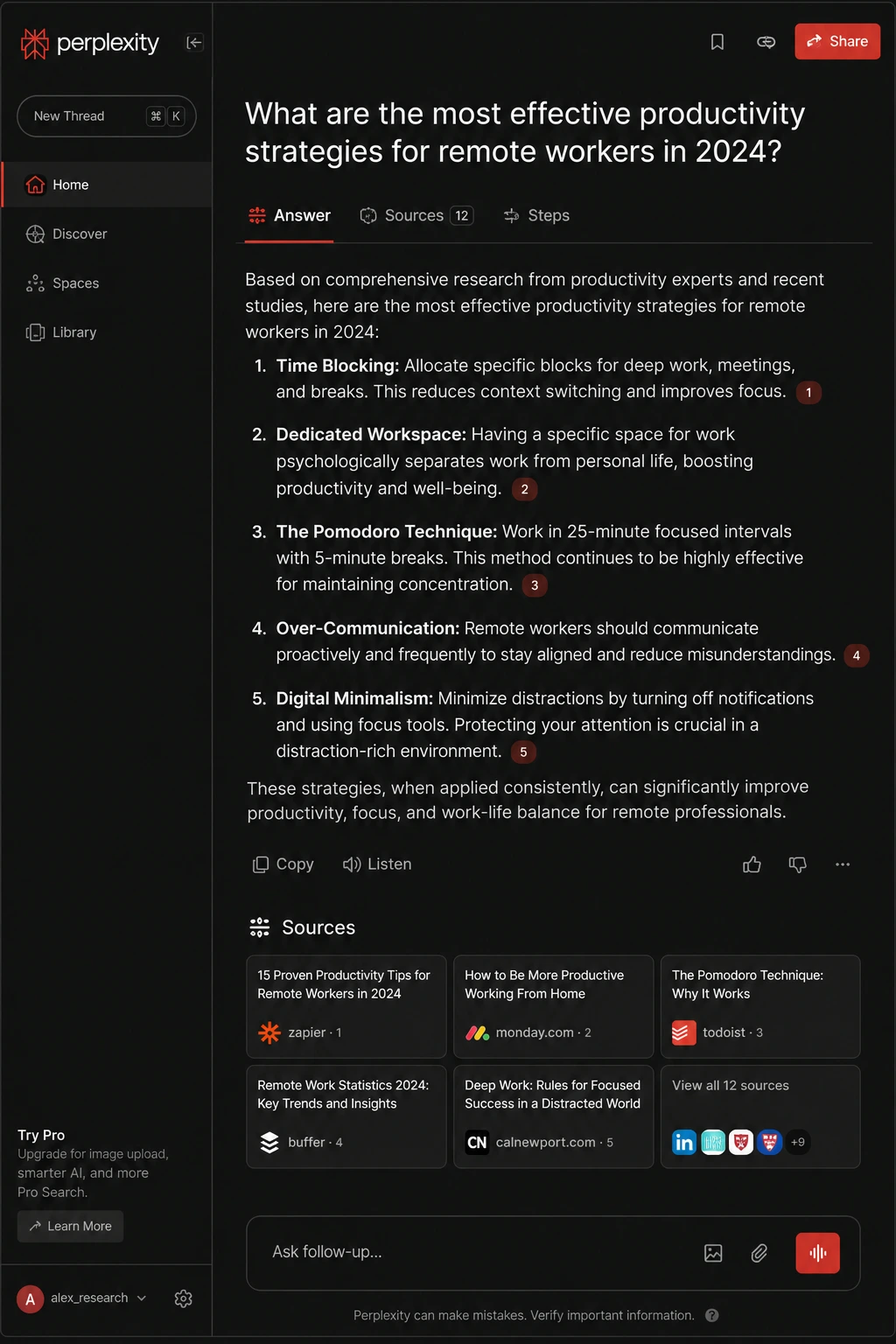
What is Perplexity AI?
Perplexity AI is a conversational answer engine that searches the web in real time and delivers synthesized, cited answers instead of a list of links.
It processes over 1 billion queries per month in 2026 and now has 45 million users. Unlike a traditional search engine, Perplexity reads the sources, reasons across them, and writes you a direct answer with every claim linked to its source inline.
In 2026, Perplexity also launched Comet, its own free AI browser, available on iOS, Android, Windows, and Mac. Comet adds in-page research, form-filling, meeting email management, and agentic multi-step tasks directly inside a browser you already use.
Why Perplexity AI stands out as a free AI tool in 2026
Most search tools give you a map to find the answer. Perplexity gives you the answer and proves it.
The Focus mode is where it separates from the competition. You can restrict any search to academic papers, Reddit, YouTube, news, or specific websites. If you want actual user experiences instead of SEO-optimized product pages, you restrict to Reddit. If you want peer-reviewed data, you restrict to academic sources.
The Deep Research feature (available on paid tiers but with daily free credits) runs multi-step autonomous research that produces a structured report, not just a paragraph. Engineering teams at startups across the world now use it as their primary research tool because it cuts research time in half compared to Google.
Perplexity AI pricing in 2026
The free plan gives unlimited standard searches with cited answers, approximately 5 Pro Search queries per day, and full access to the Comet browser. The Pro plan is $20/month (or $200/year) and unlocks unlimited Pro Search and 20 Deep Research queries per day. Students and U.S. military veterans have been offered free Pro access through partnership programs as of 2026.
Pros and cons of Perplexity AI
- Pro: Real-time web search with inline citations, making every answer verifiable
- Pro: Focus modes target specific source types (Reddit, academic, YouTube, news)
- Pro: Comet browser is now completely free on all platforms as of March 2026
- Pro: 45M+ users means rapid iteration and constant improvement
- Pro: Deep Research mode produces structured multi-source reports
- Con: Free plan limits Pro Search to 5 queries per day
- Con: Narrowly focused on search versus general-purpose assistants at the same price
- Con: Data may be used for training on Free and Pro tiers
- Con: Heavy research sessions exhaust the free Pro search cap quickly
Who Perplexity AI is for
Perfect for freelance writers, consultants, legal professionals, content strategists, and anyone who does client research or market analysis. If you spend more than 3 hours a week chasing sources on Google, Perplexity directly replaces that labour.
Perplexity AI use cases
- Competitive research: Ask “What do Reddit users say about [competitor] in 2026?” and restrict to Reddit for unfiltered real-user opinions
- Academic literature review: Restrict to academic mode to find and synthesize peer-reviewed papers on any topic
- Technical documentation: Engineering teams query Perplexity instead of Google for technical docs, cutting search time significantly
- News monitoring: Set up daily searches for industry keywords and get synthesized news summaries instead of raw headlines
- Client proposals: Run a deep research session on a client’s market and get a multi-source briefing document in under 10 minutes
Start using Perplexity AI for free here.
Tool #2: Gamma, the best free AI presentation tool in 2026
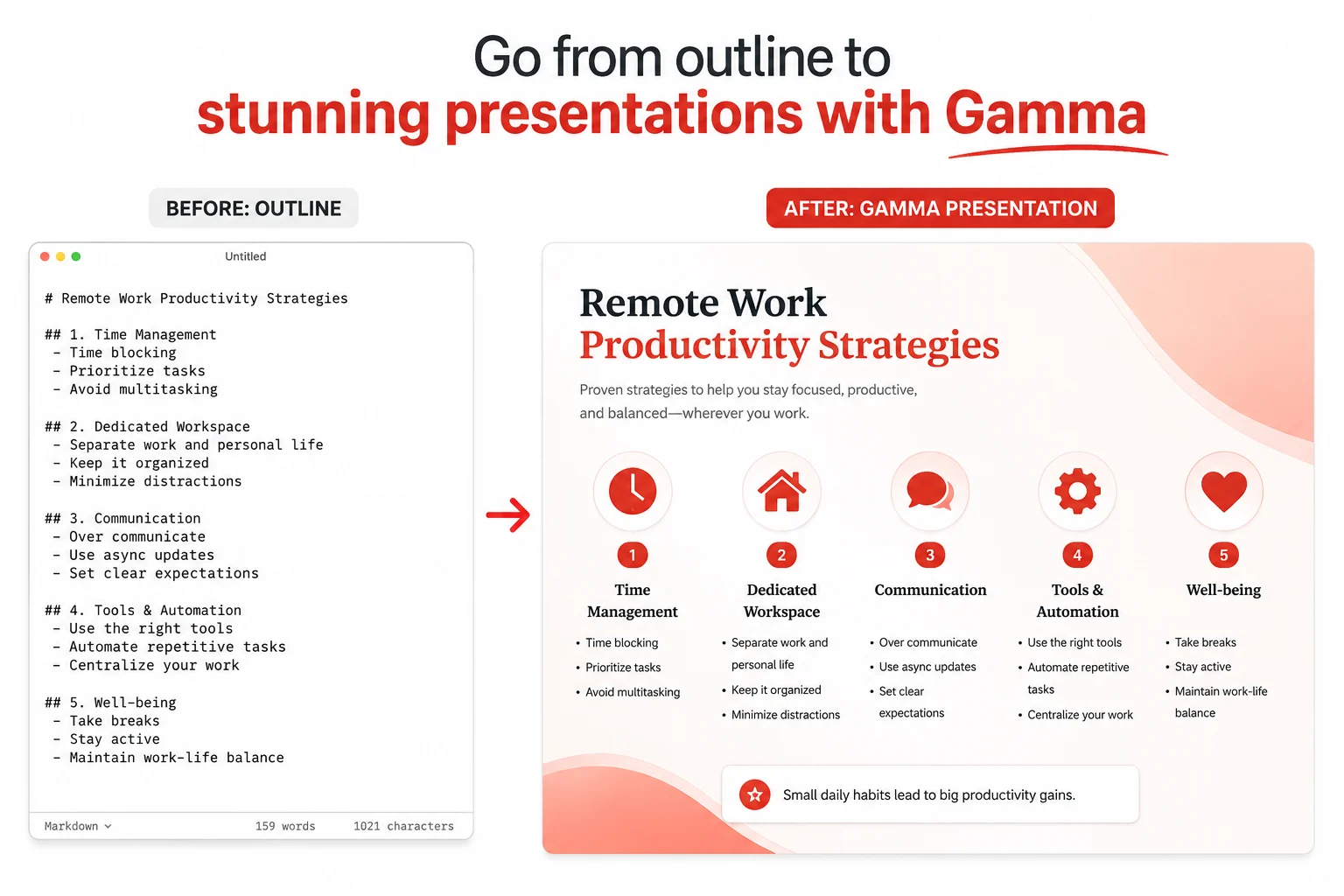
What is Gamma?
Gamma is an AI-powered presentation, document, and webpage builder that generates polished slide decks from a prompt, a pasted outline, or an uploaded file in under two minutes.
Launched in 2020, Gamma has become the go-to tool for founders, consultants, educators, and marketers who need professional-looking output without a designer. In January 2026, Gamma added AI animations to decks. In March 2026, it launched Gamma Imagine, an AI image generation product for marketing assets, including charts, infographics, and social graphics, competing directly with Canva.
Gamma’s Agent v3.0, released in early 2026, adds a conversational editing layer. You can type “make the third card more concise and add a chart,” and the agent handles it without you clicking through menus manually.
Why Gamma stands out as a free AI productivity tool in 2026
The fastest time-to-polished-content of any AI presentation tool tested in 2026. Independent reviewers scored it 4.5 out of 5 for ease of use.
Gamma’s web-native output is its defining advantage. Decks are interactive, animated, and shareable as links instead of static files. This matters for client pitches, sales decks, and investor presentations where engagement tracking (available on paid tiers) tells you whether people actually opened the deck.
The free plan gives you 400 lifetime AI credits with no credit card required, enough for approximately 10 fully generated presentations. Each deck costs 40 credits, and each AI edit costs 10 credits.
Gamma pricing in 2026
Free: 400 lifetime credits with a Gamma watermark on shared decks. Plus: $8 to $10 per month (annual). Pro: $25 per month. Ultra: $100 per month. Team plans start at $20 per seat per month. SOC 2 Type II certified as of October 2025, making it viable for teams with compliance requirements.
Pros and cons of Gamma
- Pro: Generates a full, visually polished deck from a plain text prompt in under two minutes
- Pro: AI animations (January 2026) and AI image generation (March 2026) push output quality significantly higher
- Pro: Agent v3.0 enables conversational editing without manual clicking
- Pro: Free plan requires no credit card and delivers real, shareable output from day one
- Pro: SOC 2 Type II certified for team and business plan users
- Pro: Analytics on paid tiers show whether recipients actually engaged with content
- Con: Free plan credits are lifetime (400 total), not monthly; they run out
- Con: PowerPoint exports flatten dynamic layouts into static images, breaking editability
- Con: Brand consistency cannot be enforced at the workspace level for teams
- Con: Output feels more like a well-formatted document than a traditional enterprise presentation
Who Gamma is for
Freelancers pitching clients, startup founders creating investor decks, teachers building course materials, marketers producing sales collateral, and anyone who currently spends 2+ hours per presentation on layout and design work.
Gamma use cases in 2026
- Client pitch decks: Paste a proposal outline and generate a full, branded deck in 90 seconds before a client call
- Investor presentations: Upload a business plan document, and Gamma structures it into a compelling narrative deck automatically
- Course materials: Convert a lesson plan into an interactive, animated presentation that students can access as a link
- Marketing one-pagers: Use Gamma Imagine (March 2026) to generate infographics and social graphics from your copy
- Sales enablement: Build product demo decks with engagement tracking to see which slides prospects spend time on
Try Gamma for free with 400 AI credits here.
Tool #3: Google NotebookLM Best free AI document intelligence tool in 2026
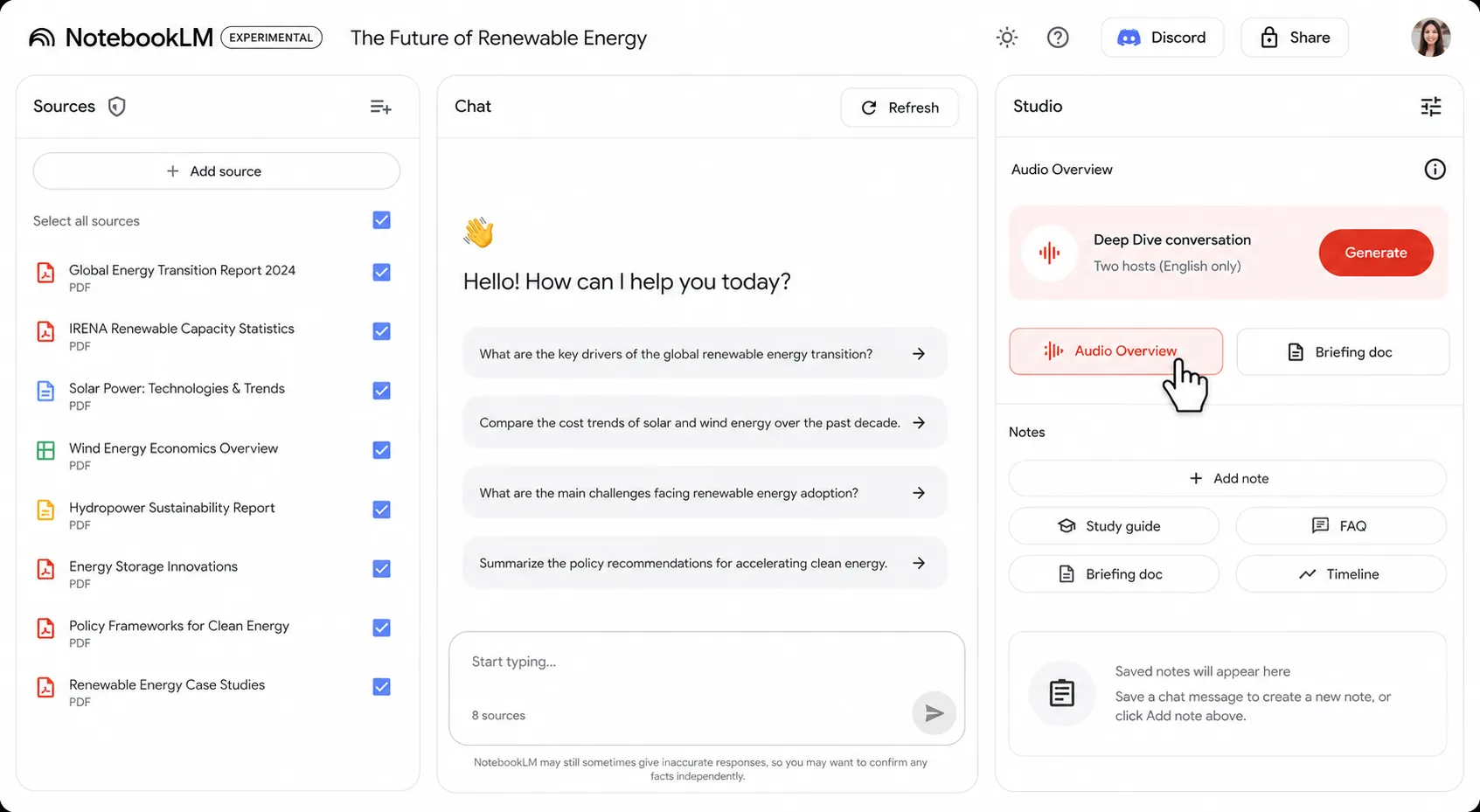
What is Google NotebookLM?
Google NotebookLM is a source-grounded AI research assistant powered by Gemini. You upload PDFs, Google Docs, Word files, YouTube video links, or web URLs, and then have a live conversation with that content.
NotebookLM has had one of the most packed update cycles of any AI tool in recent memory. Since October 2025, it shipped Deep Research, a Gemini 3 engine upgrade, built-in slide editing with PPTX export (February 2026), Cinematic Video Overviews (March 2026), and a major AI Pro storage increase in April 2026. Google I/O on May 19, 2026, restructured its pricing tiers further.
The interface now uses a three-column layout: Sources on the left, Chat in the middle, and Studio on the right. The Studio panel is the content factory, one click generates flashcards, briefing documents, FAQ pages, study guides, timelines, and the Audio Overviews that turn your uploaded documents into podcast-style conversations.
Why NotebookLM stands out as a free AI tool for 2026
The Audio Overview feature is the one that changes behaviour. Upload a 60-page industry report, click Audio Overview, and in minutes, NotebookLM produces a podcast-style conversation between two AI hosts discussing the material. You absorb a complex document during your commute instead of adding it to your “read later” graveyard.
The February 2026 update solved a major frustration: the inability to edit individual slides without regenerating the entire deck. You can now type “fix slide 3” or “make slide 5 more concise,” and only those slides regenerate.
NotebookLM is completely free with a Google account. No credit card. No trial limit on core features.
NotebookLM pricing in 2026
Free plan: access to all core Studio features with daily and monthly usage limits. Google AI Plus is approximately $14 per month. Google AI Pro is $19.99 per month and raises limits significantly, allowing up to 300 sources per notebook and 5TB of AI Pro storage. NotebookLM also integrates directly with the Gemini app as of December 2025.
Pros and cons of NotebookLM
- Pro: Completely free with a Google account, no credit card, no trial expiry
- Pro: Audio Overviews convert documents into podcast-style conversations for passive absorption
- Pro: Cinematic Video Overviews (March 2026) add a new dimension to document-to-content conversion
- Pro: Built-in slide editing with PPTX export (February 2026) removed a major workflow gap
- Pro: Deep Research on the Gemini 3 engine produces thorough multi-source analyses
- Pro: Accepts PDFs, Docs, YouTube links, web URLs, Word files, and Google Sheets
- Con: Free tier has daily and monthly usage limits that are not publicly specified
- Con: Design flexibility in slides remains basic compared to dedicated presentation tools
- Con: Best used for understanding and organizing existing sources, not as strong for original content generation
- Con: Requires a Google account, which is a friction point for non-Google users
Who NotebookLM is for
Researchers, students, lawyers, content strategists, teachers, journalists, and anyone who regularly works with long documents they need to understand fast. Particularly powerful for anyone who has ever opened a 50-page PDF and immediately closed it again.
NotebookLM use cases in 2026
- Research synthesis: Upload 10 competitor reports and ask NotebookLM to generate a comparison table, then export directly to Google Sheets
- Podcast-style learning: Convert an entire textbook chapter into an Audio Overview and listen during a commute
- Legal document review: Upload contracts and ask targeted questions like “What are all the indemnification clauses in this agreement?”
- Content repurposing: Upload a long blog post or whitepaper and generate an FAQ, a briefing document, and social snippets in one Studio session
- Study materials: Upload lecture notes and generate flashcards, timelines, and a study guide automatically from the Studio panel
Start using Google NotebookLM free here.
Tool #4: Make (formerly Integromat) is the best free AI automation tool for 2026
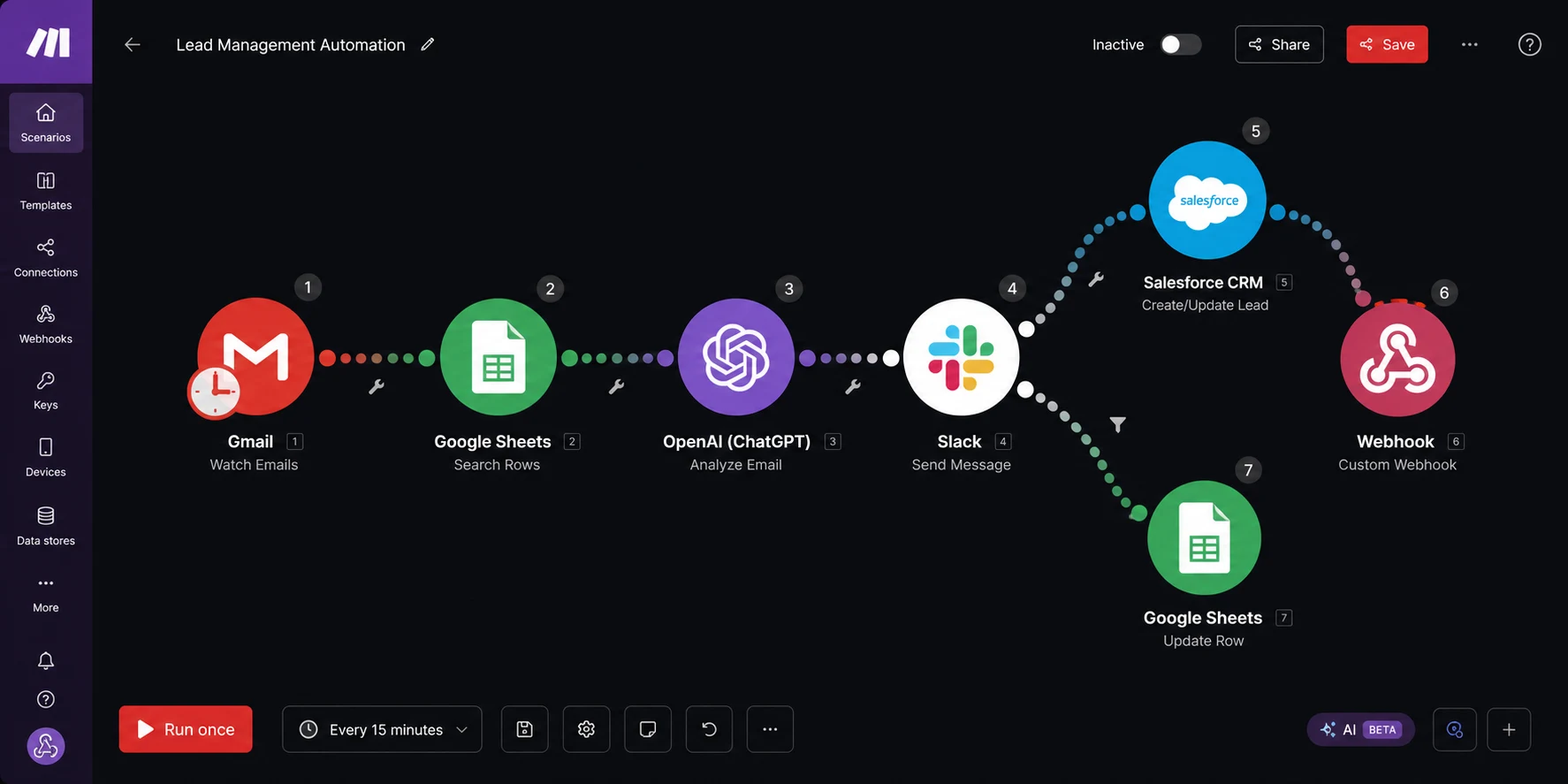
What is Make?
Make (formerly Integromat) is a no-code visual automation platform that connects your apps and automates multi-step workflows without writing code. It supports 3,000+ app integrations, including OpenAI, Anthropic Claude, Google Gemini, Stability AI, Slack, Gmail, Google Sheets, CRMs, and virtually every major SaaS tool.
Make’s defining feature is a visual canvas where your workflow appears as a map instead of a linear checklist. One trigger can branch into multiple parallel or conditional actions. This makes it genuinely suited for complex logic that tools like Zapier cannot handle elegantly.
In 2026, Make added AI Agents (beta), an AI Toolkit, an MCP server for Claude, an AI Content Extractor, and 350+ AI app integrations. All paid plan users can now connect their own AI provider API keys and pay their AI provider directly for token usage.
Why Make stands out as a free automation tool in 2026
The free tier gives 1,000 operations per month, access to the full visual workflow builder, and all 3,000+ integrations. No credit card required. Reviewers ran actual client invoice reminder systems on the free plan for 3 months before needing to upgrade.
The pricing model is transparent: every module action in a scenario costs one operation. Connecting to Google Sheets is one operation. Sending an email is one operation. No surprise bills. And as of 2026, unused operations roll forward one month on paid plans, saving seasonal businesses meaningful money.
For teams that have outgrown Zapier’s linear workflows and need branching logic, conditional paths, and data transformation, Make handles it at a price Zapier cannot match: $9 to $16 per month for the plans most users actually need.
Make pricing in 2026
Free: 1,000 operations per month, 2 active scenarios, 15-minute minimum scheduling interval. Core: $9 per month for 10,000 operations with unlimited active scenarios. Pro: $16 per month, adding priority execution and full-text search. Teams: $29 per month. Enterprise: custom pricing. Annual billing saves approximately 15% across all plans.
Pros and cons of Make in 2026
- Pro: 3,000+ app integrations, including native AI modules for OpenAI, Claude, and Gemini
- Pro: Visual canvas makes complex conditional logic readable and manageable
- Pro: Free tier (1,000 ops/month) is genuinely usable for real workflows, not just demos
- Pro: Transparent credit-based pricing, you know exactly what you are spending
- Pro: Rollover operations on paid plans (2026 feature) reduce waste for seasonal businesses
- Pro: Active community of 50,000+ members for troubleshooting
- Con: Steep learning curve for non-technical users, expect 10 to 20 hours before real productivity
- Con: Free plan caps at 2 active scenarios and a 15-minute minimum run interval
- Con: Pricing feels complex until you understand the operations model
- Con: Zapier is faster for simple two-step linear automations, where Make is overkill
Who Make is for
Marketing agencies, e-commerce operators, operations leads, virtual assistants, and any solopreneur spending more than 2 hours a week on copy-paste tasks between apps. If you have ever said, “I wish this app just talked to that app automatically,” Make is the answer.
Make use cases in 2026
- Client onboarding: When a client signs a contract, automatically create a CRM entry, send a welcome email, create a project in Notion, and post a Slack notification, all without touching anything
- Content distribution: Auto-share new blog posts to LinkedIn, X, and a newsletter list simultaneously when published
- Lead routing: Score incoming leads from a form, route high-value leads to a sales Slack channel, and add others to an email nurture sequence
- Invoice reminders: Trigger payment reminders automatically based on invoice due dates from a Google Sheets tracker
- AI content pipeline: Connect a Claude or GPT module to automatically generate first drafts from a content brief submitted via a form
Start automating with Make for free here.
Tool #5: Fireflies.ai Best free AI meeting assistant in 2026
What is Fireflies.ai?
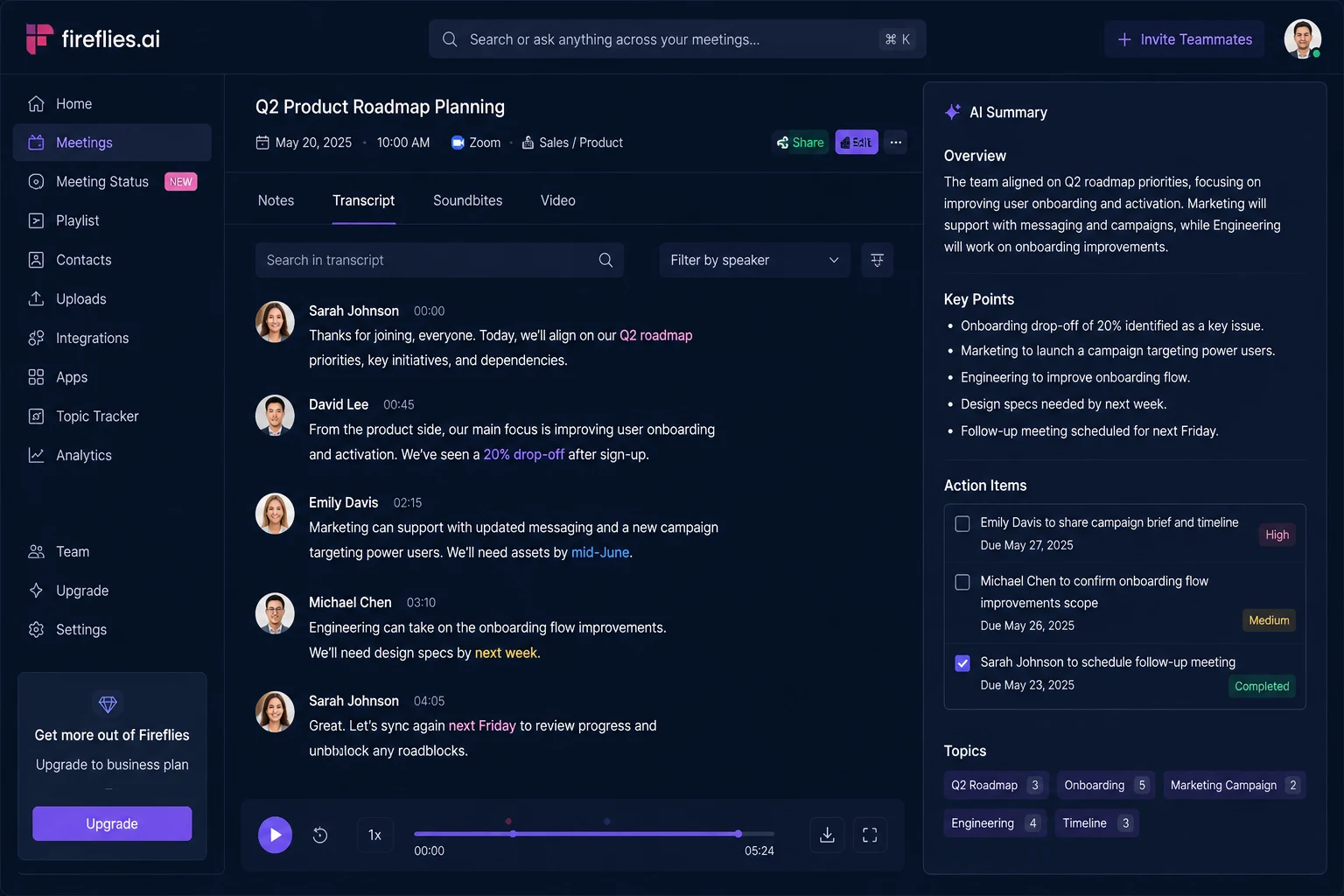
Fireflies.ai is an AI meeting assistant that joins your Zoom, Google Meet, Microsoft Teams, and Webex calls, records them, transcribes them in 60+ languages, and generates AI summaries with action items, key topics, and speaker-labelled notes sent to your inbox after every meeting.
Its “Ask Fred” AI copilot lets you query your entire meeting history using natural language. Ask “What did we decide about the Q3 budget last Tuesday?” and Fred pulls the exact moment from the transcript with the speaker, timestamp, and surrounding context.
Fireflies integrates with 70+ tools natively and has earned a 4.8 rating on G2 from thousands of reviews as of 2026. It supports more conferencing platforms and languages than most competitors, making it particularly strong for multilingual or distributed teams.
Why Fireflies.ai stands out as a free meeting tool in 2026
The free plan is the most accessible in the category for casual users: unlimited transcription storage (800 minutes) and the ability to transcribe meetings on demand without any configuration.
The CRM sync is what separates Fireflies from sales teams. It auto-logs calls to HubSpot and Salesforce, tracks speakers, offers sentiment analysis, and generates custom vocabulary coaching for objection handling. This replaces a sales coordinator function that many small teams pay for separately.
Fireflies.ai pricing in 2026
Free: $0, 800 minutes of transcription storage, limited AI summaries (3 per month). Pro: $10 per user per month (annual) for unlimited transcription and AI summaries. Business: $19 per user per month, including CRM sync, conversation intelligence, and unlimited storage. Enterprise: $39 per user per month.
Pros and cons of Fireflies.ai in 2026
- Pro: 60+ language support, the most versatile meeting assistant for multilingual teams
- Pro: “Ask Fred” natural language search across all past meeting transcripts
- Pro: 70+ native integrations, including HubSpot, Salesforce, Notion, and Slack
- Pro: 4.8 stars on G2 with a strong track record and consistent reliability
- Pro: Supports 10+ conferencing platforms more than most competitors
- Pro: Sentiment analysis and custom vocabulary coaching for sales teams
- Con: Free plan limits AI-generated summaries to 3 per month, a serious bottleneck for daily users
- Con: Video recording is locked behind higher-tier paid plans
- Con: Google Meet has started flagging some third-party meeting bots as security risks, which can affect access depending on your organization’s settings
- Con: No automatic language detection, you must manually set the transcription language
- Con: Requires calendar access to join meetings automatically
Who Fireflies.ai is for
Founders in back-to-back meetings, project managers, sales teams, consultants who bill by the hour, and anyone who ends meetings and immediately forgets what was decided. Particularly strong for teams needing CRM integration and multilingual transcription.
Fireflies.ai use cases in 2026
- Sales call logging: Auto-log every client call to HubSpot or Salesforce with speaker notes and sentiment tags, no manual entry required
- Project meeting summaries: Receive a structured summary with action items and owners after every standup or sprint review automatically
- Onboarding recordings: Record training sessions and create a searchable library that new hires can query by topic
- Multi-language teams: Transcribe meetings held in French, Spanish, German, and 57+ other languages and share English summaries automatically
- Legal and compliance: Maintain a timestamped, searchable archive of all client calls and decision conversations
Start using Fireflies.ai for free here.
Tool #6: ElevenLabs Best free AI voice tool in 2026
What is ElevenLabs?
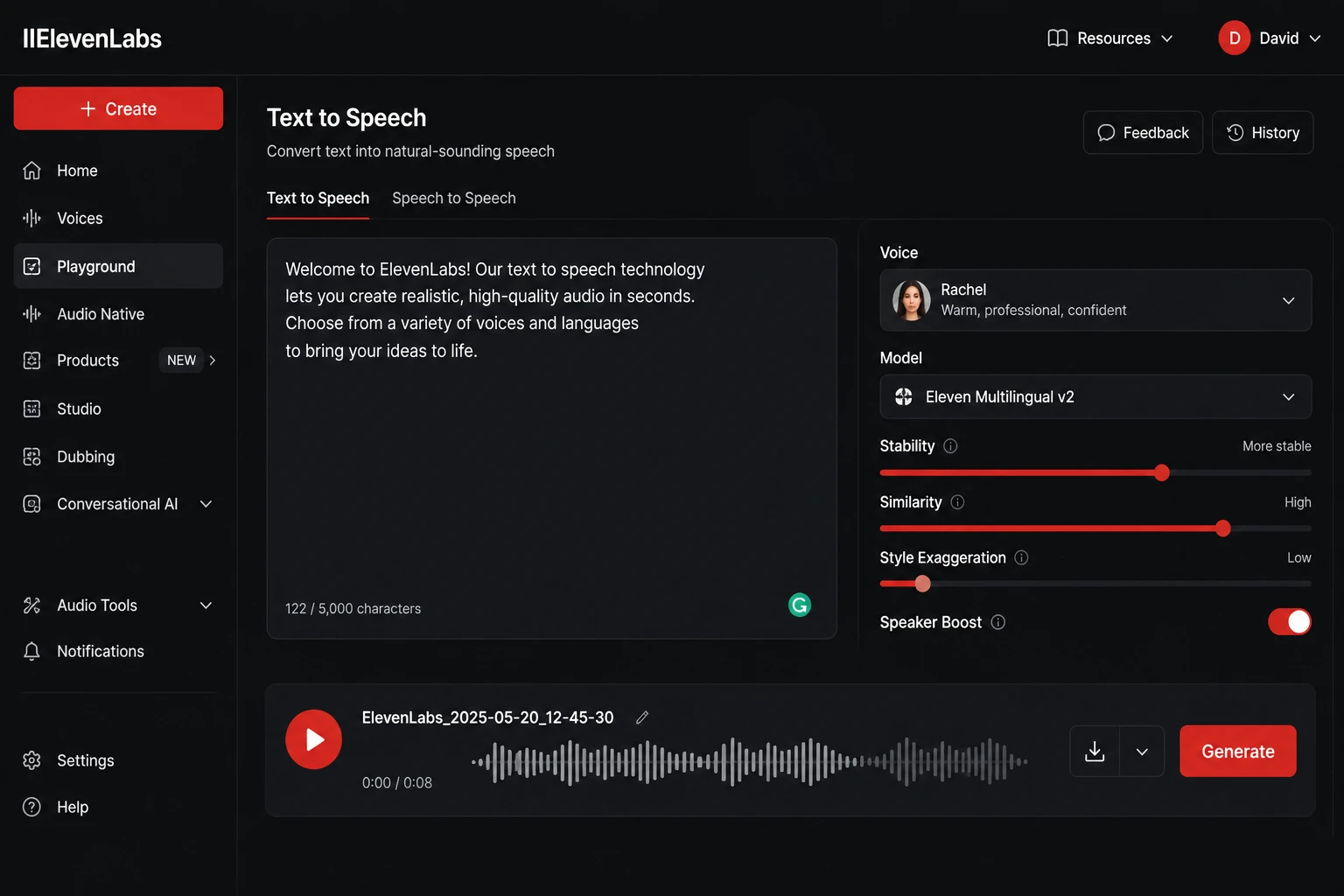
ElevenLabs is an AI voice platform that converts text into speech using voices that are genuinely difficult to distinguish from human narrators. In 2026, it is used by 41% of Fortune 500 companies and has crossed $330 million in annual recurring revenue, appearing on the Forbes AI 50 list.
It goes well beyond basic text-to-speech. The platform covers voice cloning from a short audio sample, AI dubbing for multilingual content, sound effects generation from text descriptions, and Conversational AI Agents that handle real phone calls, customer support, and sales outreach across 70+ languages.
The V3 model (currently in alpha testing as of 2026) pushes emotional expression further than any mainstream competitor. Agents can laugh, whisper, sigh, and pause naturally based on conversation context. ElevenLabs also recently unveiled an AI music generator for commercial use, signalling a shift toward full audio production.
Why ElevenLabs stands out as a free AI voice tool in 2026
The free plan gives 10,000 characters per month (approximately 10 minutes of audio) with 3 instant voice clone slots, no credit card required. This is one of the most generous free tiers in the voice AI category.
Voice realism is the defining factor. In 2026, testing across 10+ voice styles and 5 languages, ElevenLabs consistently delivered natural pauses, breathing patterns, appropriate emotional inflection, and authentic accents not English phonetics mapped onto other languages. For YouTube narration, audiobook production, or multilingual dubbing, there is currently no competitor that matches this quality on a free plan.
ElevenLabs pricing in 2026
Free: 10,000 characters per month, 3 voice clone slots, MP3 downloads, no commercial license included. Starter: approximately $6 per month (annual). Creator: $22 per month for 100,000 characters, Professional Voice Cloning, and commercial usage rights. Pro: $99 per month for 500,000 characters and analytics. Scale: $330 per month for 2 million characters across 3 workspace seats.
Important note: the free plan does not include commercial licensing. Content generated on the free plan cannot be published to monetized channels or used in client work. Commercial rights require the Starter tier or above.
Pros and cons of ElevenLabs in 2026
- Pro: Best raw voice realism of any AI voice platform in 2026 leads naturalness benchmarks consistently
- Pro: 10,000 free characters per month with no credit card required
- Pro: V3 model enables emotional expression agents to adapt tone, timing, and emotion contextually
- Pro: 40+ language support with authentic accent and intonation (not transliterated English)
- Pro: Conversational AI Agents for phone calls and customer support with $0.10 per minute call pricing
- Pro: Used by 41% of Fortune 500 companies for enterprise-grade reliability
- Con: Free plan has no commercial license, you cannot monetize or use it in client work
- Con: Credit system is strict, editing and re-generating burns through your balance quickly
- Con: Non-English voice quality, while good, still shows occasional accent bleeding and pronunciation issues with numbers and proper nouns
- Con: Support takes 3 to 14 days, depending on your plan tier
- Con: Professional Voice Cloning requires studio-quality recorded audio; instant cloning quality varies
Who ElevenLabs is for
YouTubers, podcasters, online course builders, marketers producing audio ads, and developers building voice-powered applications. Anyone who has ever paid for a voice actor or spent hours recording narration will immediately see the ROI.
ElevenLabs use cases in 2026
- YouTube narration: Generate broadcast-quality voiceovers for scripts in minutes, at a fraction of the cost of human voice talent
- Podcast ad reads: Clone your own voice and generate sponsor ad reads for episodes without re-recording sessions
- Course content updates: Update outdated narration in an existing course module without re-recording the entire lesson
- Multilingual content: Dub an English video into Spanish, French, and German with authentic accents using the AI dubbing feature
- Customer support agents: Build voice AI agents that handle inbound customer questions using the Conversational AI Agents platform
Try ElevenLabs free with 10,000 characters here.
Tool #7: Claude by Anthropic, the best free AI writing and reasoning tool in 2026
What is Claude?
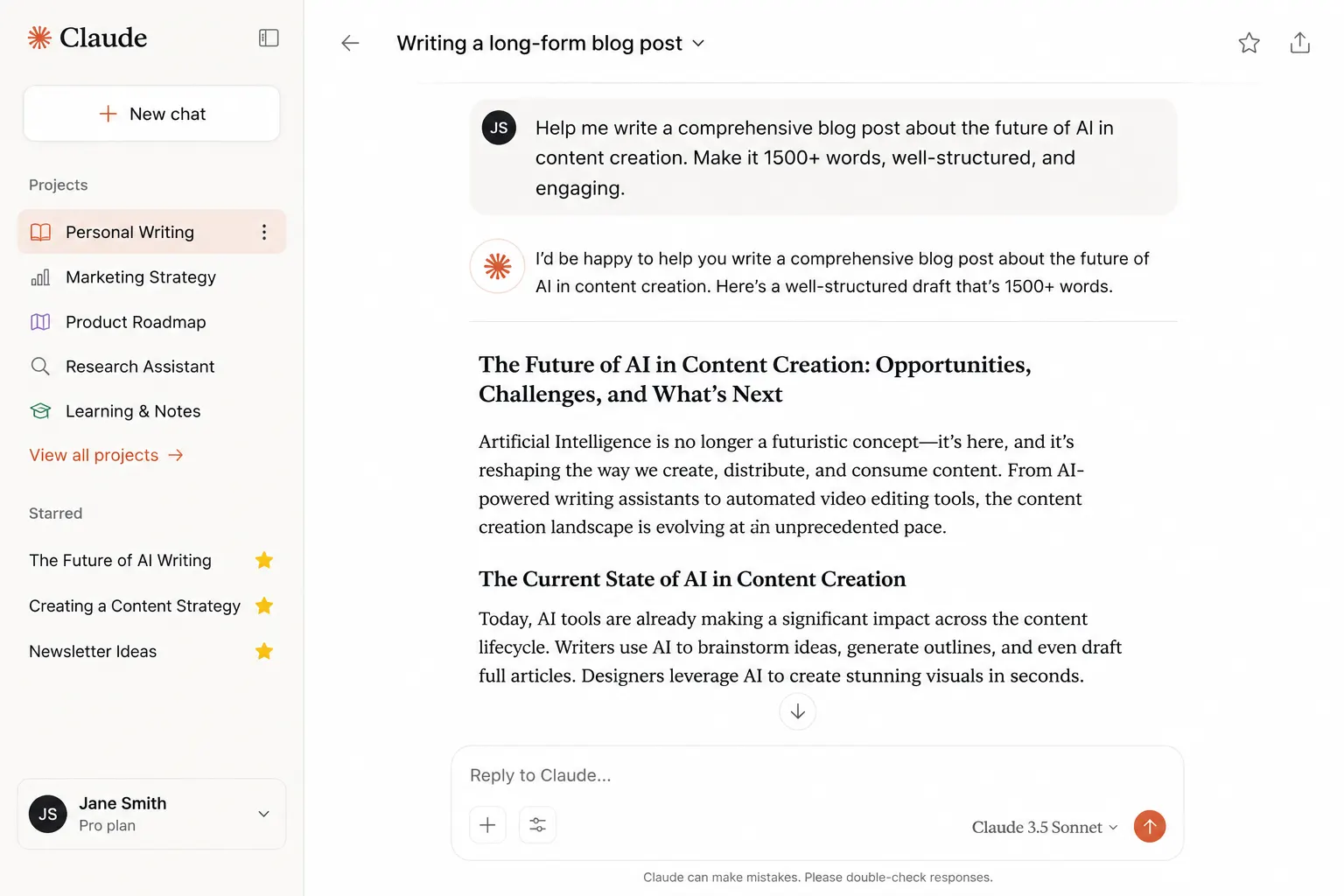
Claude is the AI assistant built by Anthropic, one of the most respected AI safety companies in the world. With a $380 billion valuation and $30 billion in annualized revenue as of 2026, Anthropic is no longer the underdog. Claude has become the standard for nuanced writing, long-context reasoning, and complex analysis.
The Claude 4 model family, which powers the product in 2026, delivers significant improvements in reasoning, coding, and multilingual capabilities. Claude can process up to 1 million tokens of context in a single session, meaning it can read and reason across entire codebases, full legal documents, or book-length content at once.
In February 2026, Anthropic expanded the free plan substantially. Free users now get access to connectors (securely linking Claude to email and calendar accounts), skills (task-specific customizations), multi-file uploads, and basic Projects features that were previously paid-only.
Why Claude stands out as a free AI tool in 2026
Two things separate Claude from every other general-purpose AI assistant in 2026: writing quality and context handling.
Claude produces long-form content that reads like a thoughtful human wrote it. Not because it mimics human writing patterns mechanically, but because it reasons about what a given reader needs and structures content accordingly. Writers, analysts, and lawyers who have used both Claude and competing tools consistently choose Claude for any task where the output will be read by another person.
The Projects feature gives Claude persistent memory of your brand voice, style guide, client context, or business rules. Every conversation inside a Project carries that context automatically. It turns a general-purpose AI into something that feels like an assistant who has worked with you for months.
The February 2026 free plan expansion also added connectors that let Claude securely link to your email and calendar accounts, something previously limited to paid users. Claude had approximately 18.9 million professional users in 2026.
Claude pricing in 2026
Free: daily usage limits with session resets approximately every 5 hours, access to Projects, file uploads, image analysis, and connectors. Pro: $20 per month (or approximately $17 per month billed annually) for significantly higher usage limits and priority access. Max 5x: $100 per month for 5 times Pro usage. Max 20x: $200 per month for heavy all-day usage. Enterprise plans with SOC 2, ISO 27001, and HIPAA-configurable compliance available for organizations.
Pros and cons of Claude in 2026
- Pro: Best long-form writing output quality of any free AI tool reads like a thoughtful human author
- Pro: The Projects feature gives persistent context memory across all conversations in a project
- Pro: 1 million token context window enables full document and codebase analysis
- Pro: Free plan now includes connectors (email, calendar) and skills expanded in February 2026
- Pro: Strong reasoning and analysis for complex, multi-step tasks
- Pro: Enterprise-grade compliance options (SOC 2, ISO 27001, HIPAA) for regulated industries
- Con: Free plan usage limits are not published; they vary based on message length, conversation depth, and server load
- Con: Claude Code (the terminal coding agent) is not available on the free tier
- Con: Users who consistently need heavy daily usage will hit free plan limits and need to upgrade
- Con: No image generation capability (focuses exclusively on text and analysis)
Who Claude is for
Writers, content marketers, founders, analysts, lawyers, developers, consultants, and, honestly, anyone who communicates professionally and wants output that sounds like a thoughtful expert produced it, not like a content farm.
Claude use cases in 2026
- Long-form content writing: Draft full blog posts, research reports, whitepapers, and case studies that require restructuring, editing, and nuanced argument development
- Document analysis: Upload an entire legal contract, financial report, or technical specification and ask targeted questions. Claude reads all of it in context
- Brand voice consistency: Set up a Project with your style guide and company context so every piece of content Claude produces automatically matches your brand without re-prompting
- Complex reasoning tasks: Multi-step business analysis, competitive strategy development, or product decision frameworks where linear tools fall short
- Code review and debugging: Upload entire codebases via Claude Code or the file interface and get detailed, context-aware code reviews with actionable fixes
Start using Claude free at claude.ai here.
Quick reference: which free AI tool should you start with in 2026?
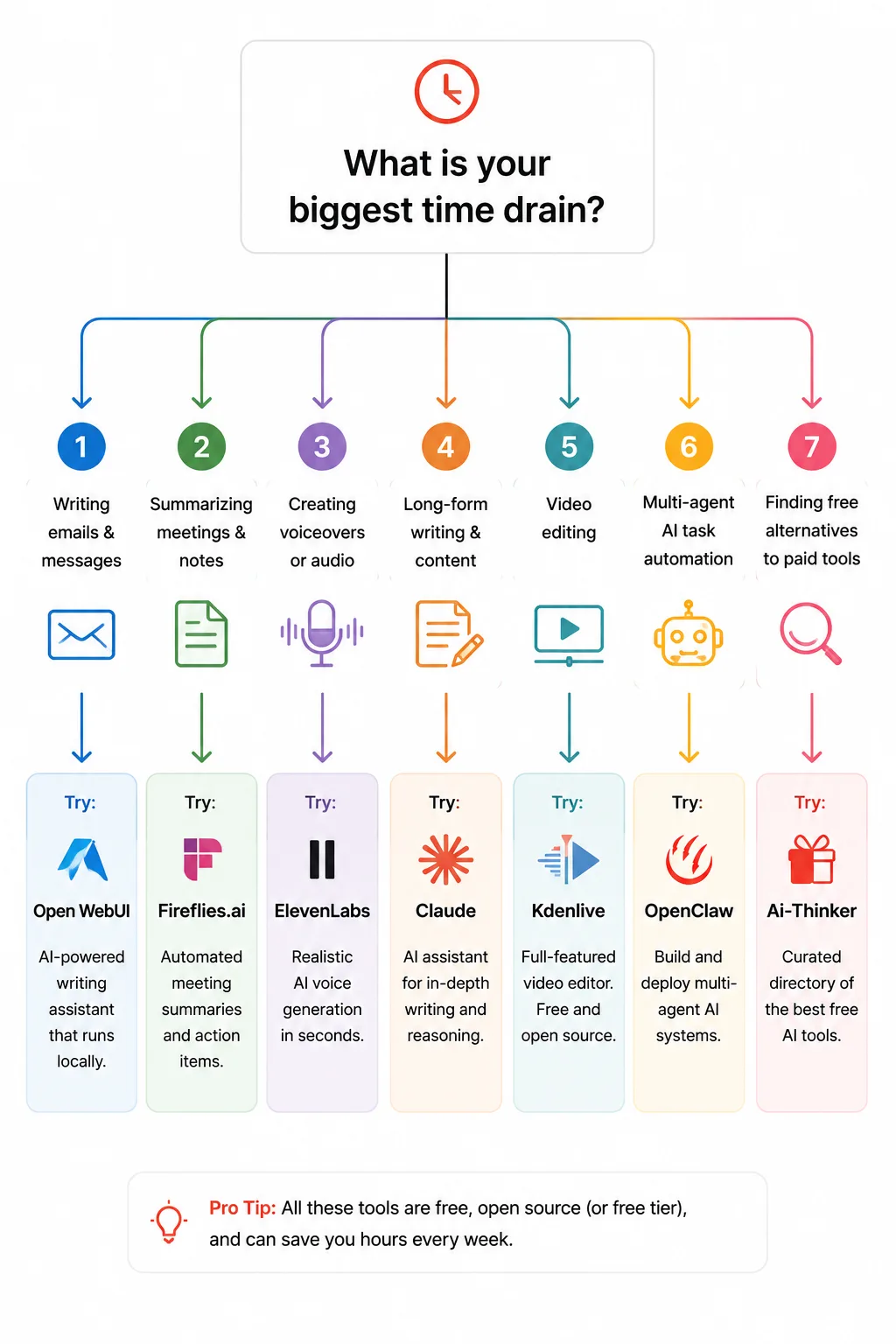
| If your biggest time drain is… | Start with | Estimated weekly time saved | Free tier quality |
|---|---|---|---|
| Research and source-finding | Perplexity AI | 3 to 5 hours | Excellent (5 Pro searches/day) |
| Building presentations and decks | Gamma | 2 to 4 hours | Good (400 lifetime credits) |
| Reading and extracting from long documents | Google NotebookLM | 2 to 4 hours | Excellent (fully free, Google account) |
| Repetitive app-to-app manual tasks | Make | 3 to 6 hours | Good (1,000 operations/month) |
| Meeting notes, summaries, action items | Fireflies.ai | 2 to 4 hours | Limited (3 AI summaries/month free) |
| Voice content, narration, audio production | ElevenLabs | 1 to 3 hours | Good (10,000 chars/month, no commercial) |
| Writing, analysis, and complex reasoning | Claude | 4 to 8 hours | Good (daily limits, Project support) |
Where most people go wrong with AI productivity tools in 2026
Here is the mistake almost everyone makes: they open every tool in this list on one weekend, feel overwhelmed, and revert to doing everything manually by Monday.
The counterintuitive move is to pick the single tool that maps to your biggest time drain and use it every day for two weeks before touching the others.
AI tools compound. The efficiency gained from mastering one frees up the attention to properly learn the next. People who use AI casually get 10% better. People who commit deeply to one tool get 10x better results.
The second mistake is treating these tools as final-output machines. They are force multipliers, not replacements for judgment. The quality of output is almost always proportional to the quality of input. A vague prompt produces a vague result. A specific, context-rich prompt produces something you can actually use without editing.
The third mistake is chasing the newest tool instead of deepening expertise with a working one. The tools on this list are the ones performing well as of May 2026. Several of them, especially Perplexity, NotebookLM, and Make, have been improving rapidly and consistently. Staying with them and learning their advanced features compounds your advantage faster than tool-hopping.
Frequently asked questions about free AI tools in 2026
Are these free AI tools actually free, or do they lock features behind a paywall?
All seven tools have genuine free tiers as of May 2026 that are usable for real work. The honest nuances: Fireflies.ai’s free plan limits AI summaries to 3 per month, which is the tightest restriction on this list. Gamma’s free plan gives 400 lifetime credits, not monthly credits, which run out. ElevenLabs’ free plan does not include commercial licensing rights. Perplexity, NotebookLM, Make, and Claude all offer free tiers usable for meaningful daily or weekly work before hitting limits.
Which free AI tool saves the most time for a solopreneur?
Based on testing, Claude offers the highest ceiling for solopreneurs in writing and client-facing work. Make offers the highest ceiling for operational time savings if you run processes with multiple apps. For most people, starting with whichever tool directly addresses your biggest daily bottleneck will produce faster results than trying to optimize across all seven at once.
Can these AI tools really replace a 3-person team?
They cover the functions of a researcher, a presentation designer, a document analyst, an automation engineer, a meeting coordinator, a voice artist, and a senior writer. For a solopreneur or small team, that is the equivalent functional output of 2 to 4 additional people. They do not replace human judgment, client relationship management, creative direction, or strategic decision-making. They replace the execution labour that surrounds those higher-order tasks.
Which free AI tool is best for small business owners in 2026?
Make.com for automation (eliminating repetitive operational tasks), Fireflies.ai or NotebookLM for meeting intelligence, and Claude for writing and analysis are the three that consistently produce the highest ROI for small business owners in 2026 testing. The combination handles three of the most common time drains: administrative task repetition, meeting follow-through, and content and communication output.
How do I choose between Fireflies.ai and other meeting tools in 2026?
Choose Fireflies.ai if you need multilingual support (60+ languages), strong CRM integration (HubSpot, Salesforce), and support for 10+ conferencing platforms. Choose tl;dv if you need unlimited free video recordings and more generous free tier limits overall. Choose Fathom if you are a solo Zoom user who wants unlimited free recording without team features. All three have free plans; the right choice depends on your specific meeting volume and integration needs.
Is the ElevenLabs free plan enough to test voice cloning?
Yes. The free plan gives you 10,000 characters per month with 3 instant voice clone slots and MP3 downloads. That is enough to test the voice quality and voice cloning feature thoroughly before committing. Just remember the free plan does not include commercial rights, so you cannot publish free-plan output to monetized YouTube channels or use it in paid client work without upgrading to at least the Starter tier.
What happened to the AI tools that were popular in 2024 and 2025?
Several tools popular in 2024 have since pivoted, paywalled their best features, or been surpassed. Tome, for example, sunset its presentation product entirely in April 2025 and pivoted to sales automation. Otter.ai remains functional but has been outpaced by tools with better AI summary quality and integrations. The tools in this 2026 list were selected specifically because they are actively improving, have stable free tiers, and are performing well in user testing as of May 2026.
Do I need technical skills to use Make.com automation?
You do not need to write code, but Make has a meaningful learning curve for users unfamiliar with concepts like conditional logic, data transformation, and API connections. Expect 10 to 20 hours of learning before you are genuinely productive with complex workflows. For users who want automation without any learning curve, Zapier’s free tier is a better starting point, and you can graduate to Make when you hit Zapier’s limitations.
Your next step: pick one, not seven
You do not need to overhaul your workflow this week.
You need to identify the one task that drains the most time and match it to one tool from this list.
Open it. Spend 20 minutes on a real task you need to do today. Not a test task, a real one. Those 20 minutes of friction are the only investment required to start compounding the time savings.
The people building serious leverage with free AI tools in 2026 are not the ones using the most tools. They are the ones who committed to fewer tools, earlier, and went deeper with each one.
Which of these tools are you going to try first? Drop a comment below and tell me the one task you most want to get off your plate. I read every reply, and the answers often shape follow-up deep-dives worth their own article.
Further readings