
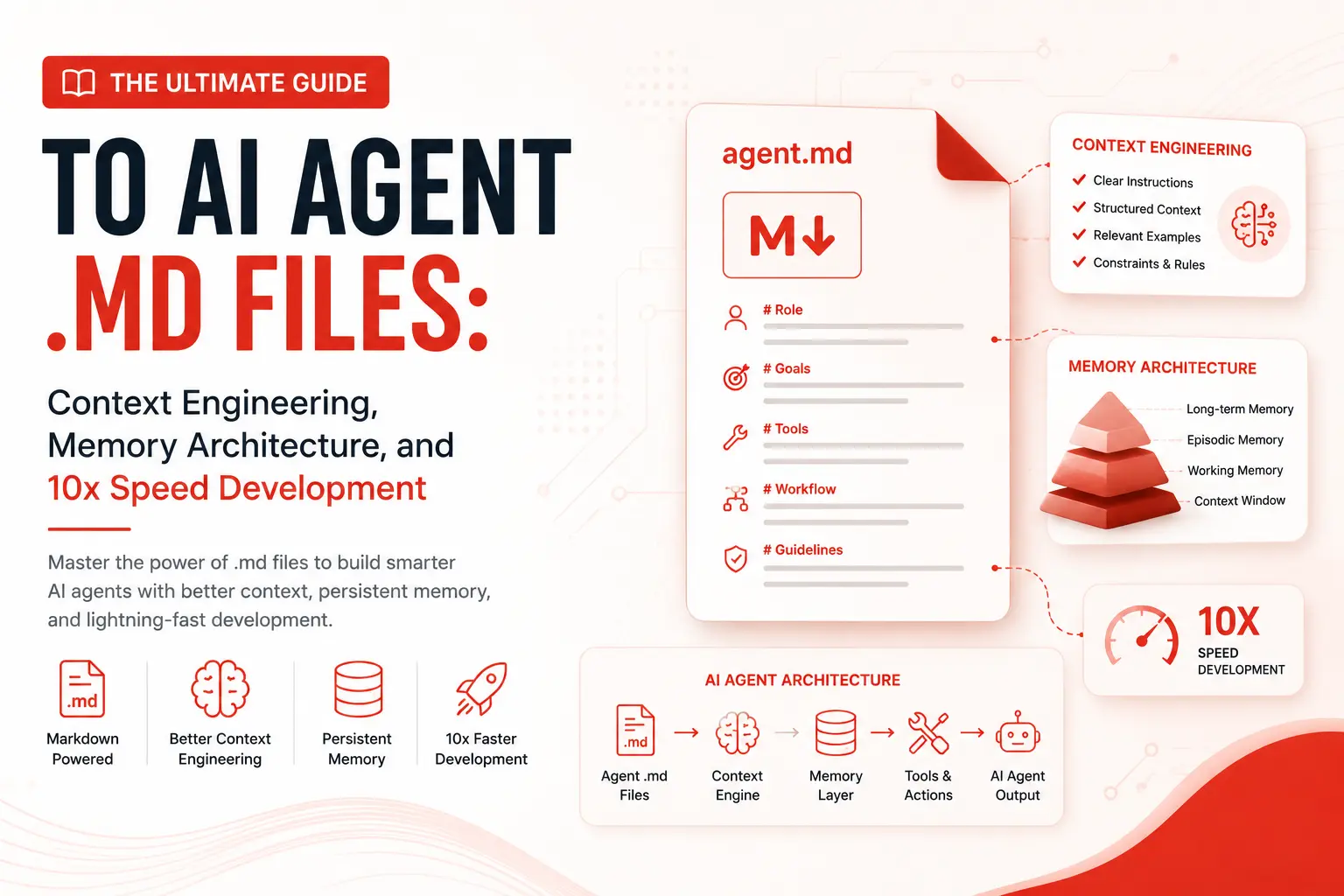
The bottleneck in modern software engineering is no longer how fast you can type; it is how fast your AI coding tools can understand your codebase. Modern developer tools like Claude Code, Cursor, Gemini Code Assist, and autonomous agent frameworks depend heavily on file-based context loading.
By placing structured Markdown files (such as CLAUDE.md, GEMINI.md, or .cursorrules) in your project’s root directory, you establish a persistent, deterministic “memory bank” for AI agents.
This comprehensive guide covers everything you need to know about using AI agent .md files to eliminate redundant prompt engineering, enforce strict architectural patterns, and achieve true 10x development velocity.
1. What is an AI Agent .md File?
An AI Agent .md file is a specialized markdown document placed at the root (or in subdirectories) of a repository. It acts as an automated system prompt, project blueprint, and operational memory file that AI agents parse immediately upon initialization.
Instead of repeatedly typing instructions like:
“Use TypeScript, follow BEM CSS conventions, run tests with Vitest, and escape all PHP output,”
…the AI agent reads the .md file directly from the file tree and applies these guidelines automatically to every generated file, inline suggestion, or CLI execution.
Popular Naming Conventions
CLAUDE.mdRead natively by Anthropic’s Claude Code terminal agent and desktop integrations.GEMINI.mdUsed by Gemini-driven developer tools and custom agent frameworks..cursorrules/AGENTS.mdRecognized by IDEs like Cursor or open-source multi-agent workflows.
2. Why Context Engineering Beats Large Context Windows
While modern Large Language Models boast context windows exceeding 1M to 2M tokens, larger context windows do not inherently yield better code quality.
As context sizes balloon, AI models suffer from two major vulnerabilities:
- The “Lost in the Middle” Effect: Crucial style preferences or safety guidelines buried in a massive conversation thread get ignored.
- Latency & Cost Inflation: Feeding thousands of historical conversation tokens on every turn significantly slows down response times.
Root-level .md files solve this through Context Engineering. They supply high-density, highly relevant rules directly at the start of execution.
3. Core Anatomy of a High-Performance .md File
An optimized AI memory file avoids conversational filler. It relies on deterministic, bulleted constraints and clear technical rules.
# [Project Name] - AI Agent Context File

## Core Tech Stack
- Frontend: Next.js 14 (App Router), React 18, Tailwind CSS.
- Backend: Node.js (TypeScript), PostgreSQL via Prisma ORM.
- Testing: Vitest, Playwright.

## Architectural Constraints
- Keep components modular and server-first by default.
- Never write inline styles; use Tailwind utility classes exclusively.
- All API handlers must validate input schemas using Zod.

## Security & Safety Guardrails
- Always sanitize user inputs.
- Never hardcode credentials, API keys, or JWT secrets.
- Use parameterized queries for all raw database calls.

## Standard Commands (Cheatsheet)
- Build: npm run build
- Dev Server: npm run dev
- Linting: npm run lint
- Run Unit Tests: npx vitest run

## Code Formatting Preferences
- Standardize on 2-space tab indentation.
- Use named exports over default exports for utility functions.
4. AI Agent Memory Best Practices
To prevent your .md file from becoming stale or bloated, follow these three operational standards:
A. Apply Directory Hierarchies
For large monorepos or complex full-stack projects, place specialized .md files inside specific subdirectories. AI agents automatically prioritize the local context file closest to the directory where they are modifying code.
my-project/
├── CLAUDE.md              # Global project rules
├── apps/
│   ├── web/
│   │   └── CLAUDE.md      # Next.js/Tailwind UI rules
│   └── api/
│       └── CLAUDE.md      # Express/Database security rules
B. Keep It Dynamic (The “Living Memory” Loop)
Whenever an AI agent searches for a missing build command, fixes a bug related to strict typing, or learns a new project convention, update the memory file immediately.
- Bad Practice: Manually re-explaining build fixes every session.
- Best Practice: Prompting the agent: “We resolved this issue by running
npm run generate. UpdateCLAUDE.mdso you remember this step next time.”
C. Eliminate Ambiguity
Avoid vague directives like “Write clean code.” Instead, use concrete, testable instructions like “Ensure all functions have explicit return types in TypeScript.”
5. How .md Memory Files Accelerate Development Velocity
Integrating a dedicated agent memory file fundamentally transforms your development workflow:
| Workflow Phase | Without .md Memory Files | With .md Memory Files |
|---|---|---|
| Session Setup | Write long contextual prompts manually. | AI automatically reads root configuration. |
| Code Generation | Generates off-style or generic code. | Generates project-aligned, production code. |
| Quality Control | Manual refactoring and back-and-forth prompts. | AI runs automated checks and self-corrects. |
- Zero Cold Starts: Your AI assistant understands the entire setup, script commands, and folder taxonomy the millisecond you initialize a session.
- Automated Verification: By documenting lint and test commands in your
.mdfile, CLI-capable agents run test suites natively after writing code to self-correct errors before you review. - Seamless Onboarding: When human developers join your team, the same
.mdfile that guides the AI serves as clear technical documentation for the new engineer.
6. Official Resources & Further Reading
To learn more about optimizing your development workflow, consult these core technical references:
- Review the MDN Web Performance Guide for client-side JavaScript optimization rules to include in your memory files.
- Check out official Anthropic GitHub Repositories for production examples of system-level prompt guidelines.
- Explore open-source AI architectural blueprints on GitHub to benchmark your agent rules against industry standards.
- How to Use Claude Like a Pro: 5 Advanced Power-User Tips
Key Takeaway: Writing code manually is becoming optional; directing AI agents with precision is mandatory. Setting up a CLAUDE.md, GEMINI.md, or .cursorrules file takes under five minutes, yet it permanently upgrades your AI tools from generic text spinners into contextual full-stack engineering partners.