
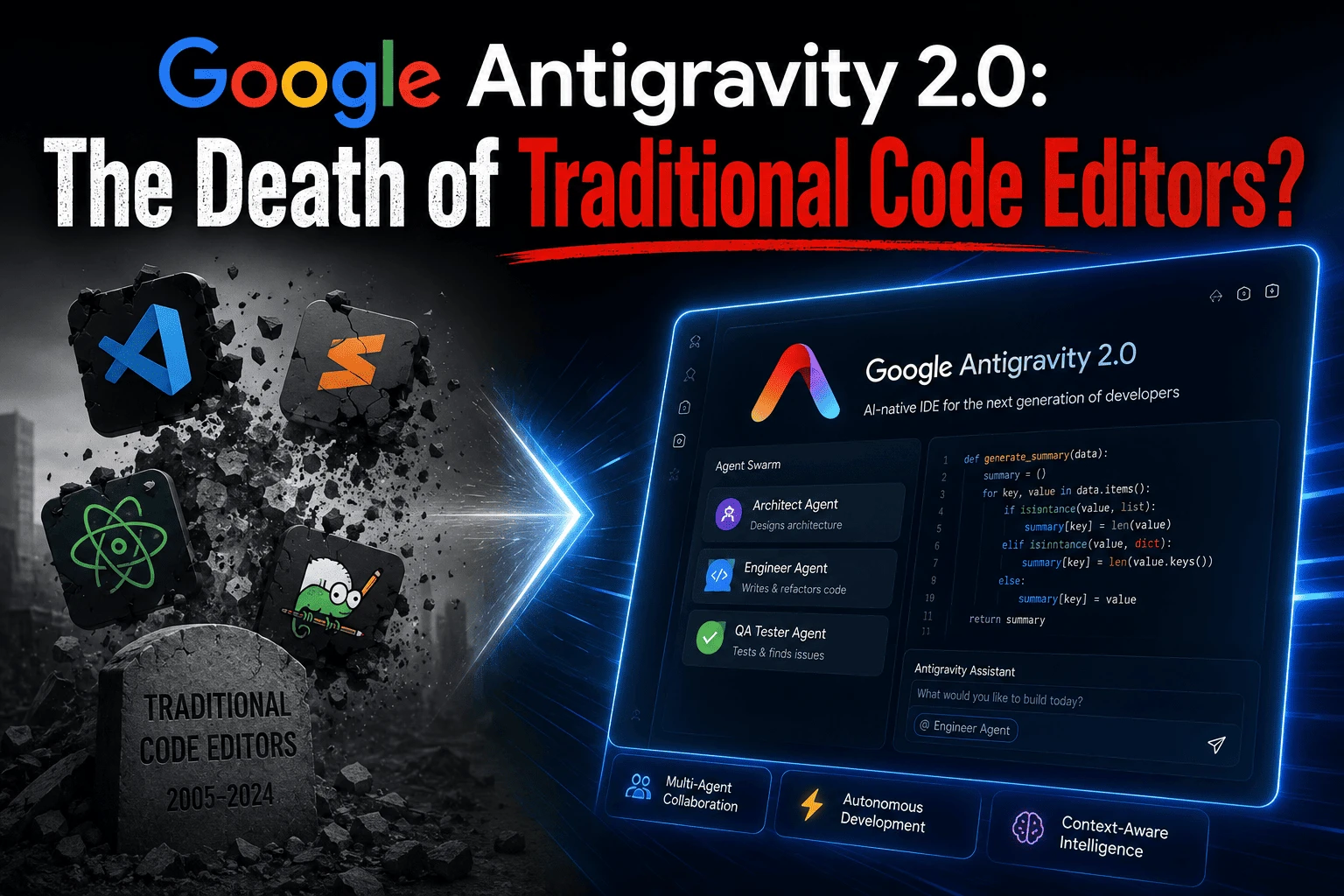
Google Antigravity 2.0 has officially arrived, and it is completely redefining how we approach software development. What began as a cloud-based experimental playground has evolved into an absolute software engineering empire. Announced at Google I/O 2026, this massive platform shift moves developers away from traditional syntax line writing and directly into the era of autonomous, high-level orchestration.
The core philosophy behind this release centers on a new engineering movement called “Vibe Coding.” In this model, human developers don’t sit down to write individual scripts, fix typos, or manually configure system dependencies. Instead, you act as a software architect, using natural language to guide multiple background AI agents that write, test, debug, and launch full-stack applications autonomously.
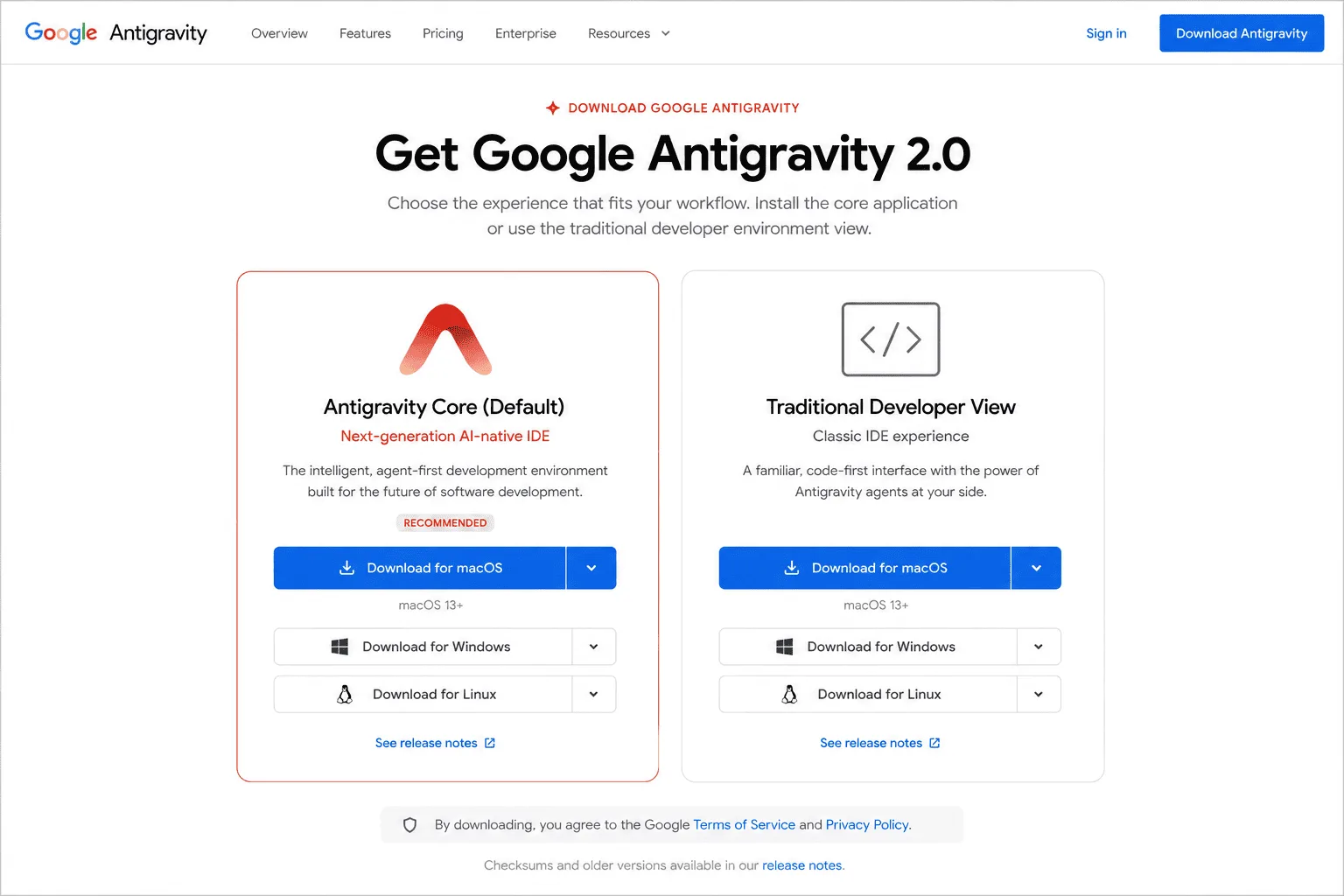
However, this major software update introduces a massive structural change that catches many engineers off guard. The original AI-powered interface is no longer a single unified tool. Google has completely separated the ecosystem into two distinct pathways: a standalone macro application for pure prompt-driven workflows, and a dedicated, download-only development workspace known as the Antigravity IDE.
What is Google Antigravity 2.0? The Rise of Agentic AI
To truly understand why Google Antigravity 2.0 is generating massive shockwaves across the tech sector, we have to look closely at how it handles code files compared to legacy programming assistants. Standard text tools like GitHub Copilot or basic chat windows operate on a passive, request-and-response loop. They wait for your hotkey prompt, guess the next few lines of text, and leave the validation to you.
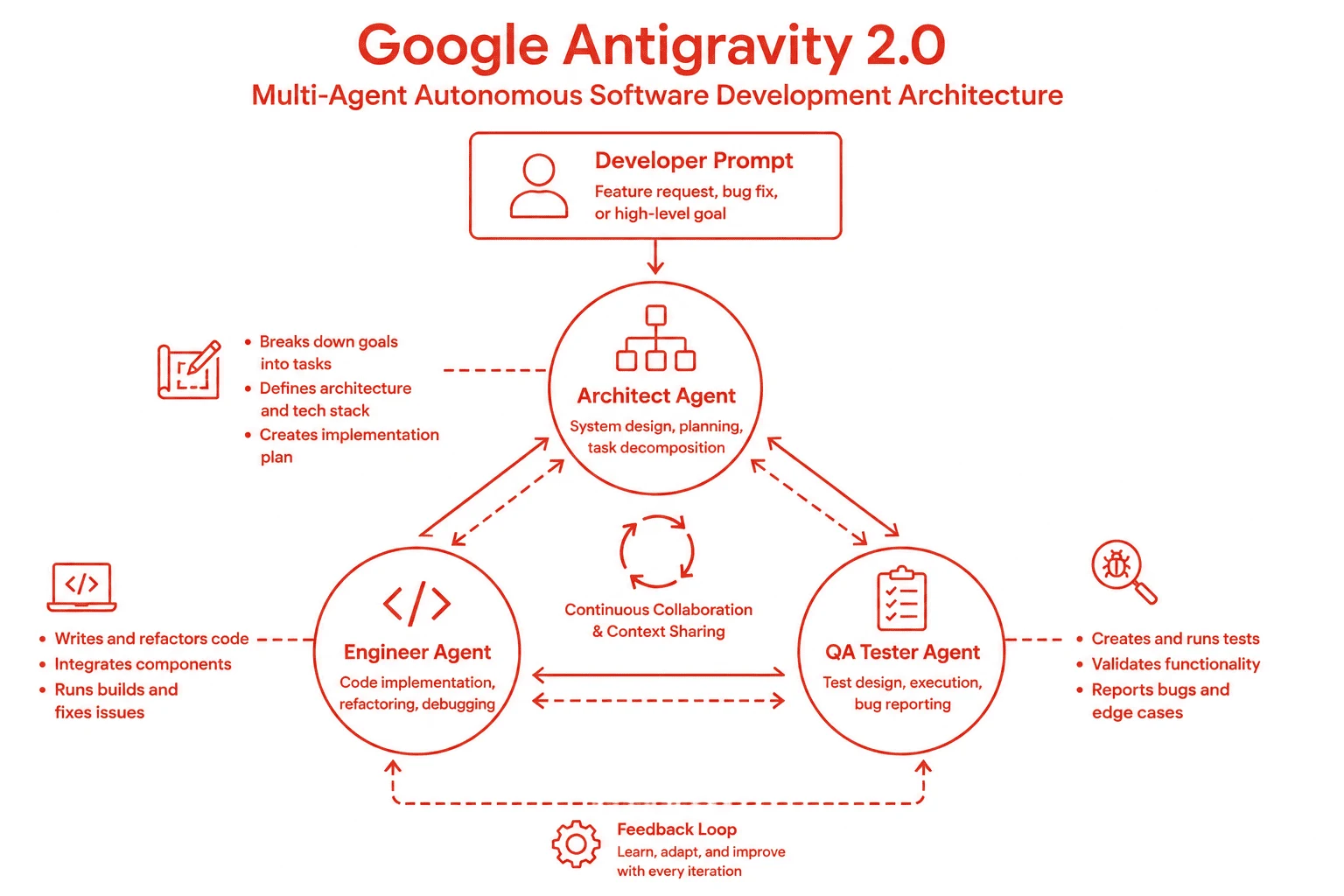
This new platform operates on a completely autonomous, multi-agent harness. Backed by the low-latency capabilities of the Gemini 3.5 Flash model, the workspace runs a continuous execution loop. The moment you input an architectural goal, the primary application spins up a specialized group of background sub-agents to handle the heavy lifting simultaneously.
First, the Architect Agent analyzes your data layout and builds a complete, optimized file hierarchy system. Simultaneously, the Engineer Agent populates those structural boundaries with clean, production-ready code. Finally, the QA Tester Agent runs local test scripts inside an embedded background execution container, automatically identifying and rewriting broken dependencies before the final application preview renders on your screen.
The Major Separation: Standalone App vs. Antigravity IDE
The most important piece of news regarding this launch is the absolute split of the software environment. When you update your system to Google Antigravity 2.0, you are greeted with a completely streamlined, minimalist desktop interface built entirely around natural language inputs, execution timelines, and visual application previews. There is no traditional text editor surface, no terminal, and no local extension sidebar visible by default.
This design shift is specifically optimized for rapid prototyping and macro system development. But what happens if you still need granular, manual control over your project source code files? What if you want to inspect specific scripts, debug custom APIs line-by-line, or install your favorite extensions?
For code-first developers, you must download the separate development environment called the Antigravity IDE. This is a dedicated, fully-featured desktop editor surface based on a heavily modified Visual Studio Code framework. It retains the standard left-hand file tree, full system terminal access, and extension marketplace integrations, while embedding the advanced autonomous agent managers directly into the right-hand panel view.
How to Setup and Install the New Antigravity Ecosystem
Navigating this new split setup requires a specific initialization process. If you want to configure your local development environment correctly, follow these exact procedural steps:
- Access the Platform Portal: Navigate your web browser directly to the official Google Antigravity platform portal.
- Get the Standalone App: Download and install the main platform setup file. This serves as your primary terminal-free workflow hub and agent control center.
- Locate the Developer Tooling: To get your traditional editor window back, scroll down to the bottom of the official product homepage.
- Download the Antigravity IDE: Click the dedicated download link for the “Antigravity IDE” version compatible with your operating system (Windows, macOS, or Linux).
- Initialize and Connect: Launch the desktop application installer, log in using your Google account credentials, and connect your workspace to your preferred Gemini API keys or cloud hosting configurations.
Comparing Google Antigravity 2.0 to Legacy Environments
As development tools rapidly shift toward artificial intelligence, picking the right platform for your tech stack depends heavily on your daily production demands. Here is how this new agent-first layout matches up against legacy setups:
| Development Metric | Traditional Editors + Copilot | Google Antigravity 2.0 Workspace |
|---|---|---|
| Primary Coding Input | Manual syntax typing and character strings | Natural language instructions and macro system intent |
| Workspace Scope | Limited to active files or small tabs | Full repository context with multi-agent awareness |
| Bug Fixing Loops | Manual copying of stack traces into a chat box | Self-healing automated background test execution |
| Deployment System | Manual pipelines and external DevOps environments | Direct integration with cloud environments like Firebase Studio |
For developers who require absolute control over every single character of code, traditional systems or specialized extensions like the Cursor AI Editor remain incredibly effective. However, for engineering teams focused on accelerating deployment cycles and building scalable systems rapidly without the friction of boilerplate configurations, the Google environment offers unmatched speed.
Why Traditional Engineering Skills are More Crucial Than Ever
With tools capable of generating functional, full-stack applications in mere minutes, a common question echoes across engineering communities: Is this the definitive end of software developers? The short answer is an absolute no. The role is simply undergoing a massive evolution.
The time spent manually searching for missing syntax characters, debugging basic web server configurations, or writing repetitive database schemas is shrinking fast. However, the requirement for deep foundational tech skills is skyrocketing. Autonomous systems still require human oversight, precise logic rules, advanced security design, and clean architectural planning to remain truly performant.
Furthermore, managing complex cloud infrastructures and identifying hidden system flaws requires significant engineering experience. The developers who thrive in this new era will be the ones who treat these autonomous workspaces as force multipliers, scaling their overall production capabilities ten times over. For a comprehensive look at optimizing your web platforms alongside these shifts, check out our internal guide on maximizing web vitals and speed optimization frameworks.
Google Antigravity 2.0 Frequently Asked Questions (FAQ)
Is the Google Antigravity 2.0 IDE now a completely separate download?
Yes, the ecosystem is fully separated. The core version is a standalone, prompt-driven workspace designed entirely for agentic workflows. If you want the traditional code editor layout with a built-in code editor, terminal window, and plugin configurations, you must scroll down the official website homepage and download the specialized Antigravity IDE installer separately. Did a silent Google Antigravity auto-update lock you out of your workspace? If your editor window is suddenly disabled and showing only a chat box, here is how to fix it.
What exactly is Vibe Coding in software development?
Vibe Coding is a high-level development paradigm where software is built completely through natural language conversations, prompt configurations, and architectural descriptions. The developer assumes the role of a system designer or product manager, allowing autonomous AI agents to handle the micro-level task execution like syntax generation, linting, and bug fixing.
Can I import my existing web repositories into the new application?
Absolutely. The platform features native integration tools that allow you to import existing repositories from git platforms or migrate legacy cloud instances directly into your local machine environment, preserving full contextual awareness for the agent harness.
Does this platform require an active internet connection to function?
While cloud-based multi-agent workflows and high-level model access require an active connection, the specialized desktop app can leverage localized on-device processing models to handle basic code suggestions and local compilation routines completely offline.
How does this launch impact the older Firebase Studio tools?
Google has officially initiated a transition roadmap to shift active projects over to this new agent-first environment. According to the official documentation on the Firebase Studio Project Migration Portal, developers have a generous timeline to export their existing workspaces directly into the new platform without losing project histories.