
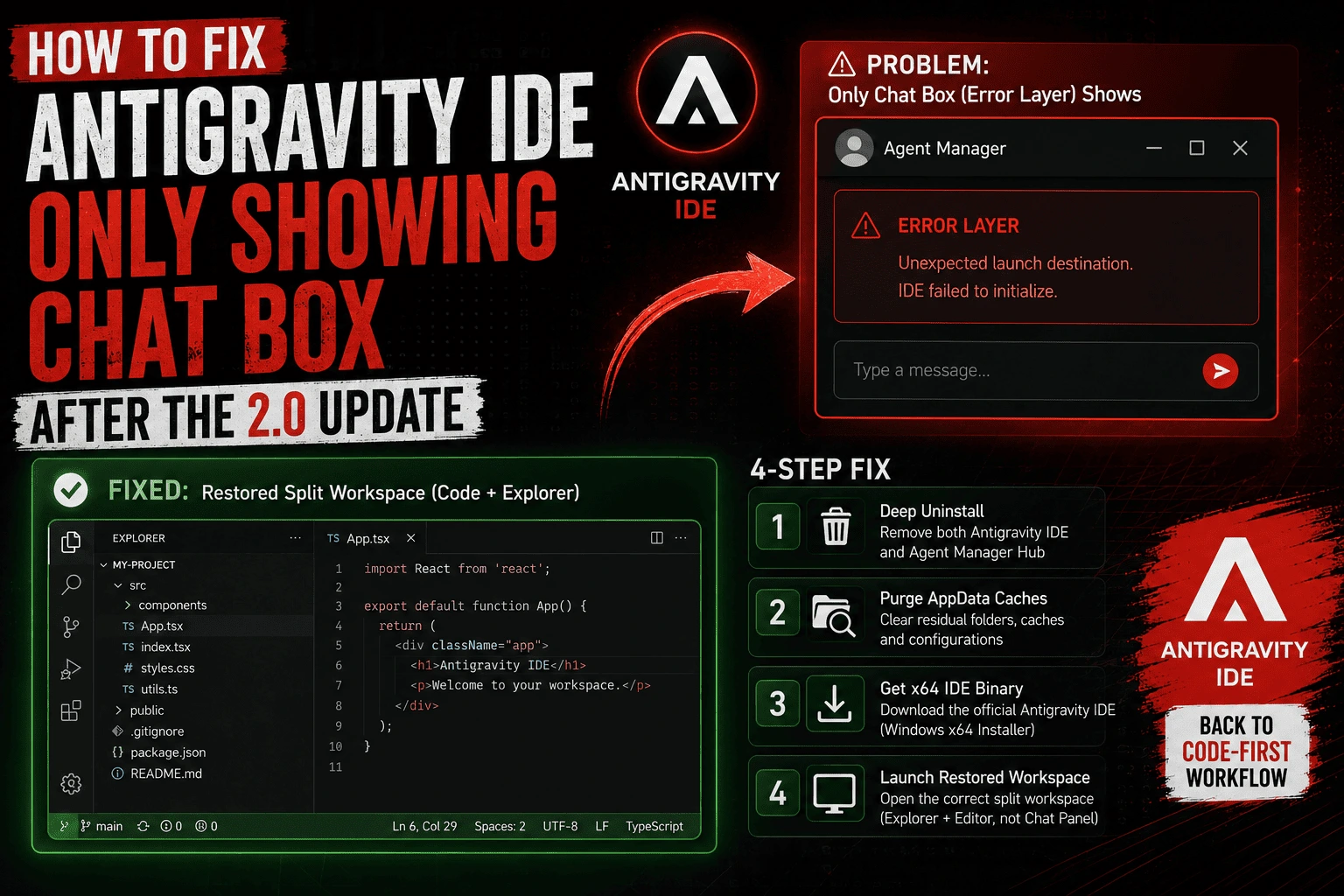
Why is your Antigravity IDE missing the code editor layout? With the mid-May release of version 2.0.0 at Google I/O 2026, Google split the platform into two separate tools: the standalone Antigravity 2.0 Agent Manager (chat box interface) and the Antigravity IDE (VS Code-based code editor). If an automatic update has trapped your system in a chat-only window loop, you must completely uninstall both versions from your PC and run a clean, fresh install of the dedicated Antigravity IDE binary from the official site.
Imagine launching your primary coding environment to smash through an engineering sprint, only to find your entire developer interface has vanished overnight. This morning, thousands of developers opening Google’s agentic platform faced a shocking reality: the classic layout with files on the left and the central text editor was gone. Instead, they were greeted by a simplified chat panel designed solely for orchestrating agents.
A silent Antigravity auto update rolling out right after Google I/O 2026 has caught the community off guard. Compounding the frustration, a common glitch causes even newly downloaded standalone editors to default right back to the chat box interface. Fortunately, there is a simple workaround to break the loop and restore your local workspace.
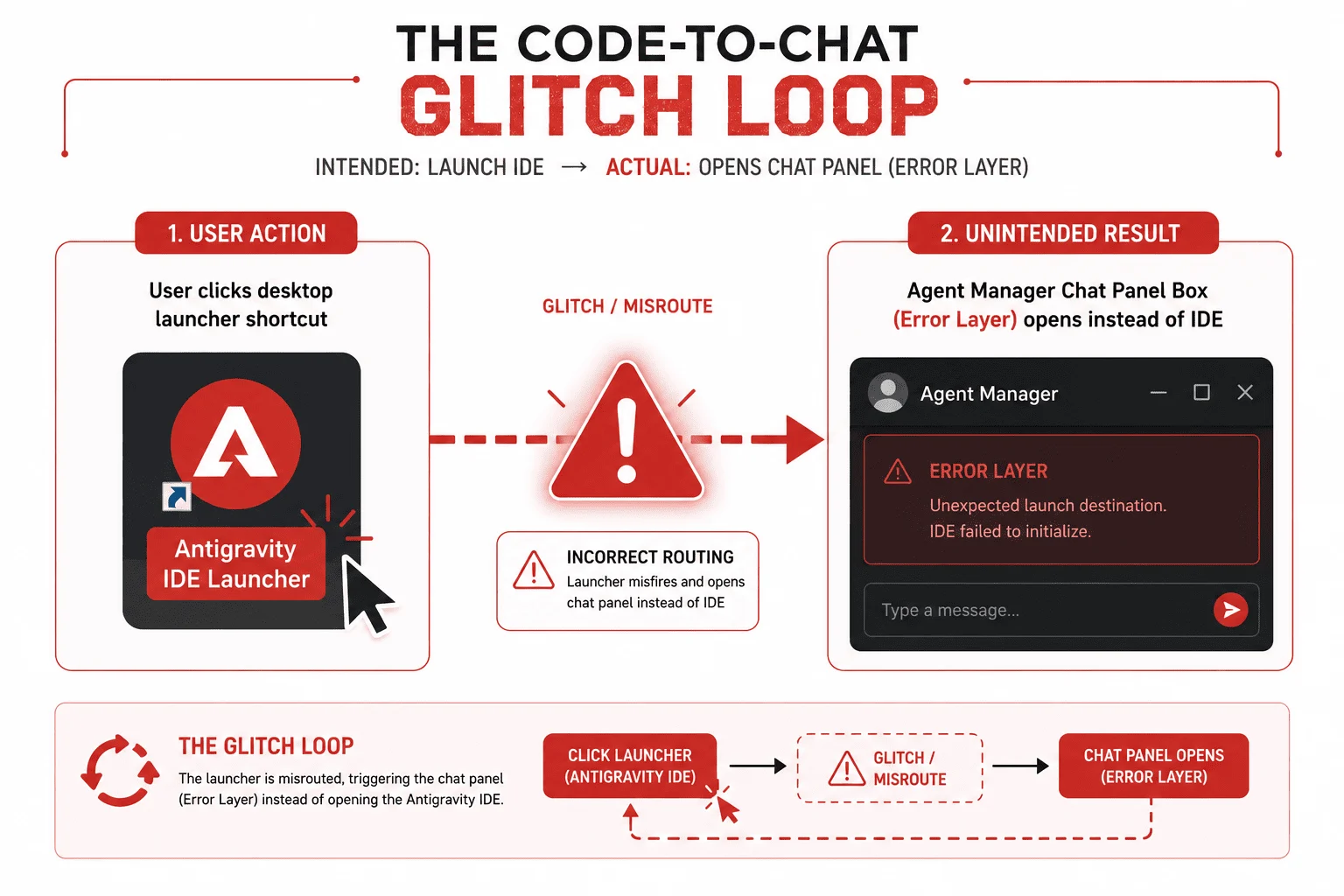
1. The Initial Issue: Where Did the Editor Go?
Following the sudden platform refresh, launching the software bypasses your active development workspace entirely. Instead of loading your standard extension environment and code trees, the software initializes an empty conversational terminal. This left many wondering if their local project folders had been wiped out or if a hidden view toggle was simply obscuring the workspace tabs.
2. The Investigation: Digging Into Application Files
To determine exactly why the text editor was missing or disabled, a deep dive into the local client program files revealed a surprising architectural change:
- Analyzing the Frontend Bundle: Extracting the core application script (
main.js) revealed that while old layout configurations were still present in the code base, the system hooks required to render them were explicitly restricted. - Disabled Keyboard Shortcuts: The application profile still contains the classic
Ctrl + Eshortcut intended to run thetoggleEditoraction. However, executing this key binding returns an error because the global application state flags the coreeditorFeaturemodule as missing. - Inspecting Local Program Directories: Navigating into your local Windows AppData path (
AppData/Local/Programs/antigravity) confirms the root cause: the update actively stripped the underlying VS Code fork binaries—such asCode.exe—entirely out of the main client folder. The software running on your screen literally does not contain a text editor anymore.
3. The Discovery: The Great Antigravity 2.0.0 Product Split
A review of Google’s official documentation clarifies the confusion. With the launch of Antigravity 2.0 in mid-May 2026, Google has completely split its ecosystem into two entirely separate standalone application binaries:
- Antigravity 2.0 (Agent Manager): A streamlined, standalone “command center” desktop window built around autonomous agent orchestration, parallel background execution layers, and Gemini 3.5 Flash task flows. This is the isolated chat panel causing mass confusion.
- Antigravity IDE: The dedicated, fully-featured code editor based on a customized fork of VS Code that developers rely on for manual code management and local workspace visualization.
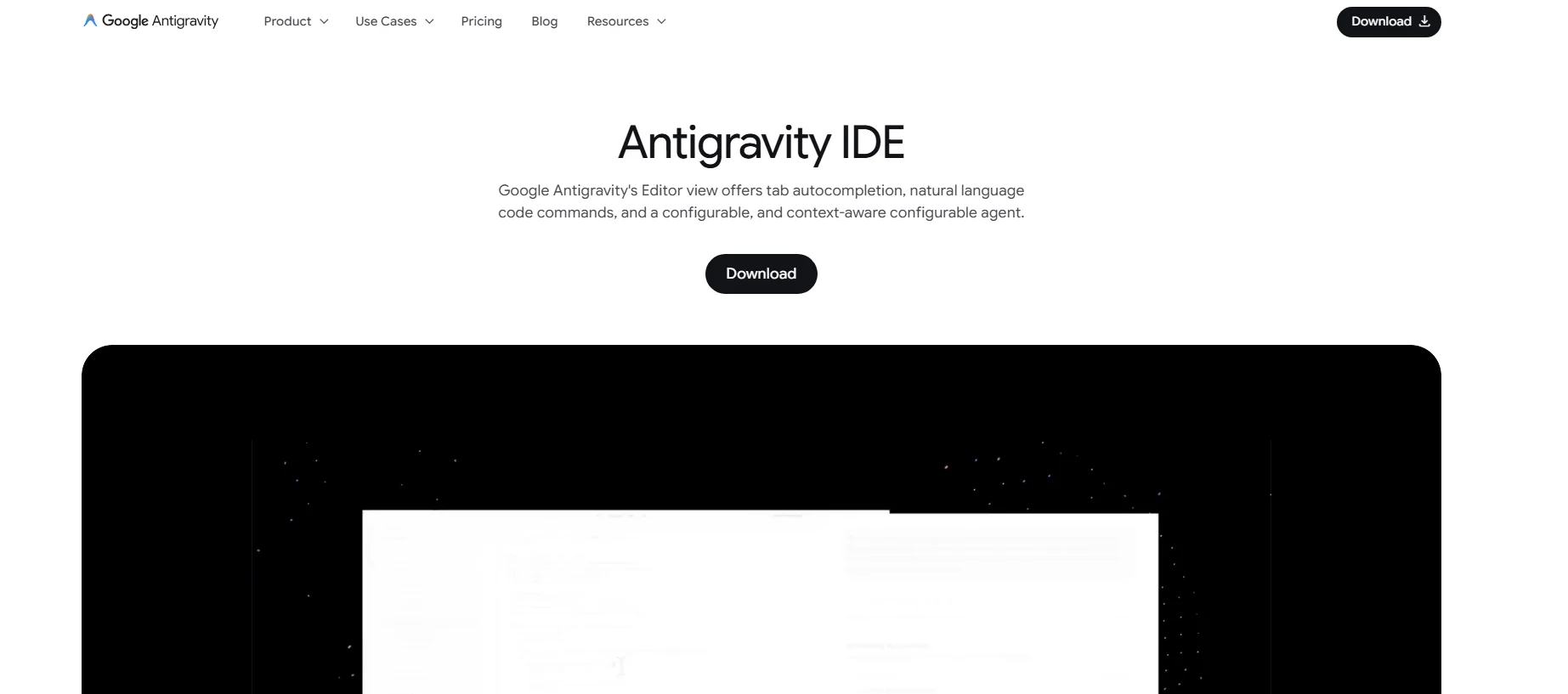
The problem occurs because the official landing page at antigravity.google highlights the standalone Agent Manager right at the top of the screen. Hurried developers are naturally downloading this default installer, unaware that the traditional Antigravity IDE package has been moved into a completely separate, less visible download block lower down on the web page.
Download Antigravity IDE here.
4. The Glitch: Why the IDE Download Still Launches the Chat Box
Many developers caught onto this change, went back to the site, and downloaded the correct IDE executable. However, they ran into a frustrating secondary bug: launching the freshly installed Antigravity IDE simply opens the identical, restricted chat panel all over again.
This persistent glitch happens because the old 2.0 Agent Manager installation leaves deep registry values and shared application data assets inside your user profile directories. When the newly installed IDE loads, it reads those active app cache parameters, conflicts with the conflicting configuration paths, and mistakenly triggers the standalone chat interface skin.
5. The Step-by-Step Fix: Restoring Your Code Editor Layout
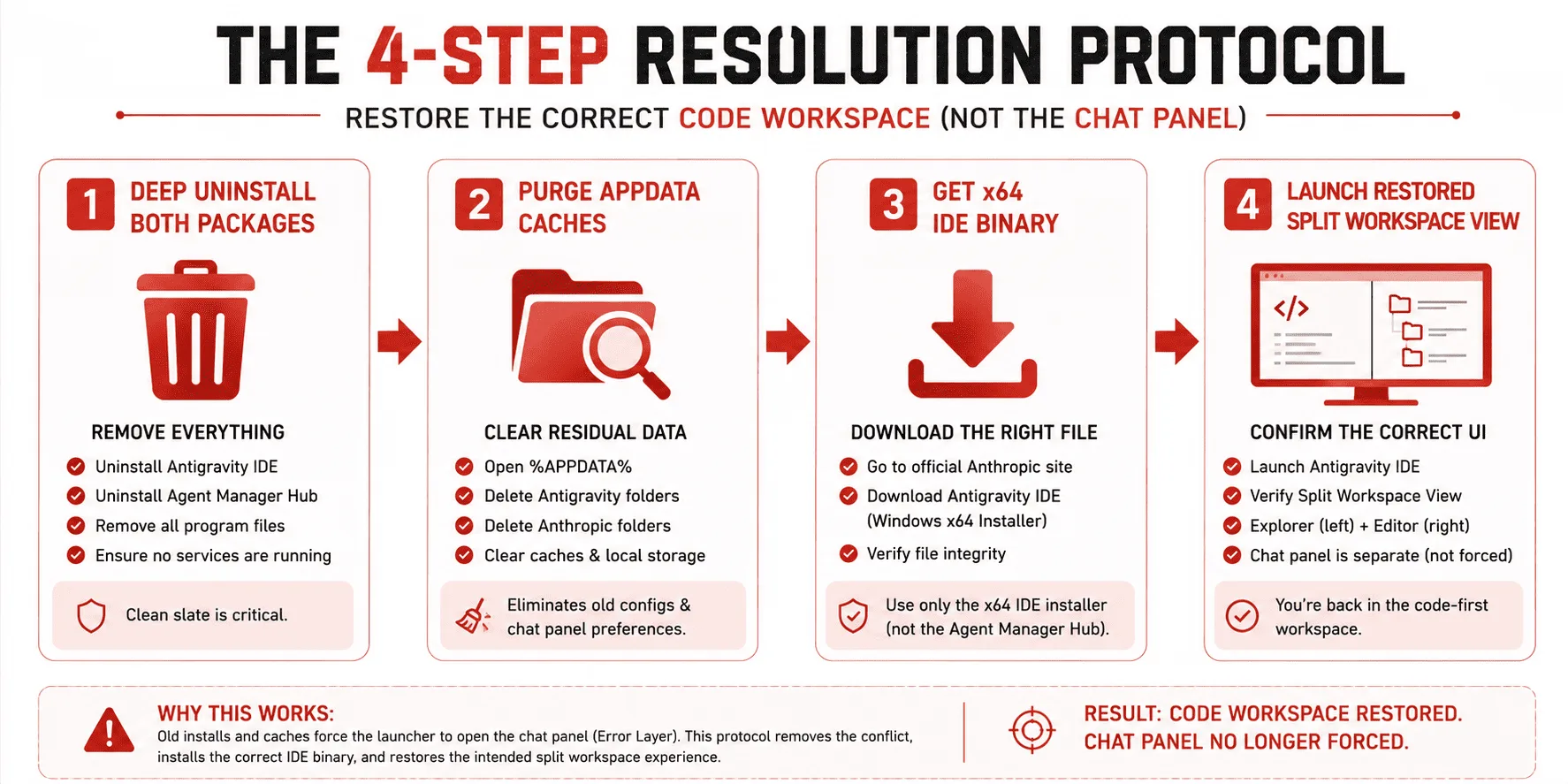
If your local workspace is completely locked up by this setup loop, follow this explicit clean-install roadmap to reset your environment and bring your code editor back immediately:
The Clean Reinstall Protocol:
Step 1: Deep Uninstall Both Versions: Open your system Settings panel, navigate to Installed Apps, locate “Antigravity”, and uninstall it. Next, find “Antigravity IDE” and uninstall that as well. Both programs must be entirely removed simultaneously to wipe out conflicting registry locks.
Step 2: Clear Application Cache (Optional but Recommended): Press Win + R, type %AppData%, and hit Enter. Locate any remaining folders named “Antigravity” or “Antigravity IDE” and delete them to prevent configuration bleed. *(Note: If you need to preserve your legacy chat logs, back up the contents of your core folder to your desktop before deleting).*
Step 3: Download the Dedicated IDE Binary: Navigate to the official download server. Skip the top installer section entirely. Scroll down to the dedicated Antigravity IDE container, select your operating system architecture, and download the Windows -> Download for x64 file.
Step 4: Run a Fresh Installation: Launch the clean installer. Once the wizard finishes, open the platform, sign into your user profile, and verify the layout. Your classic coding view, left-hand directory browser, and center text editor windows will be completely restored.
Technical Breakdown: Platform Re-Architecture At a Glance
Review the newly introduced architectural divisions to ensure your development team installs the correct program version for their specific workflows:
| Operational Feature | Antigravity 2.0 Standalone Agent Manager | Antigravity IDE (VS Code Fork) |
|---|---|---|
| Primary UI Layout | Simplified chat terminal window. | Classic split-editor tabs and file trees. |
| Target Use Case | High-level multi-agent workflow orchestration. | Direct, hands-on software development and manual coding. |
| Local Binary Files | Limited to agent communications and network APIs. | Includes complete local text editing executable assets (Code.exe). |
How the Product Split Impacts Content Discoverability & CTR
This product restructuring highlights a larger trend driving the continuous AI Overview CTR Drop hitting modern tech blogs. By separating code writing from agent orchestration, Google is nudging mainstream consumers away from traditional web searching and towards encapsulated conversational environments.
When software engineers stay entirely inside an enclosed app wrapper to plan their system pipelines, they spend less time clicking outbound links on technical blogs. To maintain visibility as an authoritative publisher in an ecosystem powered by automated agents, adapt your content strategy immediately using these three rules:
- Deliver Immediate Technical Fixes: Structure your layout with a clear, bolded summary block right under your main title. This allows search index crawlers to extract your quick fix and display your site as the official solution within Google’s top AI box.
- Publish Verifiable Troubleshooting Steps: General AI models are notoriously poor at debugging freshly released product updates. By publishing explicit, manual file-path deep dives and step-by-step resolution sequences, your platform delivers unique informational value that search bots are forced to cite.
- Structure Code References Clearly: Keep all configuration file naming strings, directory shortcuts, and key binding lines wrapped inside semantic HTML tags to make your code references clear and highly visible to automated search engines.
Conclusion: Reclaim Your Workspace
The forced update to version 2.0.0 has certainly disrupted developer workflows, but your local files and settings are completely safe. The issue is purely a matter of choosing the correct software package. By performing a clean, deep uninstallation of both conflicting software versions and initializing a fresh setup of the dedicated Antigravity IDE, you can instantly clear the software glitch, bypass the chat panel trap, and bring your complete text editing environment back to life.