
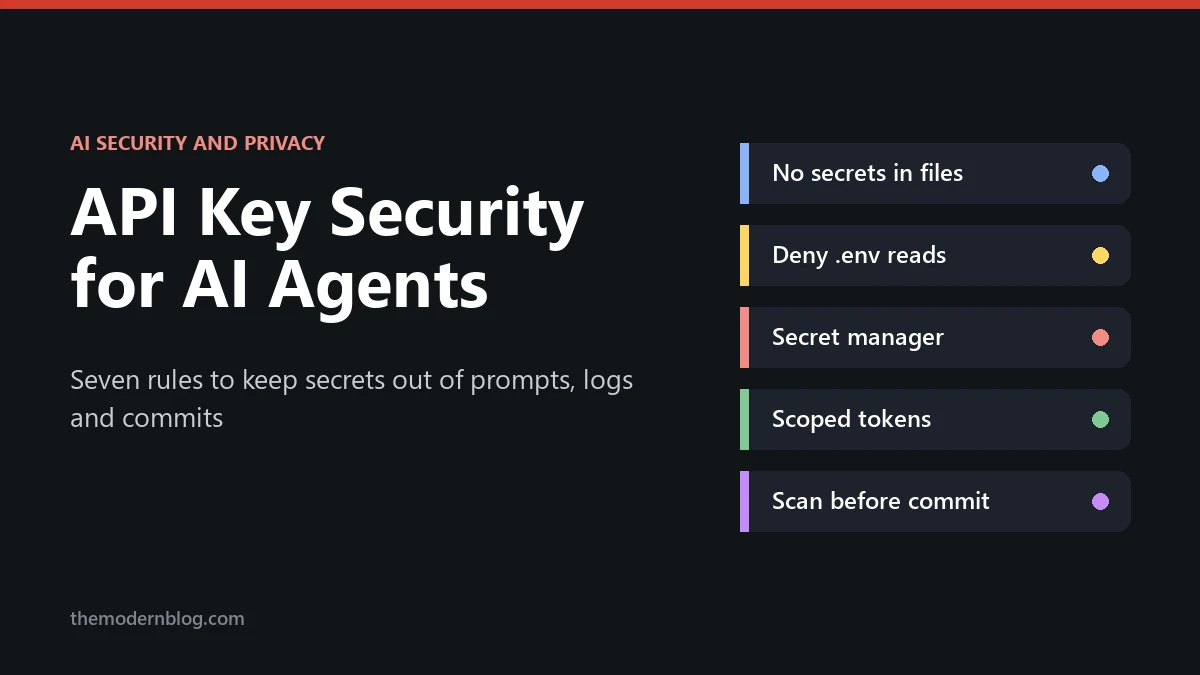
For years, API key security had a simple threat model. Don’t commit your .env file, don’t paste keys into Slack, and rotate anything that leaks. AI coding agents quietly added a new participant to that picture. They read the files in your project, run commands in your terminal, see the output, and write commits on your behalf. Every one of those steps is a chance for a secret to end up somewhere it shouldn’t.
None of this requires a hacker. Most leaks through AI coding agents are accidents. The agent reads .env while trying to understand why the app won’t start. It runs a debug command that prints environment variables. It “fixes” a failing test by pasting a real key into the code. Then the whole thing gets committed.
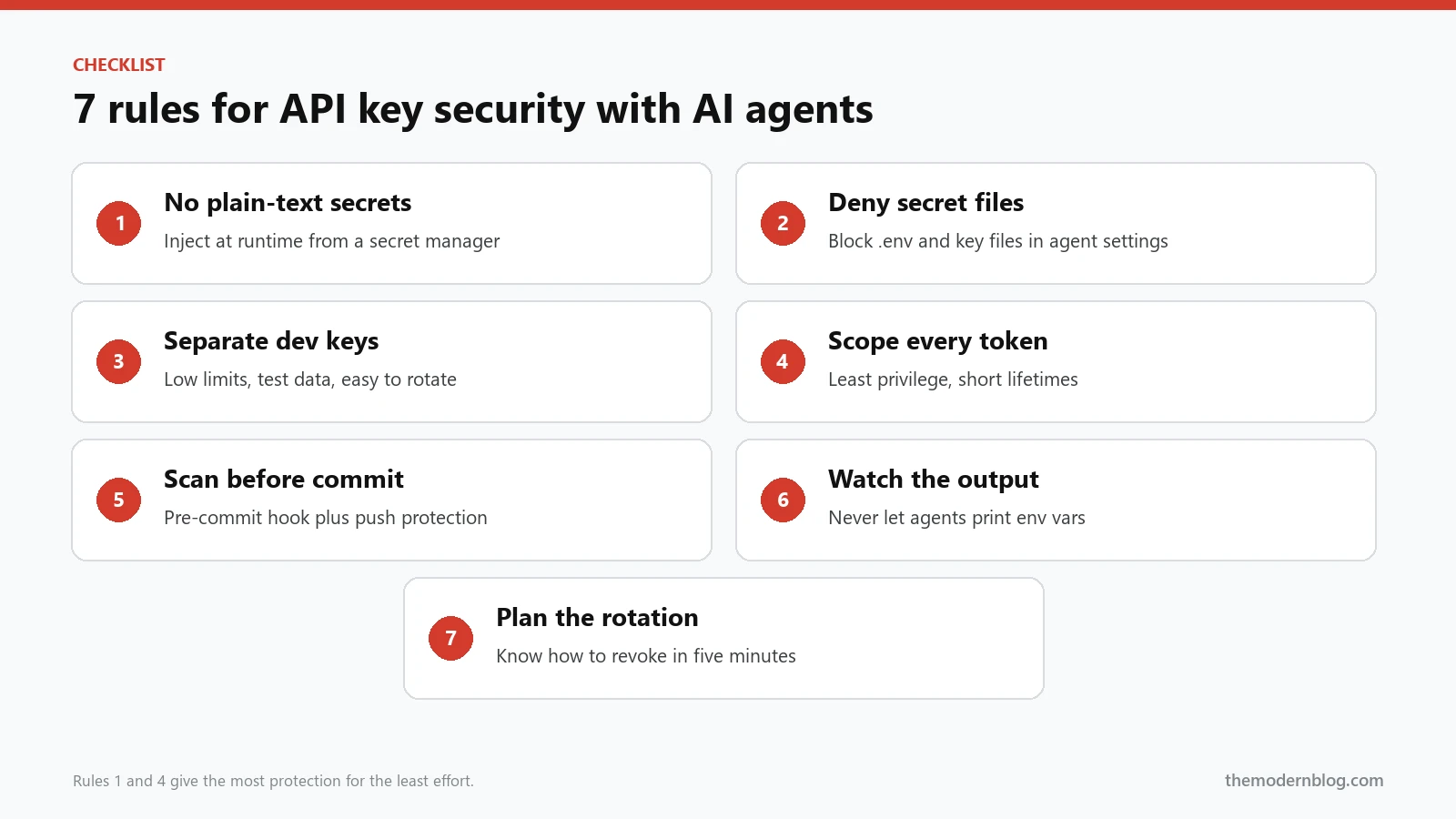
This guide covers how these leaks happen and seven rules that prevent them, with concrete settings for Claude Code, Cursor and GitHub Copilot. None of it is complicated, and most of it takes less than an hour to set up.
Why AI coding agents change API key security
GitGuardian, which scans public GitHub for leaked credentials, has reported rising numbers of exposed secrets every year. In its 2025 State of Secrets Sprawl report it counted about 23.8 million new secrets leaked on public GitHub during 2024, and it found that repositories with GitHub Copilot enabled had a noticeably higher rate of secret leaks than average. That doesn’t prove the AI caused each leak, but it fits a pattern anyone who has used these tools will recognise: when code gets written faster, with less careful reading, secrets slip through more often.
Agents add a second, less obvious risk. Anything an agent reads becomes part of the conversation it sends to the model provider. If your agent opens .env to check a database URL, the full contents of that file (including your Stripe live key) are now in a request to a third-party API, in your session history, and possibly in logs. Providers have strong data handling policies, and business plans generally don’t use your data for training, but a secret that has left your machine is a secret you can no longer fully account for.
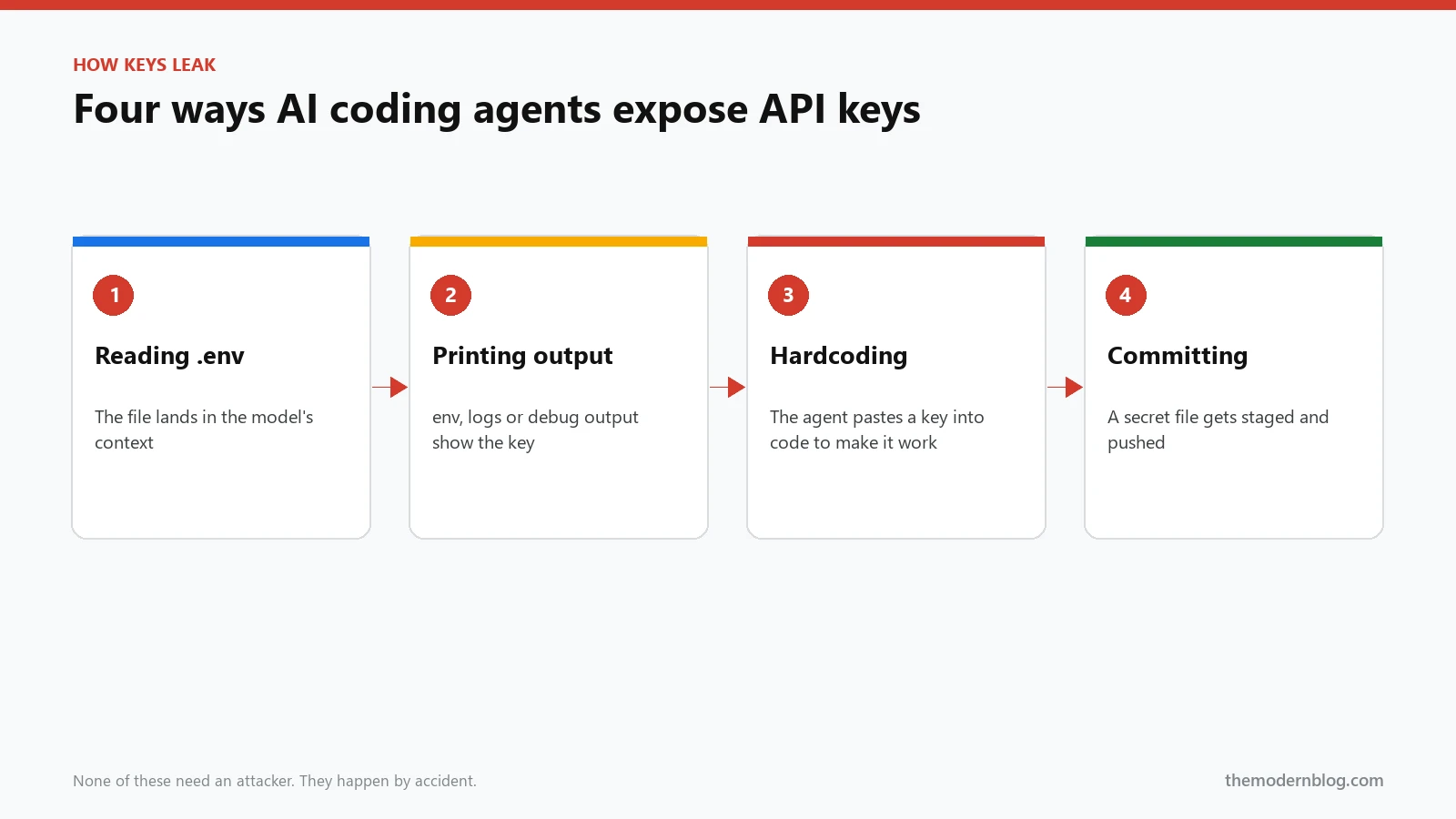
The four leak paths in that diagram are worth understanding, because each rule below closes one or more of them:
- Reading secret files. Agents explore the project to understand it. Config files are an obvious place to look.
- Printing secrets in output. Commands like
env,printenvor a verbose debug log can dump keys into the terminal, which the agent then reads. - Hardcoding keys. When code fails because an environment variable is missing, some agents “help” by inlining a value they found elsewhere.
- Committing secrets. Agents that stage and commit changes can include files a human would have skipped.
Rule 1: Don’t keep plain-text API keys in the project at all
The strongest form of API key security is having nothing to steal. If there is no .env file with real values in your project folder, an agent can’t read it, print it or commit it.
Secret managers make this practical. Instead of a file with real keys, you keep a file of references, and a CLI injects the real values into the process only when it starts. With the 1Password CLI, for example, your .env contains references like this:
STRIPE_SECRET_KEY=op://Dev/Stripe/secret_key
DATABASE_URL=op://Dev/Postgres/connection_string
And you start the app with:
op run --env-file=.env -- npm run dev
The file is safe to read and even safe to commit, since it only contains pointers. Doppler (doppler run -- npm run dev), Infisical and the cloud providers’ own secret managers work the same way. It takes an afternoon to migrate a project, and it removes the biggest single risk on this list.
If you can’t move to a secret manager yet, at least keep real keys in a file outside the project directory and load them from there. Agents usually work inside the project folder, so moving the file out of it helps, though it isn’t a guarantee.
Rule 2: Block secret files in your agent’s settings
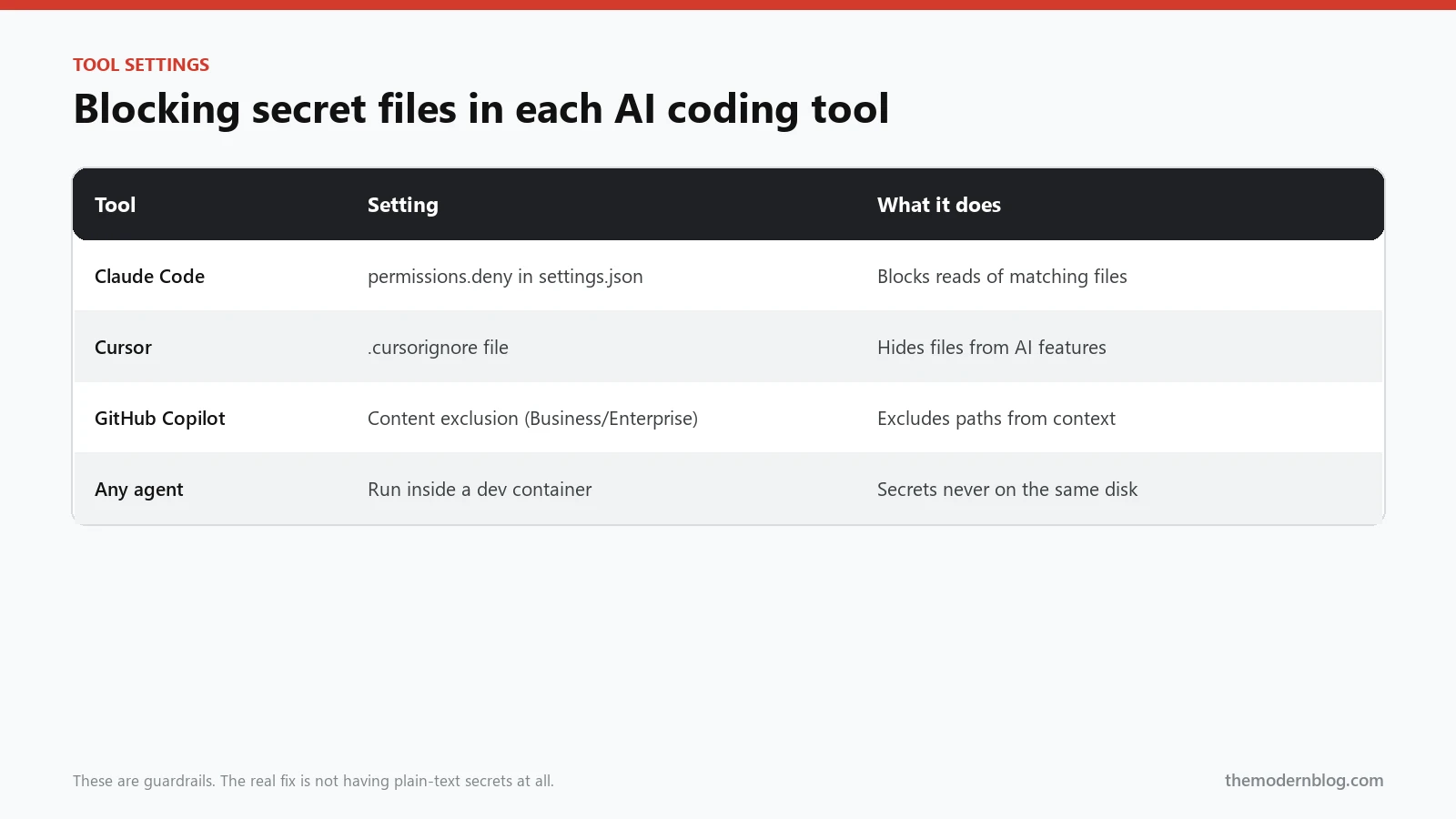
Every major AI coding tool lets you tell it to stay away from certain files. Use it, even if you’ve done rule 1, as a second layer.
Claude Code
Claude Code supports permission rules in its settings file. A deny rule for reading secret files looks like this, in .claude/settings.json at the project root (commit it so the whole team gets it):
{
  "permissions": {
    "deny": [
      "Read(./.env)",
      "Read(./.env.*)",
      "Read(./secrets/**)",
      "Read(./**/*.pem)",
      "Read(./**/*.key)"
    ]
  }
}
The Claude Code settings documentation lists all the options, including rules for Bash commands. Denying commands like env and printenv is a sensible addition. Organisations can also enforce these rules through managed settings so individual developers can’t turn them off.
Cursor
Cursor reads a .cursorignore file in the project root, using the same syntax as .gitignore. Files listed there are hidden from Cursor’s AI features, including indexing and chat. Cursor describes this as best-effort, which is another reason not to rely on it alone.
.env
.env.*
secrets/
*.pem
*.key
GitHub Copilot
On Copilot Business and Enterprise plans, admins can configure content exclusion at the repository or organisation level, so specified paths are never used as context. Individual plans don’t have this, so for personal projects the secret manager approach matters even more.
Rule 3: Use separate, low-risk keys for development
The key in your development environment should never be the same as the one in production. That sounds obvious, yet plenty of small teams use one Stripe or OpenAI key everywhere because it’s convenient.
Development keys should be test-mode keys where the service offers them (Stripe, PayPal and many others do), connected to test data, with low spending limits, and easy to rotate. If an AI coding agent leaks a development key, the damage should be a mild inconvenience: rotate it, update the secret manager, move on. If it leaks your production key, you’re looking at an incident.
For AI providers specifically, create a separate API key per project and per environment, and set a monthly spending cap on each. A leaked model API key is one of the most quickly abused secrets on the internet, because attackers can resell the access, and spending limits put a ceiling on that.
Rule 4: Scope every token to the minimum
Agents increasingly use credentials directly, not just in the app they’re building. An agent with a GitHub token, a cloud CLI login or an MCP server connected to your database can act with whatever permissions that credential has.
So scope them tightly:
- Use fine-grained GitHub tokens limited to the specific repositories and permissions the agent needs, with an expiry date.
- Give agents read-only database users unless a task genuinely needs writes, and never production database access for routine coding work.
- Prefer short-lived credentials (like OIDC tokens in CI) over long-lived keys.
- Check what permissions each MCP server you connect actually has. A server that “just reads issues” with an admin token can do far more than read issues.
Good API key security is mostly about limiting blast radius. If a key leaks despite everything, a narrowly scoped, short-lived token limits what anyone can do with it. Our article on AI coding security risks goes deeper into permission design for agents.
Rule 5: Scan for secrets before every commit
Assume that at some point an agent (or a tired human) will try to commit a secret. Catch it before it leaves your machine.
Install a secret scanner as a pre-commit hook. Gitleaks is a popular open source choice:
# .pre-commit-config.yaml
repos:
  - repo: https://github.com/gitleaks/gitleaks
    rev: v8.21.2
    hooks:
      - id: gitleaks
Run pre-commit install once, and every commit gets scanned, including commits made by agents running in your terminal. TruffleHog and GitGuardian’s ggshield are good alternatives.
Then add a server-side safety net. GitHub’s push protection blocks pushes that contain known secret formats, and it’s worth enabling for every repository you control. Local hooks can be skipped with a flag; push protection can’t be skipped quietly.
Finally, keep your .gitignore honest. It should include .env, .env.* (with an exception for an example file like .env.example), key files and any local credential folders.
Rule 6: Keep secrets out of agent output and logs
This one gets overlooked. Even if the agent never reads a secret file, it reads everything your commands print. A test runner that logs the full config object, a framework that prints environment variables on startup in debug mode, or an error message that includes a connection string with a password: all of it flows into the agent’s context.
A few habits help:
- Configure logging to redact known secret fields. Most logging libraries support this.
- Don’t ask the agent to debug configuration problems by printing all environment variables. Ask it to check whether a specific variable is set, without showing the value.
- Add a line to your agent instructions file (
CLAUDE.md, Cursor rules or Copilot instructions) saying never to print, log or hardcode secrets, and to ask the user if a credential is missing. Agents follow these instructions well most of the time, and it costs nothing. - Remember that agent session transcripts are stored locally and sometimes synced. Treat them like log files.
Our guide to AI agent .md files has more on writing project instructions that agents actually follow.
Rule 7: Know how to rotate a key in five minutes
Prevention fails sometimes. What separates a small scare from a real incident is how quickly you can revoke a leaked key and replace it.
For each important secret, know where it’s issued, who can rotate it and which systems need the new value. Write it down in a short runbook. If you use a secret manager, rotation is usually: generate a new key, update one entry, restart the services. Without one, it means hunting through config files, CI settings and teammates’ laptops, which is exactly when mistakes happen.
If a key does leak:
- Revoke or rotate it immediately. Don’t wait to figure out whether anyone used it.
- Don’t just delete the commit. The secret is still in Git history, forks and any clones. Rotation is the only real fix.
- Check the service’s logs and billing for activity you don’t recognise.
- Figure out how it leaked and add a guardrail so the same path can’t happen again.
Why AI provider keys are a favourite target
Of all the API keys in a modern project, the ones for AI providers deserve extra care, and it’s worth understanding why.
Most leaked keys need some work before an attacker can make money from them. A leaked database password requires finding the database, getting past the network rules and then doing something useful with the data. A leaked model API key, on the other hand, is useful immediately and anonymously. Anyone who has it can send requests and get answers, billed to you. There’s a ready market for that access, because people want to use expensive models without paying or without the provider’s usage policies applying to them.
Security researchers at Sysdig documented this in 2024 and gave it a name: LLMjacking. Attackers used stolen cloud credentials to access hosted language models and resold the access, and Sysdig estimated that a victim could face model bills of tens of thousands of dollars per day if the abuse went unnoticed. Since then, scanning for exposed AI keys has become routine for attackers. Keys pushed to public GitHub repositories are often found and tested within minutes.
That changes how you should treat these keys in practice:
- Set hard spending limits and usage alerts on every AI provider account, not just soft budget warnings. A limit that stops requests is far better than an email you read the next morning.
- Use separate keys for each project and environment, so you can tell from the usage dashboard which key is misbehaving and revoke only that one.
- Never put a model API key in front-end code, a mobile app or a browser extension. Anything shipped to users can be extracted. Route requests through your own backend, where the key stays on the server.
- Store the key in your secret manager like any other production credential, even during development.
AI coding agents make this more relevant, not less. When you’re building an AI feature with an agent, the agent is often working with exactly these keys, testing calls and reading responses. The rules above keep that work from turning into an expensive surprise.
A quick API key security setup for a new project
If you’re starting a project with an AI coding agent today, here’s the order I’d do things in. It takes well under an hour.
- Create the project’s secrets in a secret manager and use references in
.env. - Add
.envand key files to.gitignore,.cursorignoreand the deny list in your agent’s settings. - Use test-mode or development-only API keys with spending limits.
- Install a pre-commit secret scanner and turn on push protection.
- Add a “never print or hardcode secrets” line to your agent instructions.
- Write a five-line rotation note for each important key.
That’s it. None of these steps slow down day-to-day work with AI coding agents, and together they close every common leak path.
What about running agents in containers?
For teams that want stronger isolation, running AI coding agents inside a dev container or a remote development environment is a good next step. The container has only the files and credentials the task needs, so even an agent with broad permissions inside it can’t reach the keys on your laptop. Several agents, including Claude Code, document container setups for exactly this reason, and cloud-based agents (like Copilot’s coding agent or Cursor’s background agents) already run in isolated environments by design.
Containers aren’t a replacement for the seven rules. A secret you copy into the container is still exposed to the agent inside it. But they shrink the amount of your machine an agent can see, which makes every other rule easier to get right.
Frequently asked questions
Do AI coding agents send my .env file to the model provider?
If the agent reads the file, its contents become part of the conversation, which is sent to the model provider to generate a response. That’s why blocking secret files and keeping real values out of the project matter. Check your provider’s data retention and training policies for your plan as well.
Is .gitignore enough to protect API keys from AI agents?
No. .gitignore only stops Git from tracking a file. Agents can still read ignored files unless you block them in the agent’s own settings. You need both.
What should I do if an agent hardcoded an API key in my code?
Treat the key as leaked if the code was committed or pushed anywhere. Rotate the key, remove it from the code, load it from the environment instead, and add a pre-commit scanner so it can’t happen again silently.
Are cloud-based coding agents safer for secrets?
They can be, because they run in isolated environments that only have the secrets you explicitly give them. The same rules still apply to whatever credentials you configure for them: scope them tightly and keep them short-lived.