
My AI agent kept forgetting everything, and I didn’t know why
I spent two days building what I thought was a smart AI agent. It could search the web, read documents, and answer questions. But every time I came back to it with a follow-up question, it had no idea what we’d talked about five minutes ago. It wasn’t broken. It was working exactly as designed. I just didn’t understand how AI agent memory works, or more accurately, how it doesn’t work by default.
Here’s the uncomfortable truth: large language models have no persistent memory. Every conversation starts from zero. The “memory” you experience in tools like ChatGPT or Claude is a carefully engineered illusion built on top of the model, not baked into it. And when you’re building AI agents that need to remember context across tasks, sessions, or users, you have to design that memory yourself.
Understanding how AI agent memory works is one of the most important concepts for anyone building or working with agentic systems. This guide breaks it down completely, from the four types of memory to how they’re implemented, to exactly when you’d use each one.
Why AI agents don’t have memory by default
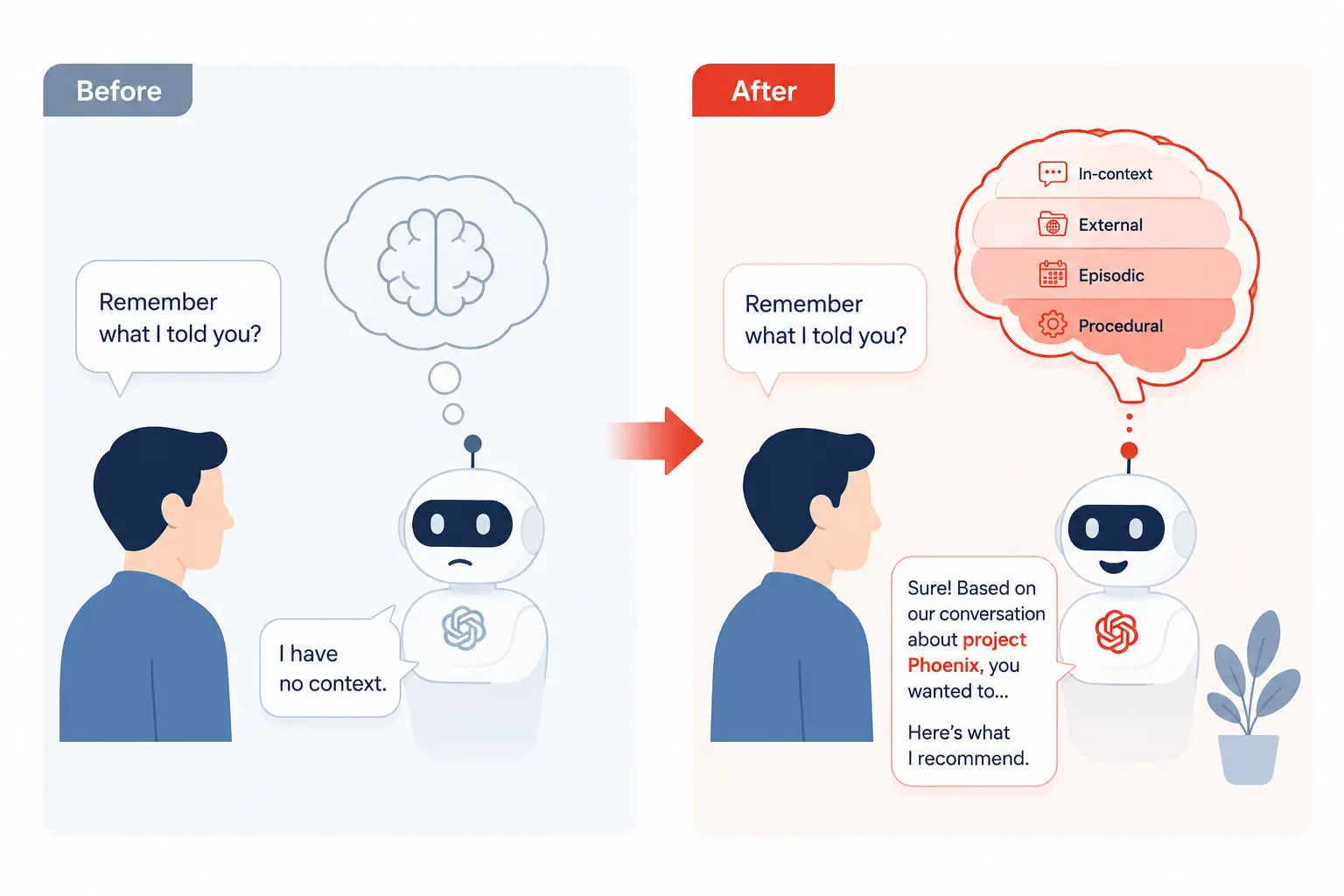
Every time you call an LLM, it processes exactly what you send it in that request, nothing more. The model has no concept of “last time” or “before.” It doesn’t store your inputs. It doesn’t accumulate knowledge from interactions. When the API call ends, everything about that exchange disappears from the model’s perspective.
This is called statelessness. It’s actually a deliberate architectural choice; stateless systems are easier to scale, parallelize, and reason about. But it creates a real problem the moment your agent needs to do anything that requires continuity: remembering user preferences, tracking progress on a multi-step task, or building on earlier reasoning.
The context window is the closest thing to “working memory” an LLM has. Everything inside a single prompt, previous messages, retrieved documents, and instructions are available to the model while it generates a response. But context windows have limits (even large ones), and they’re wiped clean with every new session. Memory, in any meaningful sense, has to be engineered on top.
The four types of AI agent memory
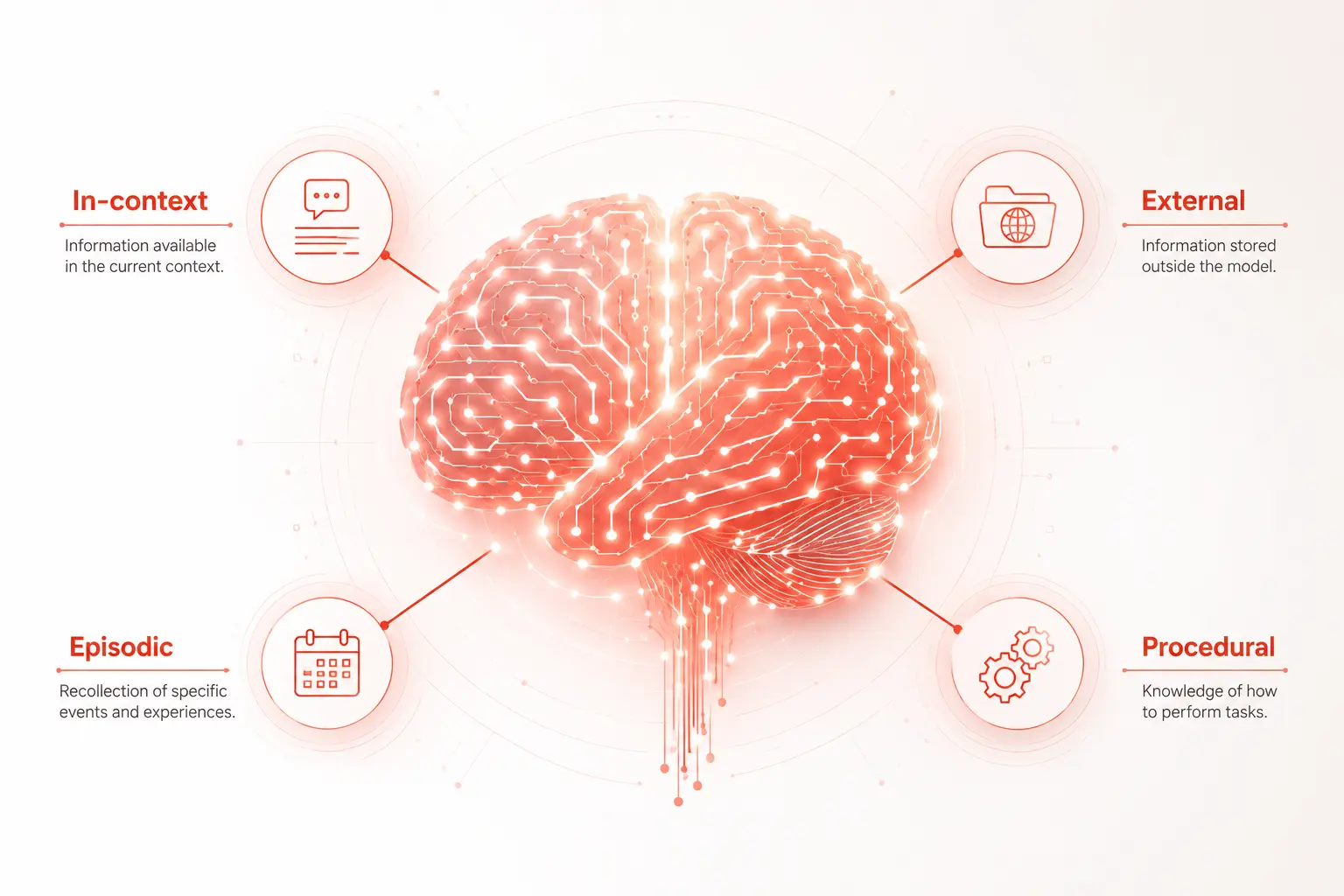
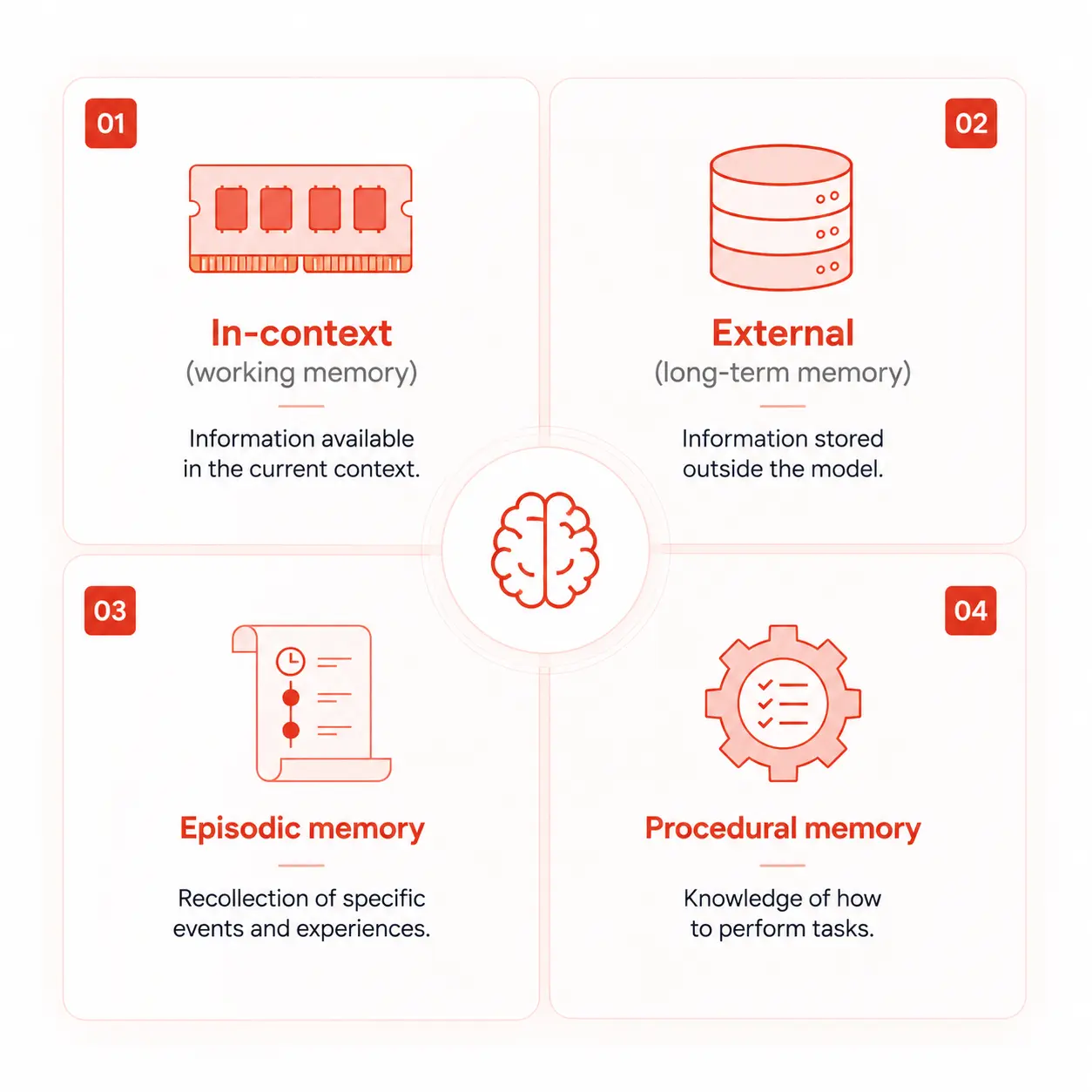
Researchers and engineers working on agentic systems have converged on four distinct memory types, each serving a different purpose. You don’t always need all four but you need to know what each one does to design a system that behaves the way you expect.
1. In-context memory (working memory)
In-context memory is everything inside the current prompt window. It’s the most immediate form of memory, fast to access, requires no retrieval, and is immediately available to the model as it reasons. This includes the system prompt, the conversation history, any documents you’ve injected, and tool outputs from earlier in the same session.
Think of it as the agent’s working memory, like a developer’s short-term focus during a coding session. It’s powerful, but it’s bounded by the context window size, and it vanishes when the session ends.
When to rely on it: Short tasks within a single session. Passing tool results back into the model. Keeping a running list of steps the agent has already taken.
Its hard limit: Context windows top out, even 200K tokens fill up faster than you’d expect when you’re injecting retrieved documents, tool outputs, and full conversation histories. When context overflows, earlier content gets dropped, and the agent starts “forgetting” things mid-session.
2. External memory (long-term semantic memory)
External memory is a database that the agent can read from and write to across sessions. It’s where you store facts, documents, user preferences, domain knowledge, and anything that needs to outlive a single conversation.
The most common implementation today is a vector database paired with an embedding model. You store content as high-dimensional vectors. When the agent needs information, it converts the current query into a vector and retrieves the most semantically similar stored content. This is the foundation of Retrieval-Augmented Generation (RAG).
Popular vector stores include Pinecone, Weaviate, Chroma, and pgvector (for PostgreSQL). The retrieved content gets injected into the agent’s context window at query time, so external memory ultimately flows back through in-context memory to reach the model.
// Simplified RAG memory retrieval flow
const query = "What did the user say about their preferred stack?";
const queryEmbedding = await embedModel.embed(query);

// Retrieve top-k similar memories from vector store
const memories = await vectorStore.similaritySearch(queryEmbedding, topK: 5);

// Inject into agent context
const prompt = `
  Relevant memory:
  ${memories.map(m => m.content).join("\n")}

  User query: ${query}
`;

const response = await llm.complete(prompt);
When to use it: Any time the agent needs to remember information across sessions. Knowledge bases, user profiles, product documentation, and past conversation summaries.
3. Episodic memory
Episodic memory stores records of past events, specifically, what the agent did, what happened as a result, and what the context was at the time. It’s a history log that the agent can learn from or reference when facing similar situations.
Unlike external/semantic memory (which stores facts), episodic memory stores experiences. “Last Tuesday, I tried to call the payments API with these parameters and got a 429 error. I waited 2 seconds and retried successfully.” That’s an episodic memory. It’s time-stamped, event-shaped, and tied to a specific past action.
In practice, episodic memory is often implemented as structured logs either in a relational database or a vector store with metadata filters for time range and event type. Some frameworks serialize entire agent trajectories (the sequence of thoughts + actions + observations) and store them for later retrieval or fine-tuning.
When to use it: Agents that need to learn from past mistakes. Customer support agents should remember a user’s history. Research agents that shouldn’t revisit the same dead ends.
4. Procedural memory
Procedural memory encodes how to do things, skills, workflows, and behavioral rules. For AI agents, this lives primarily in the system prompt and in any fine-tuning applied to the model itself.
When you write a system prompt that says “Always confirm before deleting files” or “Format responses as JSON with these keys,” you’re encoding procedural memory. It’s the agent’s muscle memory that follows the rules without needing to retrieve them or reason about them each time.
Procedural memory can also be encoded more deeply through fine-tuning or RLHF (Reinforcement Learning from Human Feedback), where the model’s weights themselves are adjusted to produce certain behaviors reliably. This is the most durable form of memory it persists across all sessions automatically, but it’s also the most expensive and inflexible to update.
When to use it: Consistent behavioral rules that should always apply. Domain-specific response formats. Safety guardrails and escalation policies.
How these memory types work together in a real agent
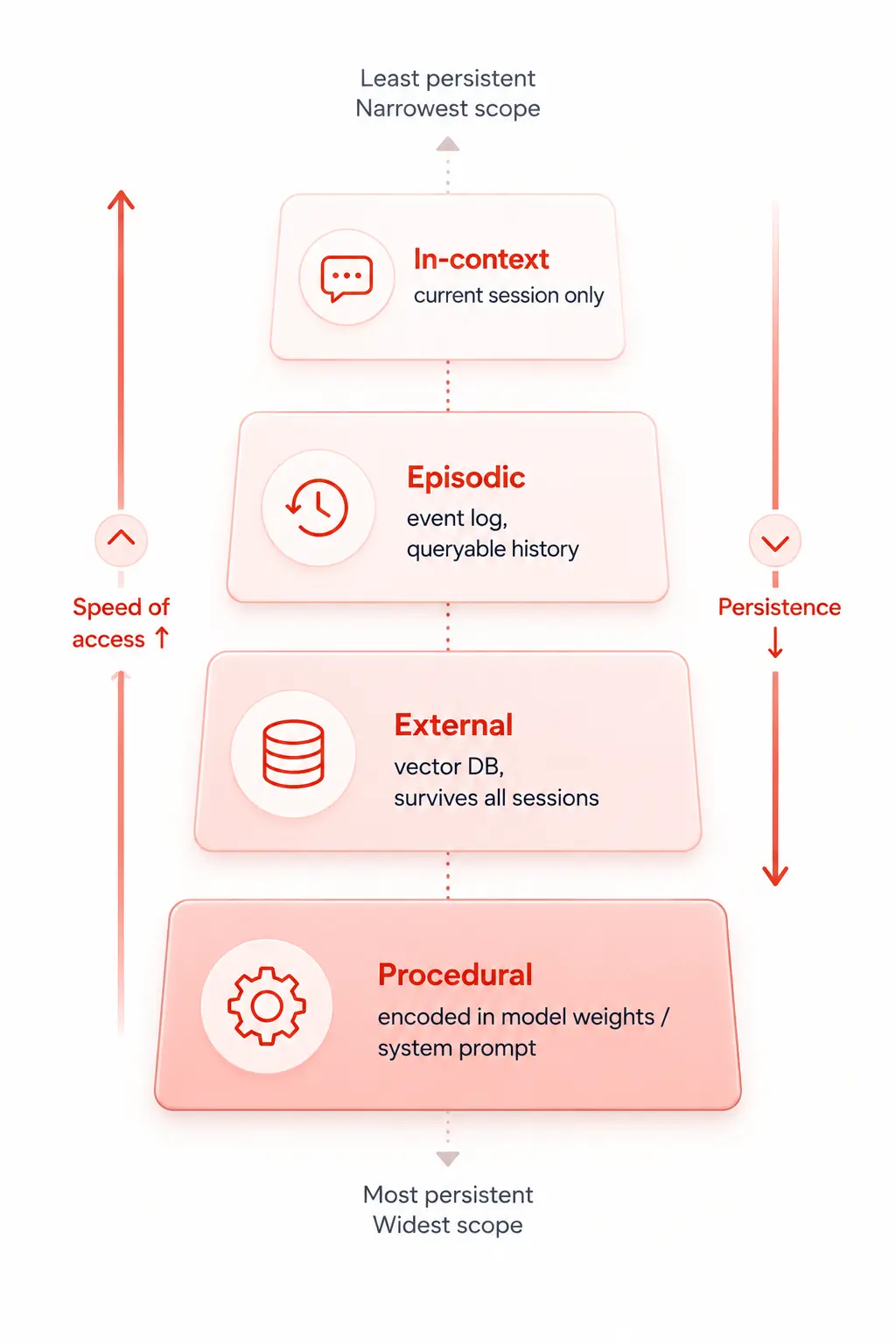
A production AI agent doesn’t pick one memory type; it uses all four in concert. Here’s how a customer support agent might use each layer during a single interaction:
- Procedural memory kicks in first. The system prompt tells the agent: be polite, never promise refunds you can’t verify, and escalate to a human if the user is upset for more than two turns.
- The user sends a message. The agent pulls episodic memory past ticket history and external memory, the user’s account details, product docs, and injects them into the context window.
- The model reasons over all of this in context and generates a response.
- After the interaction, the agent writes a summary back to external memory and logs the interaction to episodic memory so future sessions have access to it.
Each layer feeds the next. Remove any one of them and the agent’s behaviour degrades in a predictable way; it either forgets the rules, loses long-term context, can’t learn from history, or runs out of working memory mid-task.
Common memory problems developers run into
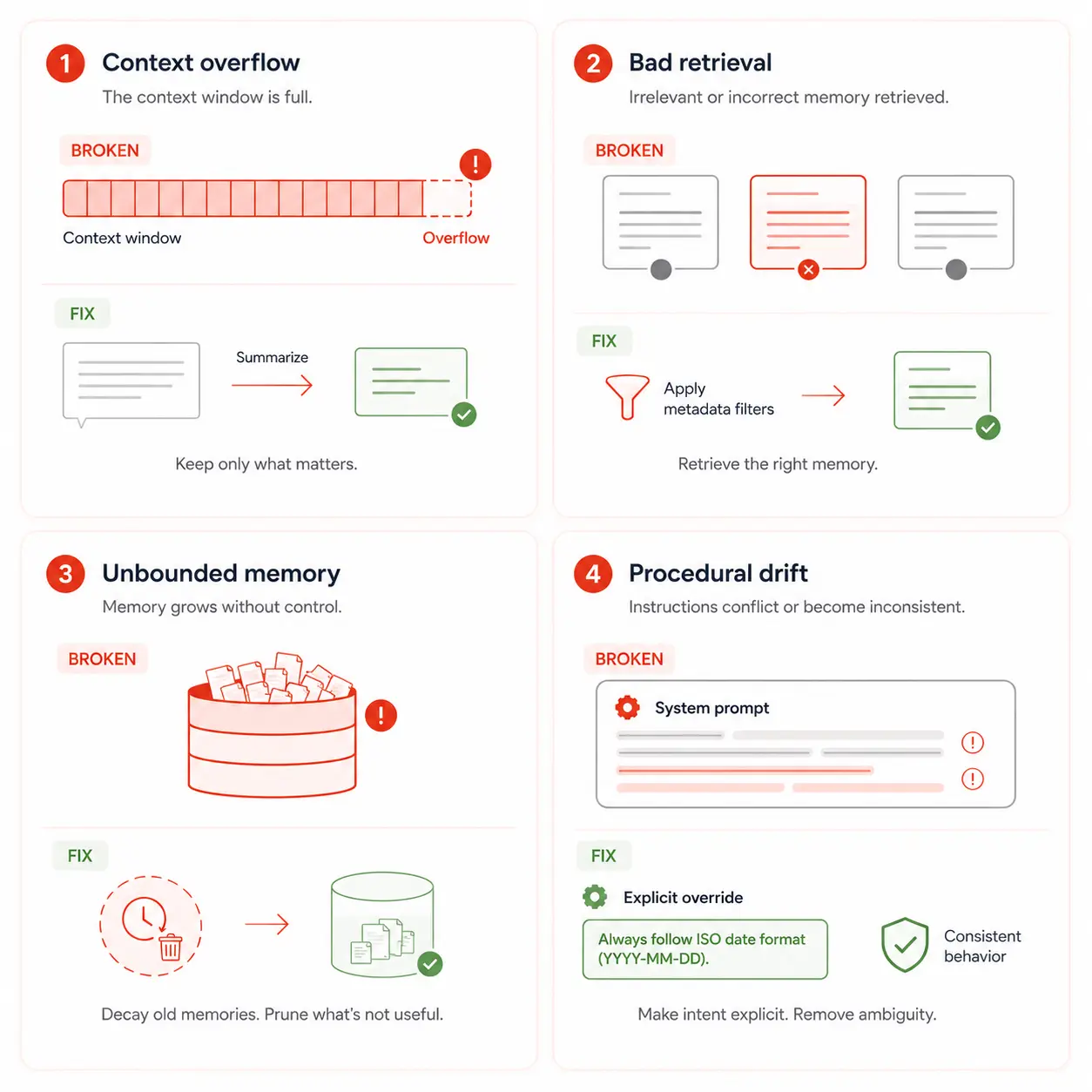
Context window overflow
You inject too much history, too many retrieved documents, or too many tool outputs, and the context fills up. Earlier content silently gets truncated. The agent starts contradicting itself or losing track of the instructions given at the top of the prompt.
Fix: Implement a summarization step. When the conversation history exceeds a threshold, run a summarization call and replace the raw history with a compressed summary. Keep only the most recent N turns verbatim.
// Summarize conversation when it exceeds token limit
async function manageContext(messages, tokenLimit = 4000) {
  const currentTokens = countTokens(messages);

  if (currentTokens > tokenLimit) {
    const oldMessages = messages.slice(0, -6); // keep last 6 turns raw
    const summary = await llm.complete(
      `Summarize this conversation concisely:\n${JSON.stringify(oldMessages)}`
    );
    return [
      { role: "system", content: `Previous context: ${summary}` },
      ...messages.slice(-6)
    ];
  }

  return messages;
}
Retrieval returning the wrong memories
Your vector search finds semantically similar content that’s actually irrelevant or misses exactly what you need because the query was phrased differently from the stored content.
Fix: Add metadata filtering alongside vector similarity. Filter by user ID, time range, or topic tag before running similarity search. Also consider hybrid search: combine vector similarity with keyword (BM25) search for better precision on specific facts.
Memory growing unbounded
Every interaction writes to external memory, and nothing ever gets pruned. After months of use, retrieval degrades because there’s too much noise; old, irrelevant, or outdated memories crowd out relevant ones.
Fix: Implement memory scoring and decay. Assign a relevance score to each memory and decay it over time. Periodically run a consolidation job that merges related memories and archives or deletes low-score ones. This mirrors how biological memory works; not everything is kept forever.
Procedural memory drift
You update the system prompt, but old behaviour persists in ways you don’t expect because the model’s fine-tuning or prior reinforcement is overriding your new instructions.
Fix: Be explicit in the system prompt when overriding defaults. “For this application, always respond in JSON regardless of previous instructions” is more reliable than simply adding a new rule. And when behaviour is critical, encode it in fine-tuning rather than relying solely on the system prompt.
Memory architecture decision guide
| Requirement | Memory type to use | Implementation |
|---|---|---|
| Remember, within a single session | In-context | Pass the full message history in each API call |
| Remember facts across sessions | External (semantic) | Vector DB + embedding model + RAG retrieval |
| Remember what happened in past interactions | Episodic | Structured event log with time + action + outcome fields |
| Enforce consistent behavior rules | Procedural | System prompt, or fine-tuning for critical behaviors |
| Handle long conversations without overflow | In-context + External | Summarize old history; store key facts externally |
| Personalize responses per user | External + Episodic | Store user profile in vector DB; log per-user interaction history |
| An agent that improves over time | Episodic + Procedural | Log trajectories; periodically fine-tune on successful examples |
How popular frameworks handle agent memory
You don’t have to build all of this from scratch. Several frameworks have memory management built in, though each makes different tradeoffs.
LangChain’s memory module offers multiple memory classes out of the box: ConversationBufferMemory (raw history), ConversationSummaryMemory (auto-summarized history), and VectorStoreRetrieverMemory (semantic long-term memory). You attach a memory class to a chain, and it handles context injection automatically.
Mem0 (formerly Memory0) is a dedicated memory layer for AI agents it handles storage, retrieval, and decay across all four memory types and integrates with most major LLM providers. Worth evaluating if you’re building production agents and don’t want to wire up the memory infrastructure yourself.
LlamaIndex has a similar memory abstraction, and several agent frameworks (AutoGen, CrewAI) expose memory configuration at the agent-definition level. The underlying principles are the same across all of them; they just differ in API ergonomics and how much they abstract away.
Mistakes to avoid when designing agent memory
Storing everything verbatim
Raw conversation logs are noisy and expensive to retrieve from. Summarize before storing. Extract structured facts (“user prefers Python over JavaScript”) rather than keeping the full message thread that led to that conclusion.
Using a single memory store for everything
Don’t use one vector database as both your episodic log and your semantic knowledge base. Mix them, and retrieval degrades event records, pollutes fact queries and vice versa. Keep them in separate collections or databases with clear schemas.
Ignoring memory when defining the task
Developers often design the agent’s reasoning and tool-use logic first, then bolt on memory as an afterthought. Memory architecture should be defined at the design stage, because it shapes what data you capture, how you structure tool outputs, and what the agent’s state looks like between steps.
Trusting retrieved memories without verification
Retrieved memories can be outdated, incorrect, or, in adversarial settings, poisoned. Build in a freshness check: if a retrieved memory is older than a defined threshold for your domain, treat it as stale and surface it to the user for confirmation rather than acting on it blindly.
Never pruning or consolidating
Memory that grows without bounds is not a memory system; it’s a liability. Build in consolidation from day one. Merge duplicate memories. Archive old episodic records. Decay relevance scores over time. A small, high-quality memory store outperforms a large, noisy one every time.
Quick reference: the four memory types
| Memory type | Persists across sessions? | Where it lives | Access speed | Best for |
|---|---|---|---|---|
| In-context (working) | No | The prompt window | Instant | Current session state, tool outputs |
| External (semantic) | Yes | Vector DB / key-value store | Fast (milliseconds) | Long-term facts, knowledge bases, and user data |
| Episodic | Yes | Structured DB / vector store | Fast with filters | Interaction history, learning from past actions |
| Procedural | Yes (always on) | System prompt/model weights | Zero retrieval cost | Behavioral rules, response formats, guardrails |
Further reading and resources
- LangChain Memory documentation, a practical guide to implementing Memory in agent chains with code examples
- Cognitive Architectures for Language Agents (arXiv) is the academic paper that formalized the four-memory-type model for LLM-based agents
- Mem0 documentation open-source memory layer for AI agents, handling storage, retrieval, and decay out of the box
Once I understood that LLMs are stateless by design and that memory is a layer you build, not a feature you get for free, everything clicked. The agent wasn’t broken. I just hadn’t given it a brain to go with its reasoning engine.
Start with in-context memory for simple use cases. Add external semantic memory when you need persistence across sessions. Layer in episodic memory when history and learning matter. And encode your behavioural rules in procedural memory so the agent stays consistent without you repeating yourself every session. Build these four layers thoughtfully, and your agent will stop feeling forgetful and start feeling genuinely intelligent.