
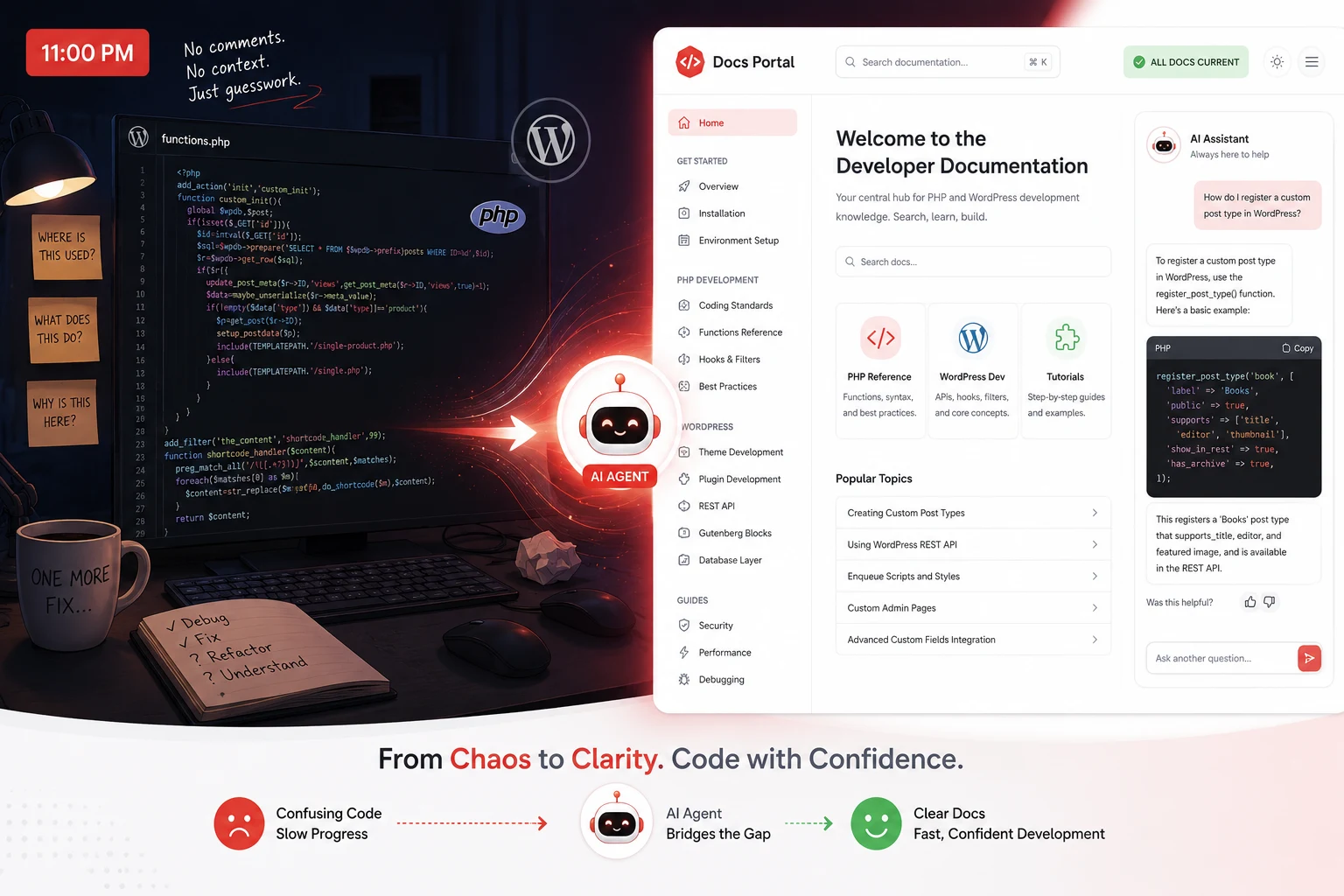
The documentation debt that finally caught up with us
We had built something genuinely good. Eighteen months of solid engineering, a microservices architecture our team was proud of, and a codebase that actually scaled. Then we landed our first enterprise client. Their security team sent over a standard integration questionnaire, and buried near the bottom was a question I had been hoping not to see: “Please provide API reference documentation for all public endpoints.”
We had 47 public endpoints. We had documentation for six of them. Three of those six were wrong because the endpoints had been updated twice since anyone last touched the docs. I spent the next four days in a documentation sprint that I can only describe as archaeological. I was not writing documentation. I was excavating intent from code I had written a year ago and had already half-forgotten.
That experience is why I now care deeply about AI documentation generation tools. Not in an abstract “documentation is important” way. In a very specific “I lost four days of my life and almost lost a client” way. The tools I want to tell you about in this guide exist to make sure that story does not happen to you, and in 2026, they are better than they have ever been.
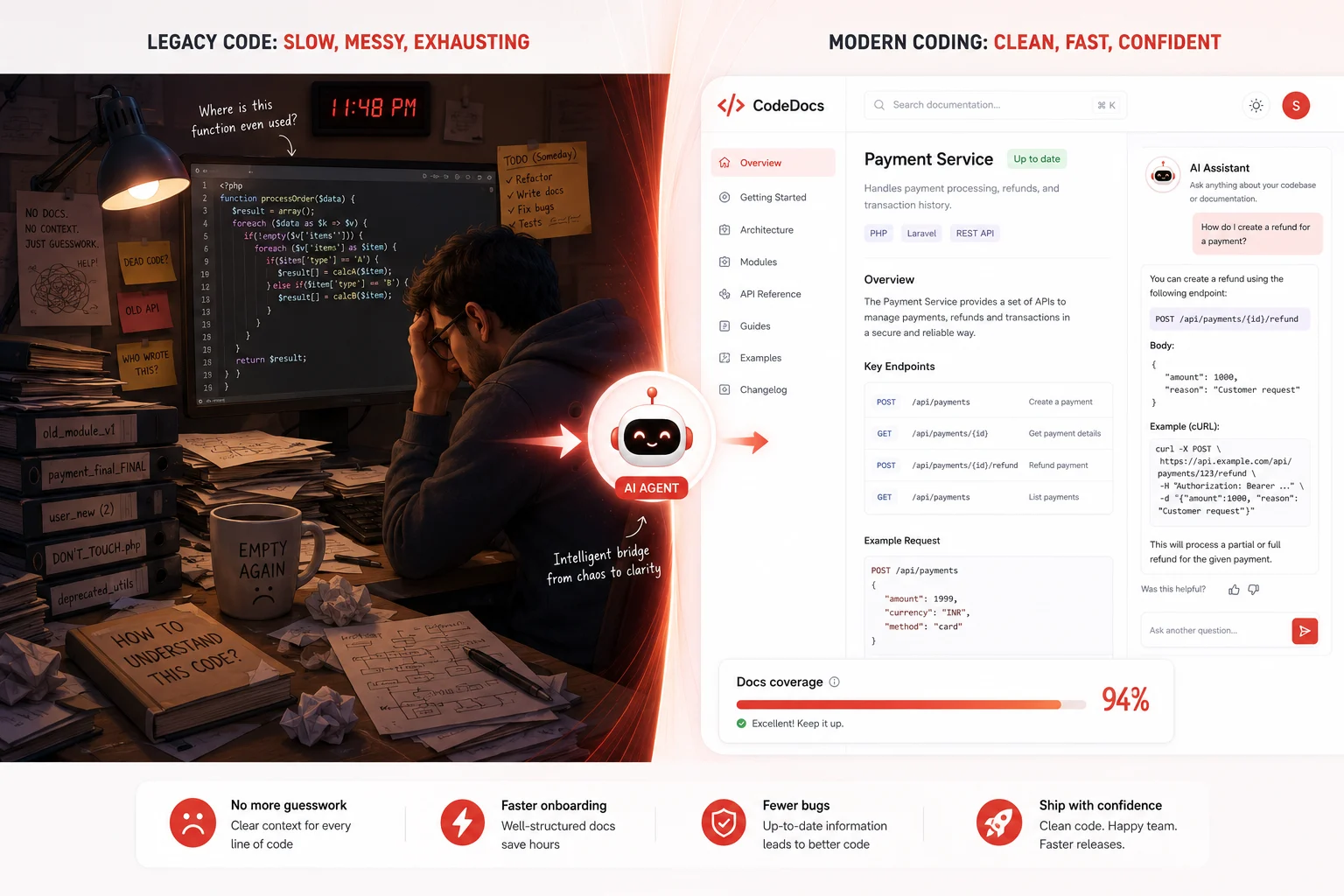
What AI documentation generation tools are
AI documentation generation tools are software systems that read source code, API specifications, commit history, and existing prose, then produce accurate, human-readable documentation automatically. They range from narrow utilities that generate a single function docstring to full AI-native platforms that crawl an entire repository, detect when documentation has gone stale, and publish a searchable documentation portal that AI coding agents can query directly.
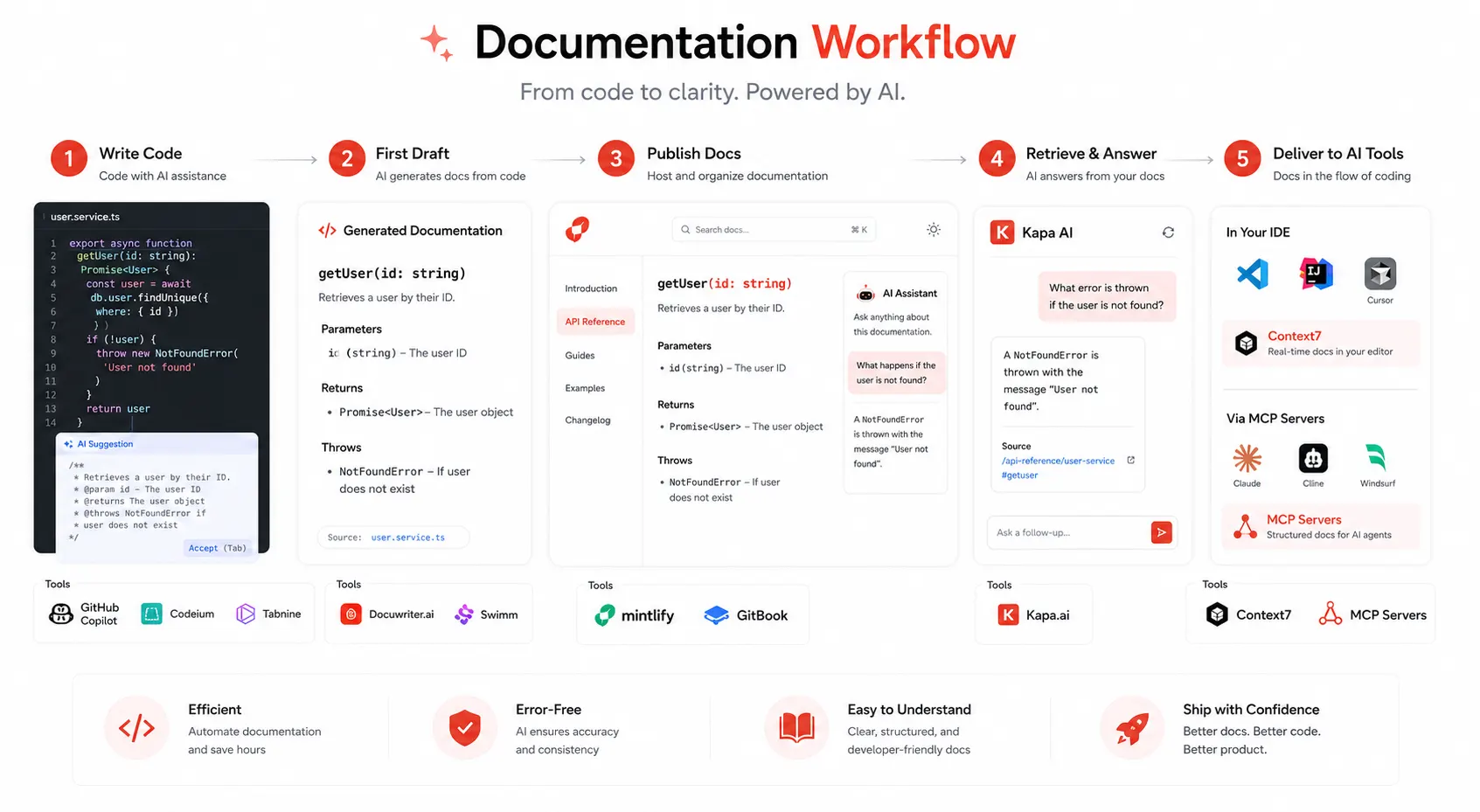
The category has expanded significantly in 2026. AI documentation tools now serve four distinct workflows: publishing documentation for humans and AI agents, generating drafts from code or API specs, adding retrieval over existing content, and answering reader questions through embedded AI chat. That last point matters more than it did even a year ago. Mintlify’s internal analytics show that nearly half of traffic to documentation sites now comes from AI agents, including Cursor, Claude Code, and ChatGPT. Your documentation is no longer read only by humans. It needs to be readable by machines too.
Why the problem is bigger than most teams realize in 2026
The numbers on documentation debt have sharpened considerably this year. AI documentation tools save development teams an average of ten times the time compared to manual documentation writing. They reduce new developer onboarding time by 45 percent, decrease documentation-related support tickets by 60 percent, and cut code review time by 35 percent.
At the same time, the pressure to ship code faster has not decreased. In 2026, 84 percent of developers use AI tools, and 41 percent of all code is already AI-generated. More code is being produced faster than ever before. Documentation coverage that was already struggling to keep pace with human-speed development is now falling further behind AI-speed development. The gap is not closing on its own.
There is also a new technical dimension to the problem that did not exist two years ago. As developers rely on AI coding assistants inside their editors, those assistants pull context from documentation. Every developer who has used AI coding assistants has experienced the frustration of hallucinated code. You ask Claude or ChatGPT to help implement a feature using a popular library, and the code looks perfect until you try to run it. The function does not exist. The API has changed. The import path is wrong. This happens because LLMs are trained on static datasets with knowledge cutoff dates. Accurate, current documentation does not just help human developers anymore. It is the input that determines whether AI coding assistants generate working code or confident nonsense.
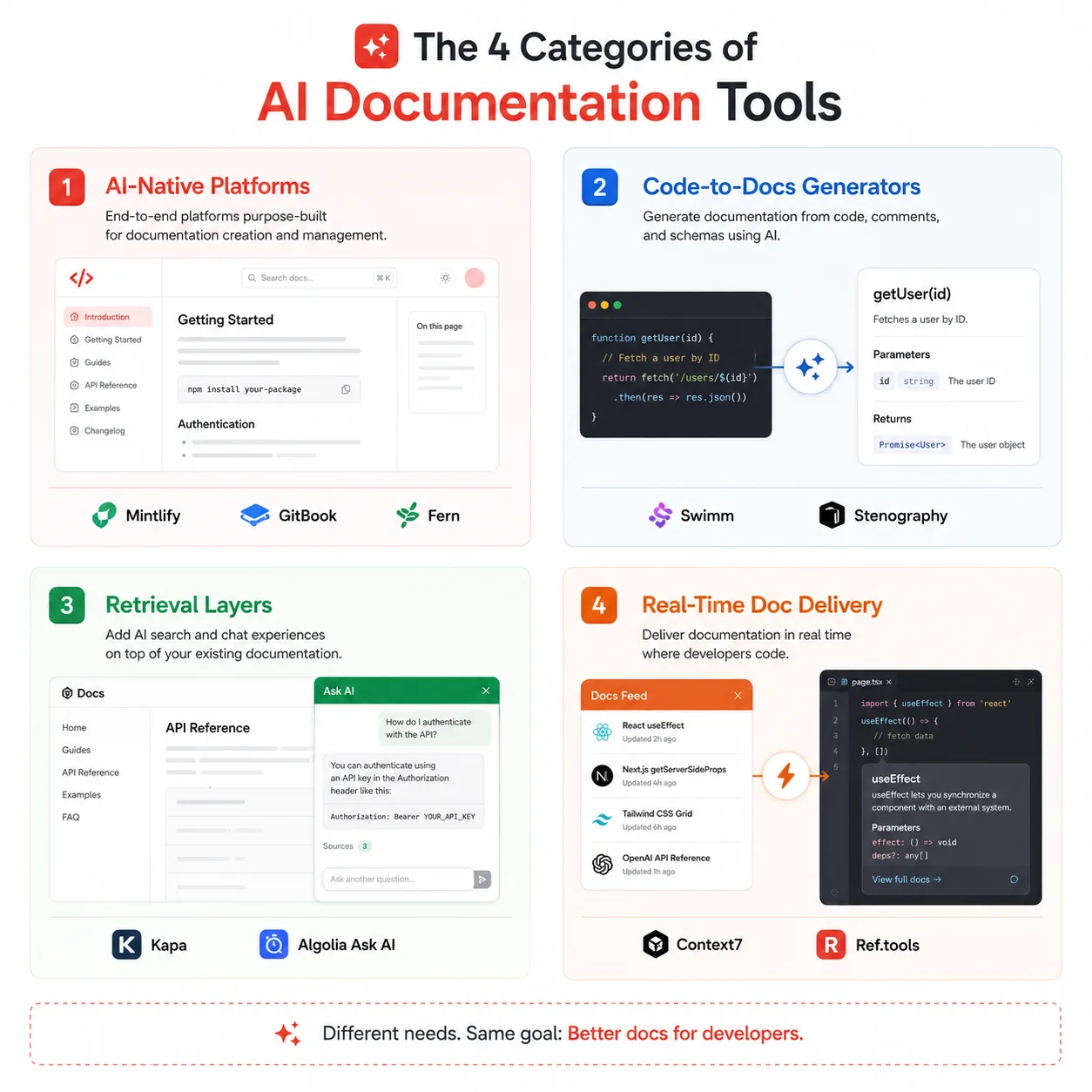
The four categories of AI documentation tools in 2026
Before comparing individual tools, it helps to understand the architecture of the category. Not all documentation tools solve the same problem, and picking the wrong category costs more than picking the wrong tool within the right category.
AI-native documentation platforms
These are full-stack systems that handle documentation publishing, AI-assisted authoring, staleness detection, in-doc chat, and increasingly, MCP server generation so your docs can be queried by AI coding agents. Mintlify, GitBook, Fern, ReadMe, and Document360 fall into this category, although their depth across developer docs, API references, and AI-agent readiness varies significantly.
Code-to-docs generators
These tools focus specifically on the conversion of source code into documentation drafts. They are generators, not platforms. Tools like Swimm, Stenography, and Docuwriter.ai fit here. They speed up the first draft and hand the output to a publishing platform. AI writing assistants generate documentation drafts from code, API specs, or prompts, then send the output into a separate publishing system.
Retrieval and LLM infrastructure layers
These tools sit on top of existing documentation and make it queryable by AI systems. They index docs across sources, expose MCP servers, and power chat experiences across websites, Slack, Discord, and APIs. Kapa is the primary example in this category. Teams can add a retrieval layer without migrating their docs site.
Real-time documentation delivery for AI agents
This is the newest category, and it solves a problem that barely existed in 2024. Tools like Context7 and Ref.tools serve up-to-date, version-specific library documentation directly into AI coding tools via MCP. Context7 is an MCP server providing real-time, version-specific documentation for AI coding assistants. With 56.6k GitHub stars, it solves the persistent problem of outdated LLM documentation by delivering current APIs directly to tools like Cursor, Claude Code, and Windsurf.
The best AI documentation generation tools in 2026: tool-by-tool breakdown
Mintlify: the AI-native documentation platform
Mintlify has earned a clear category lead in 2026. Mintlify is the strongest choice for software teams that want a single AI-native documentation platform for doc publishing, API references, AI-assisted maintenance, in-doc chat, MCP support, LLM-readable outputs, and AI traffic analytics, without assembling separate tools around the docs stack.
The MCP integration is the feature that sets Mintlify apart from everything else in the category right now. Native support for MCP servers allows enterprises to make their documentation machine-readable and accessible to internal tools, assistants, and AI workflows. Documentation can act as knowledge infrastructure for your AI agents, not just static content. When a developer using Claude Code or Cursor asks a question about your API, Mintlify-hosted docs can answer it directly inside the editor, with no web search required and no stale cached training data in the way.
The new enterprise features released in February 2026 add self-serve SSO via Okta and Microsoft Entra, role-based access controls, and AI-powered translation for global teams. Agent suggestions proactively surface documentation quality over time by identifying gaps, inconsistencies, and opportunities for improvement directly in the authoring workflow, without requiring manual audits.
The tradeoff is cost. Mintlify’s Pro tier at $250 per month adds analytics, the AI assistant, preview deployments, and support for multiple repos. The Hobby tier is genuinely generous for individual developers, but teams building production API products will need Pro or higher.
Best for: Teams shipping public APIs or developer-facing products who want documentation that serves both human readers and AI coding agents from a single platform.
Swimm: living documentation that cannot go stale
Swimm invented the concept of code-coupled documentation and remains the only tool that makes staleness detection a core architectural feature rather than a marketing checkbox. Swimm solves a different problem than most tools. It keeps internal knowledge accurate at the code level, not just the narrative level. If your biggest pain point is onboarding new engineers or maintaining architectural knowledge as your team grows, Swimm is unmatched.
The way Swimm works is mechanically different from every other tool in this list. Instead of storing documentation as free-form text linked to a filename, Swimm stores references to specific code tokens: function names, variable names, and file paths. When a rename, a signature change, or a logic rewrite occurs, Swimm detects the change at the token level and marks every affected document as requiring review. You cannot accidentally let documentation drift without Swimm noticing and telling you.
Swimm’s AI layer generates the initial documentation, but the coupling mechanism is what delivers the long-term value. A documentation generator helps you once. Swimm helps you continuously. Swimm provides free access for up to five users. Larger teams move to paid plans, which are priced per seat.
Best for: Engineering teams where internal documentation has historically gone stale within months, and teams onboarding multiple new engineers per quarter.
GitBook: the collaborative documentation platform for mixed teams
GitBook is the documentation tool that product managers, support engineers, and developers can all actually use without training. GitBook is the best documentation tool for technical teams that want a balance between structured, editor-friendly documentation and GitHub-synced source control. Its GitHub Sync feature is bidirectional: changes made in GitBook’s rich editor sync to your GitHub repo as Markdown commits, and changes pushed directly to GitHub appear in GitBook automatically.
GitBook’s 2024 to 2025 overhaul introduced GitBook AI, a layer that can answer questions from your docs, suggest content improvements, and help non-technical stakeholders contribute to the knowledge base without touching a codebase. It is the most accessible documentation tool in this list for teams where not every contributor is a developer. GitBook is used by over 150,000 organizations and has a free tier for personal projects.
Best for: Teams where product, support, and engineering all contribute to documentation, and where a visual editor matters as much as Git-based workflows.
Kapa.ai: the retrieval layer that makes any docs site intelligent
Kapa takes a different approach from the platforms above. It does not host your documentation. It sits on top of wherever your documentation already lives and makes it answerable. Kapa is platform agnostic and works with any docs platform, including Mintlify, Fern, Docusaurus, GitBook, ReadMe, or custom sites. There is zero lock-in and the flexibility to switch platforms anytime.
What Kapa does is build a retrieval-augmented generation layer over your existing documentation corpus. It indexes your docs, your API references, your tutorials, your GitHub issues, and your Slack history. Developers can then ask Kapa a natural language question and get an answer sourced from all of those inputs simultaneously, with citations. This is significantly more powerful than traditional documentation search, which requires the developer to already know what they are looking for.
Best for: Teams that already have substantial documentation hosted elsewhere and want to add AI-powered Q&A without migrating to a new platform.
Context7: real-time documentation for AI coding agents
Context7 is the tool that solves the problem that every other tool on this list ignores: the AI coding assistant in your editor has outdated knowledge of the libraries you are actually using. Context7 provides real-time, version-specific documentation directly to your AI tools, ensuring they always have access to the most current and accurate information.
The mechanism is an MCP server that intercepts documentation requests from AI coding tools and serves the current, version-specific content from Context7’s indexed library database instead of the LLM’s static training data. Context7 pulls up-to-date, version-specific documentation and code examples for any library directly into Cursor, Claude Code, Windsurf, and other AI coding tools.
Context7 covers over 9,000 popular libraries and frameworks, from React and Vue to Prisma and Tailwind CSS, with documentation continuously updated to reflect the latest library versions. For teams dealing with rapidly evolving dependencies, Context7 is the most direct solution to the hallucinated deprecated function problem.
Best for: Developer teams using AI coding assistants heavily and hitting the wall of outdated library documentation, causing incorrect code generation.
Fern: API documentation and SDK generation from a single spec
Fern is an API tooling platform designed to generate SDKs and documentation from structured API definitions. The platform focuses on keeping SDKs, API references, and developer documentation synchronized with the API specification. It supports generating client libraries in several programming languages.
Fern’s “Ask Fern” AI assistant is trained on your documentation and answers developer questions in context. The key advantage Fern offers over Mintlify for pure API companies is that it generates the SDKs alongside the documentation from the same source of truth, eliminating the class of bugs where the SDK and the docs describe different behavior. If your core documentation need is API references with accompanying client libraries, Fern solves both problems from one definition file.
Best for: API platform companies that need SDKs and documentation to stay synchronized with the API specification automatically.
Docuwriter.ai: AI-powered first drafts from code
Docuwriter.ai is a code-to-docs generator focused on speed of first draft rather than platform depth. It reads source files and produces docstrings, README files, and API descriptions in bulk. The output quality is strong for well-structured modern codebases and degrades gracefully on legacy code by generating what it can infer and flagging gaps explicitly.
Docuwriter.ai targets teams that need to generate documentation for an existing undocumented codebase quickly, without committing to a new documentation platform. The output is Markdown or plain text that slots into whatever publishing pipeline the team already uses.
Best for: Teams running a one-time or periodic documentation generation pass on legacy codebases, or teams that want AI-generated drafts to feed into a separate platform.
Head-to-head comparison: every tool at a glance
| Tool | Category | Best for | MCP / AI agent ready | Staleness detection | Hosted portal | Free tier | Pricing from |
|---|---|---|---|---|---|---|---|
| Mintlify | AI-native platform | Public API docs, developer products | Yes (native MCP server) | Yes (agent suggestions) | Yes | Yes (Hobby) | $250/month (Pro) |
| Swimm | Code-coupled docs | Internal docs that stay accurate | Partial | Yes (best in class) | No (internal only) | Yes (up to 5 users) | Per seat |
| GitBook | Collaborative platform | Mixed engineering and non-technical teams | Via Kapa integration | Partial | Yes | Yes (personal) | $6.70/user/month |
| Kapa.ai | Retrieval layer | AI Q&A over existing docs | Yes (exposes MCP server) | No | No (overlay only) | No | Contact for pricing |
| Context7 | Real-time doc delivery | Fixing hallucinated library code in AI editors | Yes (is an MCP server) | Yes (live index) | No | Yes (open-source) | Free / self-hosted |
| Fern | API + SDK generation | API companies needing synced SDKs and docs | Yes (Ask Fern AI) | Yes (spec-driven) | Yes | Limited | Contact for pricing |
| Docuwriter.ai | Code-to-docs generator | Bulk first drafts from legacy code | No | No | No | Yes (limited) | $19/month |
Real-world scenarios: which tool wins for each situation
A feature comparison table only goes so far. The right choice depends on the actual problem you are trying to solve right now.
You are launching a public API in the next 90 days
Mintlify is the answer. The combination of OpenAPI sync, an auto-generated interactive API playground, a polished hosted portal, and MCP server generation means your documentation is useful to human developers and AI coding agents from day one. The Hobby tier handles the first 90 days for free, and you can upgrade to Pro when you land paying customers who need the analytics and AI assistant.
Your team writes documentation every quarter, and it is wrong by the next quarter
This is the exact problem Swimm was built to solve. Token-level coupling means a refactor that renames a function automatically surfaces every document that referenced that function for review. The AI generates the first draft; the coupling mechanism keeps it honest over time. No other tool in this list solves this specific failure mode as directly.
You have 80,000 words of documentation, but developers still cannot find answers
The problem here is retrieval, not content. Kapa.ai indexes your existing corpus across formats and sources, then answers natural language questions with citations. You do not need to migrate or rewrite anything. You add Kapa on top of what you have, and the documentation you spent years writing becomes actually useful within a day.
Your AI coding assistant keeps generating code for deprecated library APIs
Context7 is the direct fix. Context7 provides the exact documentation for the specific version of any library you are using, continuously updated to reflect the latest library versions. Connect it to your Cursor, Claude Code, or Windsurf installation as an MCP server, and the hallucinated deprecated function problem largely disappears. The setup takes under ten minutes.
You need SDKs and documentation to stay synchronized with your API automatically
Fern generates both from the same OpenAPI specification. When the spec changes, both the SDK and the documentation update together. If your core engineering pain is the three-way divergence between your API implementation, your SDK, and your docs, Fern solves all three from one source of truth.
You have a 200,000-line legacy codebase with almost no documentation
Start with Docuwriter.ai for the bulk generation pass, then migrate the output into Swimm for ongoing maintenance. Docuwriter handles the archaeological work of extracting intent from old code. Swimm handles the ongoing problem of keeping that documentation accurate as the codebase continues to evolve.
The new standard: llms.txt and machine-readable documentation
One of the most significant shifts in documentation in 2026 is the emergence of machine-readable documentation standards. Think of llms.txt files as robots.txt, but for LLMs. While robots.txt tells crawlers what to read, llms.txt gives LLMs optimized, pre-processed summaries of your docs, ideal for language models.
The practical implication is significant. When a developer asks their AI coding assistant how to authenticate with your API, the assistant has two options: use its possibly-outdated training data, or fetch your llms.txt and get the current answer. Teams that have published llms.txt files consistently report that their AI coding assistant integrations produce more accurate code on the first attempt.
Mintlify’s Hobby tier includes LLM optimizations and can generate llms.txt, llms-full.txt, and related files for every documentation site at no additional cost. Fern and several other platforms have followed with similar support. If your product has a developer audience, publishing a well-formed llms.txt is now table stakes, not a nice-to-have.
# Example llms.txt structure for an API product
# Place at: https://yourdomain.com/llms.txt

# Your Product Name API Documentation

> A REST API for payment processing. Authentication uses Bearer tokens.
> Base URL: https://api.yourproduct.com/v2

## Core Guides
- [Authentication](https://yourdomain.com/docs/auth.md): Bearer token setup and rotation
- [Webhooks](https://yourdomain.com/docs/webhooks.md): Event types, retry logic, signature verification
- [Rate Limits](https://yourdomain.com/docs/rate-limits.md): Per-endpoint limits and 429 handling

## API Reference
- [Payments](https://yourdomain.com/docs/api/payments.md): Create, capture, refund endpoints
- [Customers](https://yourdomain.com/docs/api/customers.md): CRUD operations and payment method management
- [Reports](https://yourdomain.com/docs/api/reports.md): Transaction export and analytics endpoints

## Changelog
- [June 2026](https://yourdomain.com/docs/changelog/2026-06.md): v2 launch, deprecation of v1 auth header
How to build an AI documentation workflow that actually holds
Choosing a tool is the easy part. Building a workflow that your team maintains 18 months from now is the problem that ends most documentation initiatives. Here is the setup that produces durable results.
Step 1: Measure your baseline before you touch any tool
Run a documentation coverage audit on your codebase before deploying anything. For Python projects, interrogate gives you a percentage of public functions with docstrings in under a minute. For JavaScript and TypeScript, ESDoc coverage or custom AST analysis gives the same picture. Save the number. You will need it to demonstrate improvement and to set realistic sprint targets.
# Install and run interrogate to baseline Python docstring coverage
pip install interrogate

# Run against your source directory, excluding tests and migrations
interrogate src/ \
  --ignore-init-method \
  --ignore-magic \
  --ignore-nested-functions \
  --fail-under 80 \
  --verbose

# Example output:
# ┌─────────────────────────────────────────────────────────┐
# │ Name                  │ Total │ Miss  │ Cover           │
# │───────────────────────┼───────┼───────┼─────────────────│
# │ src/payments/models.py│    12 │     7 │  42%            │
# │ src/payments/views.py │     8 │     2 │  75%            │
# │ src/api/endpoints.py  │    23 │    18 │  22%            │
# └─────────────────────────────────────────────────────────┘
# TOTAL: 46%  RESULT: FAIL (minimum: 80%)
Step 2: Generate first drafts for undocumented modules
Run your chosen AI documentation generator across the highest-priority undocumented modules first. Start with the files that new engineers read first: entry points, public interfaces, and the utilities that every other module imports. Review the generated documentation file by file before committing it. AI-generated documentation is a strong first draft, not a finished product. A ten-minute review per module catches the edge cases where the AI inferred behavior correctly but missed the “why” that an experienced team member would include.
Step 3: Add a CI gate for new undocumented code
Once baseline coverage is above 70 percent, add a CI gate that blocks merging new undocumented public functions. This is the enforcement mechanism that converts documentation from a project with a finish line into an ongoing engineering standard. Start the threshold at 70 percent and raise it by five points each quarter until you reach 90 percent.
# .github/workflows/docs-check.yml
name: Documentation Coverage Gate

on: [pull_request]

jobs:
  check-docs:
    runs-on: ubuntu-latest
    steps:
      - uses: actions/checkout@v4

      - name: Set up Python
        uses: actions/setup-python@v5
        with:
          python-version: '3.12'

      - name: Install interrogate
        run: pip install interrogate

      - name: Enforce documentation coverage
        run: |
          interrogate src/ \
            --ignore-init-method \
            --ignore-magic \
            --ignore-nested-functions \
            --fail-under 80
        # Fails the PR if public docstring coverage drops below 80%
        # Increase --fail-under by 5 points each quarter

      - name: Post coverage report as PR comment
        if: always()
        run: |
          interrogate src/ --ignore-init-method --ignore-magic \
            --generate-badge ./docs-badge.svg
          echo "Documentation coverage badge updated."
Step 4: Publish llms.txt alongside your API docs
If you ship a public API or any developer-facing product, publish a well-formed llms.txt at the root of your documentation domain. Use Mintlify’s auto-generation if you are on that platform, or author it manually following the standard. This single file meaningfully improves the accuracy of AI coding assistant integrations with your product and costs approximately 30 minutes to set up.
Step 5: Connect Context7 or your docs platform’s MCP server to your team’s AI tools
This is the step that most teams skip because it feels optional. It is not optional for teams doing serious AI-assisted development. Connecting your documentation’s MCP server to Cursor, Claude Code, or whichever AI coding tool your team uses means the assistant answers questions about your codebase and your dependencies correctly, rather than confidently generating code based on 18-month-old training data.
Common mistakes teams make with AI documentation tools in 2026
These are the failure patterns that appear consistently across teams that adopt AI documentation tools and quietly abandon them six to twelve months later.
Accepting all AI-generated documentation without human review
AI documentation tools produce technically accurate but sometimes subtly misleading descriptions. A function that maintains running state might be described as “returns the average of the input list,” which is accurate on the first call and misleading on every subsequent call. A reviewer who understands the function catches this in 30 seconds. A blind merge does not. Always treat AI output as a first draft requiring editorial review, not a finished product requiring only approval.
Treating documentation generation as a project with a finish line
The team runs the tool, generates docstrings for everything, celebrates the coverage number, and moves on. Six months later, the coverage number is still high, but a third of the docstrings describe code that changed significantly after the generation run. Documentation generation without ongoing maintenance tooling is a countdown timer to documentation debt, just with a longer fuse than no documentation at all.
Ignoring the MCP and llms.txt layer
Teams spend significant effort producing excellent human-readable documentation and zero effort making it machine-readable. In 2026, this is the equivalent of publishing a website with no sitemap and wondering why search engines do not index it. Nearly half of the traffic to documentation sites now comes from AI agents. If your documentation is not structured for AI consumption, you are invisible to half your audience.
Choosing a platform for its demo rather than its integration depth
AI documentation tools produce impressive demos on small, clean codebases. The tool that performs best on a 50-file toy repository is not always the tool that scales to a 400-file production codebase with mixed languages, legacy patterns, and complex dependency trees. Always test a candidate tool on a representative sample of your messiest, most underdocumented actual code before committing to a platform migration.
Quick reference: scenario to tool mapping
| If your situation is… | Start with | Why it fits |
|---|---|---|
| Launching a public API | Mintlify | Hosted portal, OpenAPI sync, MCP server, AI assistant bundled together |
| Internal docs keep going stale | Swimm | Token-level staleness detection catches drift before it causes mistakes |
| The mixed team needs to contribute to the docs | GitBook | Visual editor lets non-developers contribute without touching Markdown or Git |
| Large docs corpus, but devs still open Slack to ask questions | Kapa.ai | RAG layer makes any existing docs corpus answerable without migration |
| AI coding assistant generates deprecated library code | Context7 | MCP server delivers live, version-specific docs directly into the editor |
| Need SDKs and docs to stay in sync with the API spec | Fern | Single OpenAPI spec generates both client libraries and API reference simultaneously |
| Legacy codebase with no documentation at all | Docuwriter.ai then Swimm | Docuwriter handles the bulk generation; Swimm handles the ongoing maintenance |
| Need docs readable by AI agents (llms.txt) | Mintlify Hobby tier | Auto-generates llms.txt, llms-full.txt, and the MCP server at no cost on the free tier |
| Security requirements prohibit sending code to external APIs | Self-hosted Sphinx with local LLM | Full control, no code transmitted externally, integrates with ReadTheDocs CI |
Further reading
- Best AI Documentation Tools in 2026: Mintlify’s Updated Comparison Guide
- Context7: Real-Time Version-Specific Documentation for AI Coding Agents
- Kapa.ai: Best AI Documentation Tools for 2026 (Independent Analysis)
Documentation is no longer a developer problem. It is an engineering system.
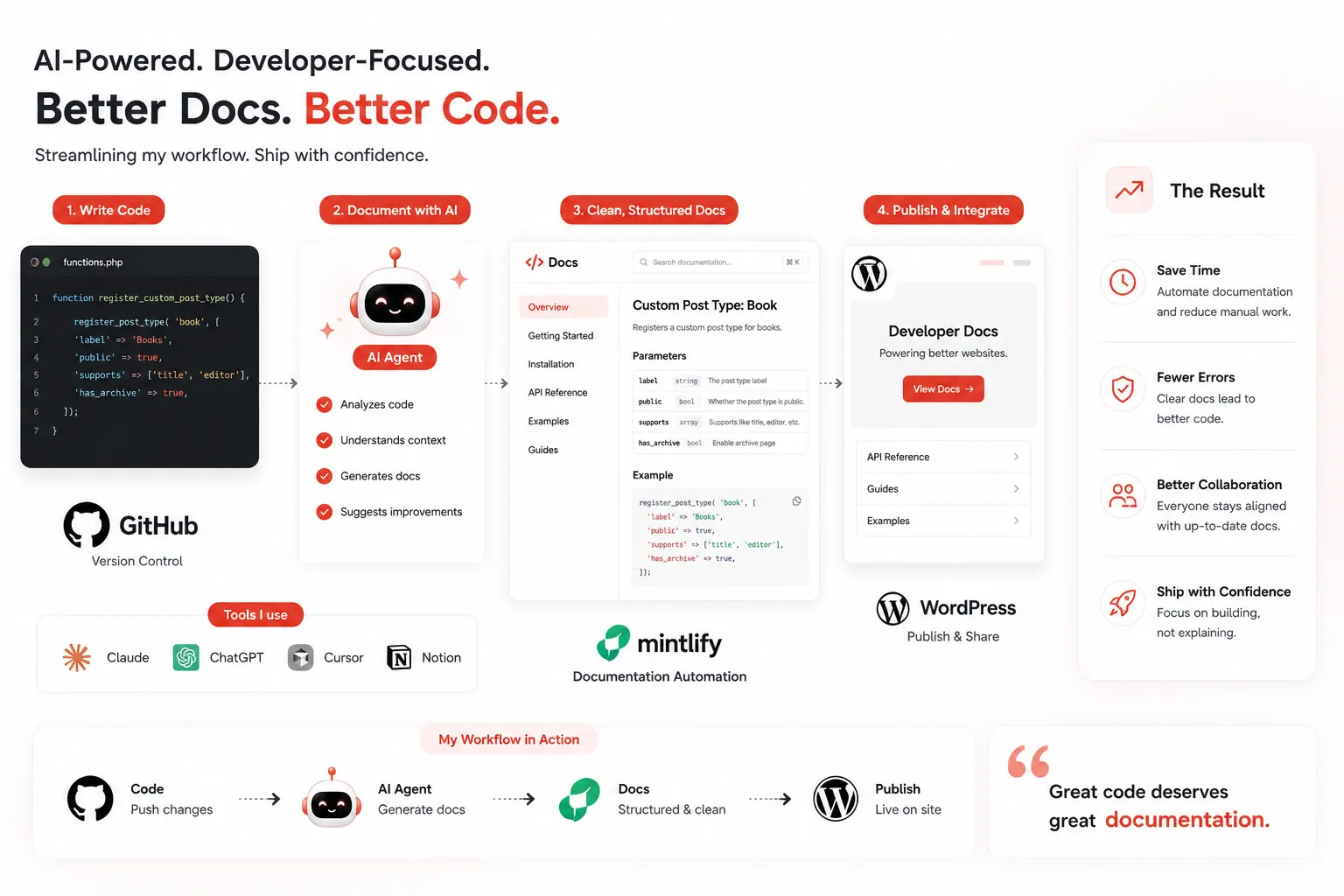
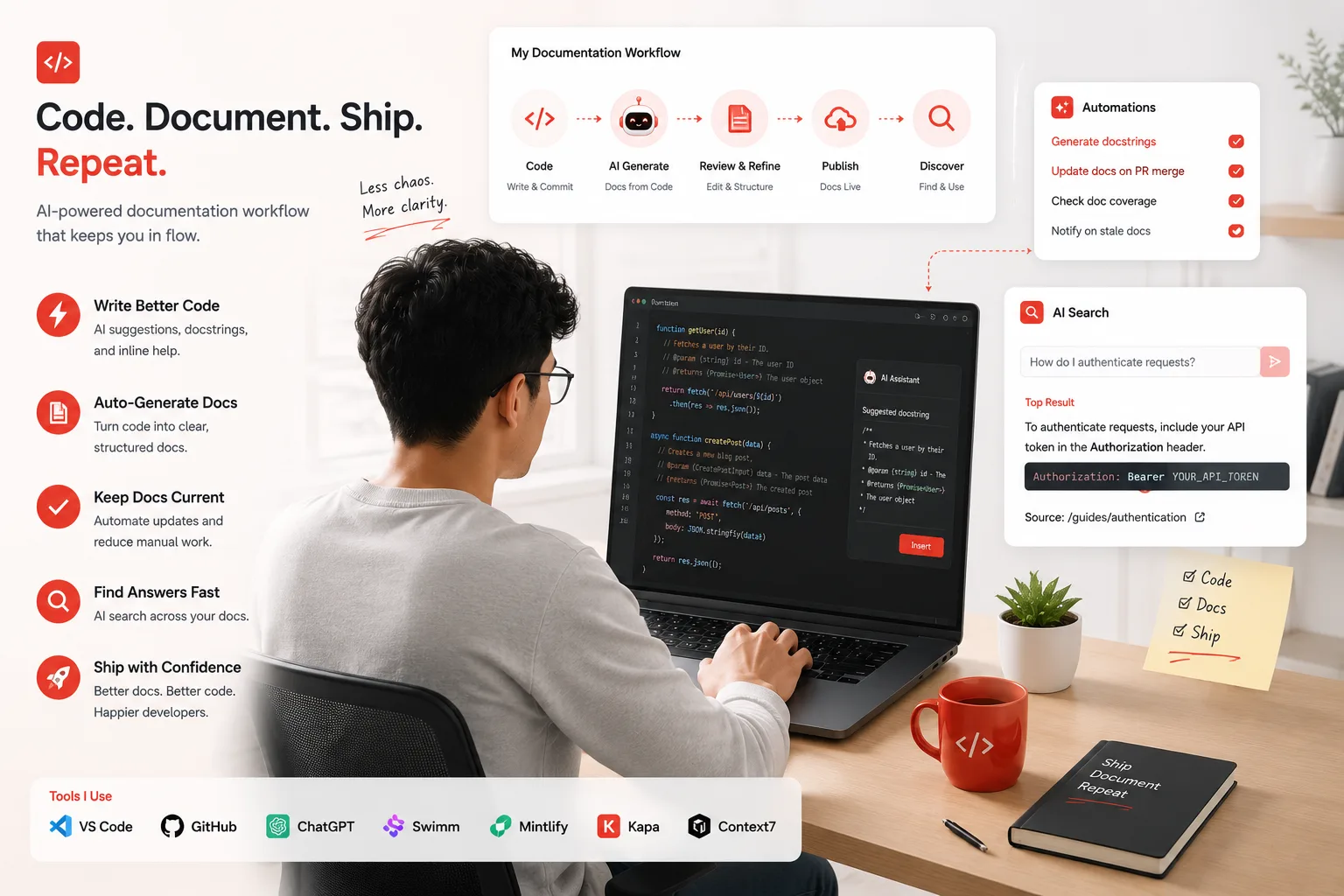
That four-day documentation sprint I described at the start of this article was painful because I was treating documentation as a task I did at the end of a project. The task model is the wrong mental model. Documentation is a system that needs to be running continuously, fed automatically, and maintained by tooling rather than willpower.
The AI documentation generation tools available in June 2026 make that system genuinely buildable. Documentation tools save time almost immediately on a task most developers avoid. Mintlify handles the publishing and AI-agent access layer. Swimm handles the staleness problem. Context7 handles the live doc delivery to AI coding tools. Kapa handles the retrieval of whatever you already have. Each tool solves a specific, real problem, and they compose well together.
The next enterprise client questionnaire that asks for API documentation does not have to cost you four days. With the right stack in place, it costs you an afternoon of review and a publish button.