
I spent a weekend manually refactoring code that an AI handled better in forty minutes
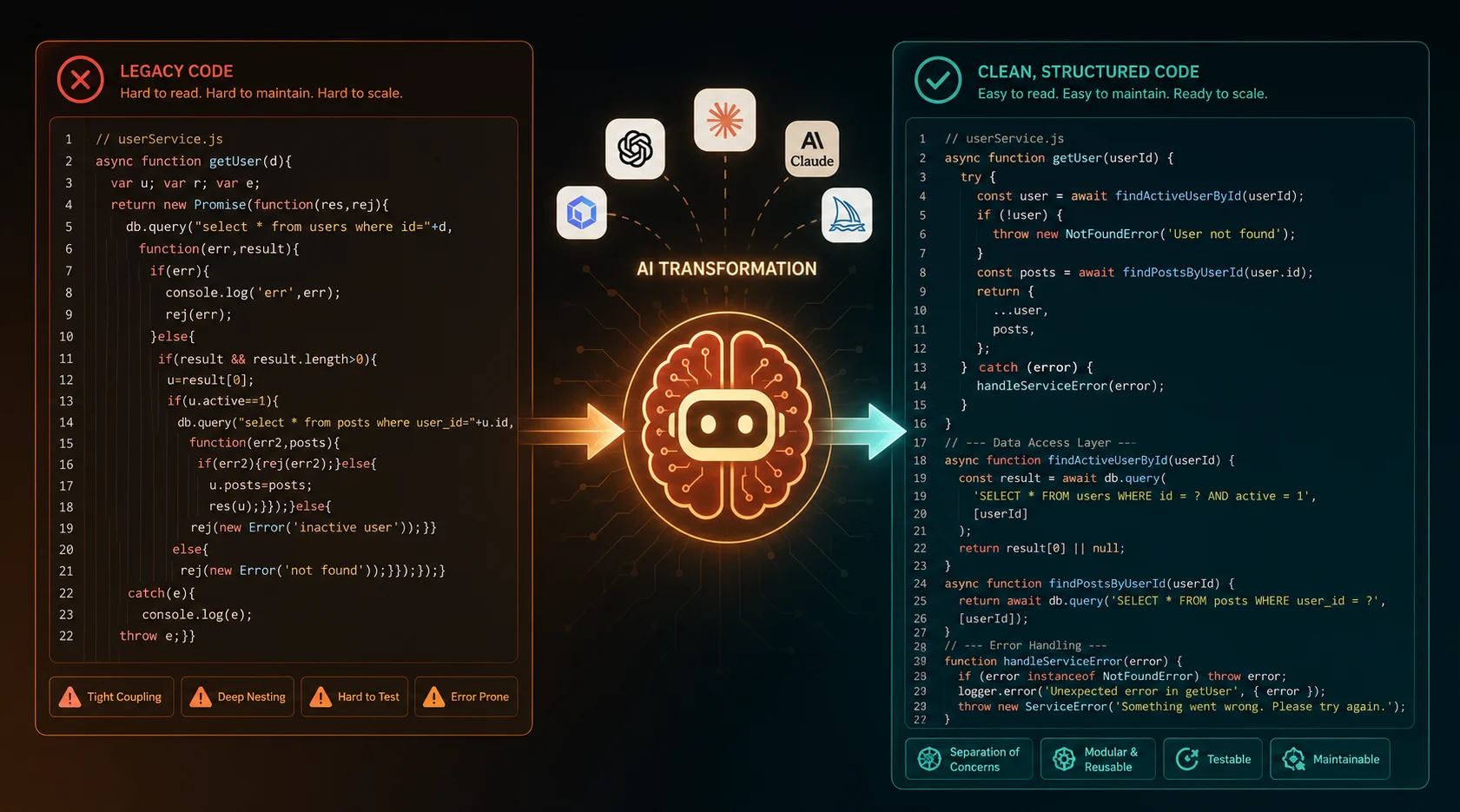
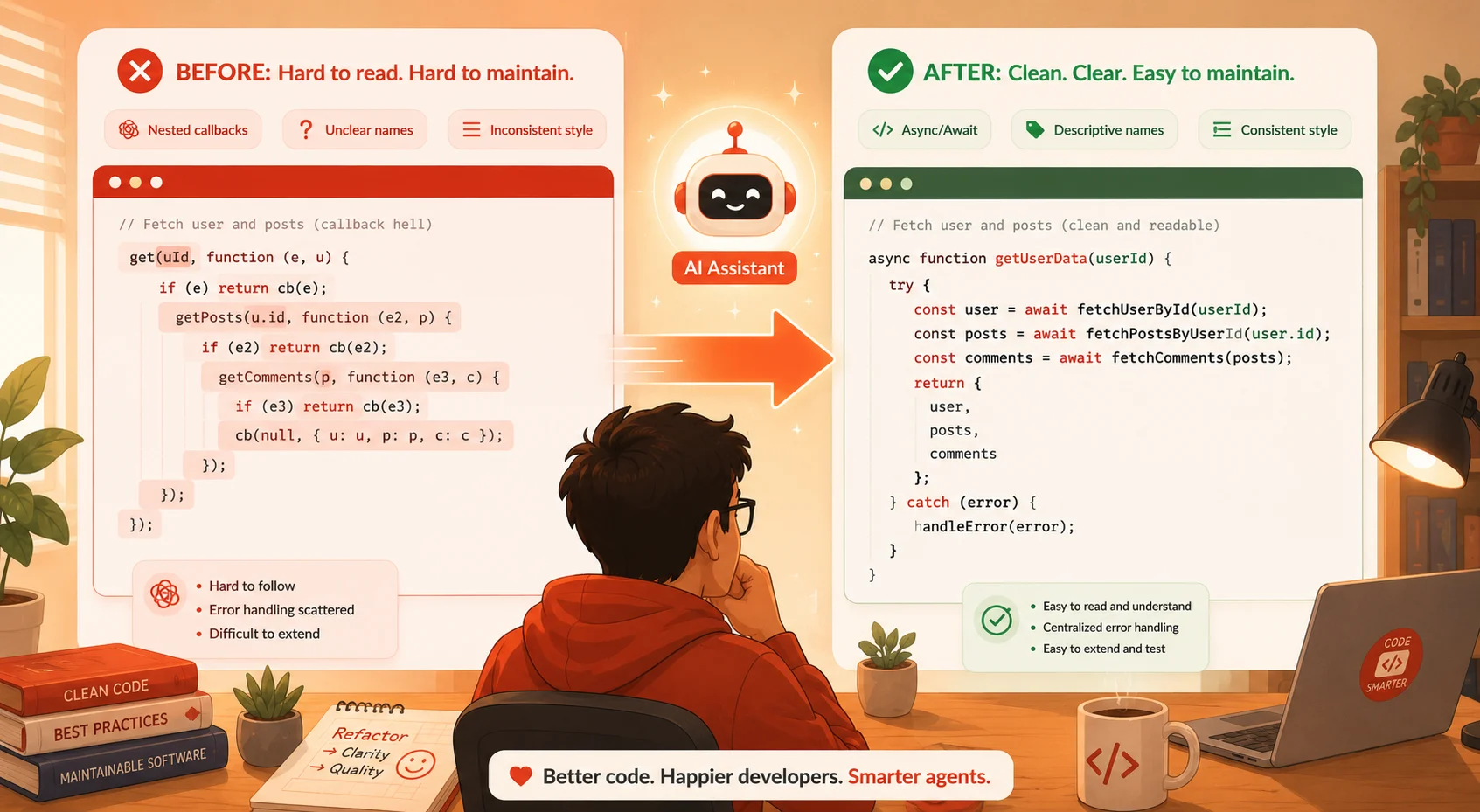
Last year, I inherited a Node.js codebase from a team that had been moving fast for three years without looking back. Callback hell everywhere. Functions do six things at once. Variable names like data2 and tempResult scattered across forty files. I blocked off a weekend to clean it up manually. By Sunday evening, I had touched maybe a third of the files and introduced two new bugs in the process.
The following Monday, I tried something different. I described the problem to a coding agent, gave it access to the codebase, and told it exactly what I wanted: promise-based rewrites, single-responsibility functions, and consistent naming throughout. It worked through the rest of the files in under an hour. The result was not perfect, and I had to review the diff carefully, but it was good. Better than what I had produced manually in a full weekend of focused work.
That experience changed how I think about refactoring. It is one of the tasks where AI tools have moved from “occasionally useful” to “genuinely transformative” faster than almost anything else in the development workflow. But not all AI tools handle refactoring equally well. Some are excellent for small targeted cleanups and completely wrong for codebase-wide transformations. Some produce clean, idiomatic output consistently. Others generate refactored code that passes tests but violates every convention your team has built over the years.
This guide covers the best AI tools for code refactoring in 2026, honestly. No marketing copy, no affiliate rankings. Just a clear breakdown of what each tool does well, where it falls short, and which one belongs in your workflow, depending on what you are actually trying to accomplish.
What makes a refactoring task a good fit for AI tools
Before getting into specific tools, it helps to understand what kinds of refactoring work AI handles well versus what still requires significant human judgment. Not every refactoring task is equally well-suited to AI assistance, and reaching for the wrong tool for the wrong job produces worse results than doing it manually.
AI tools for refactoring tend to excel at work that is:
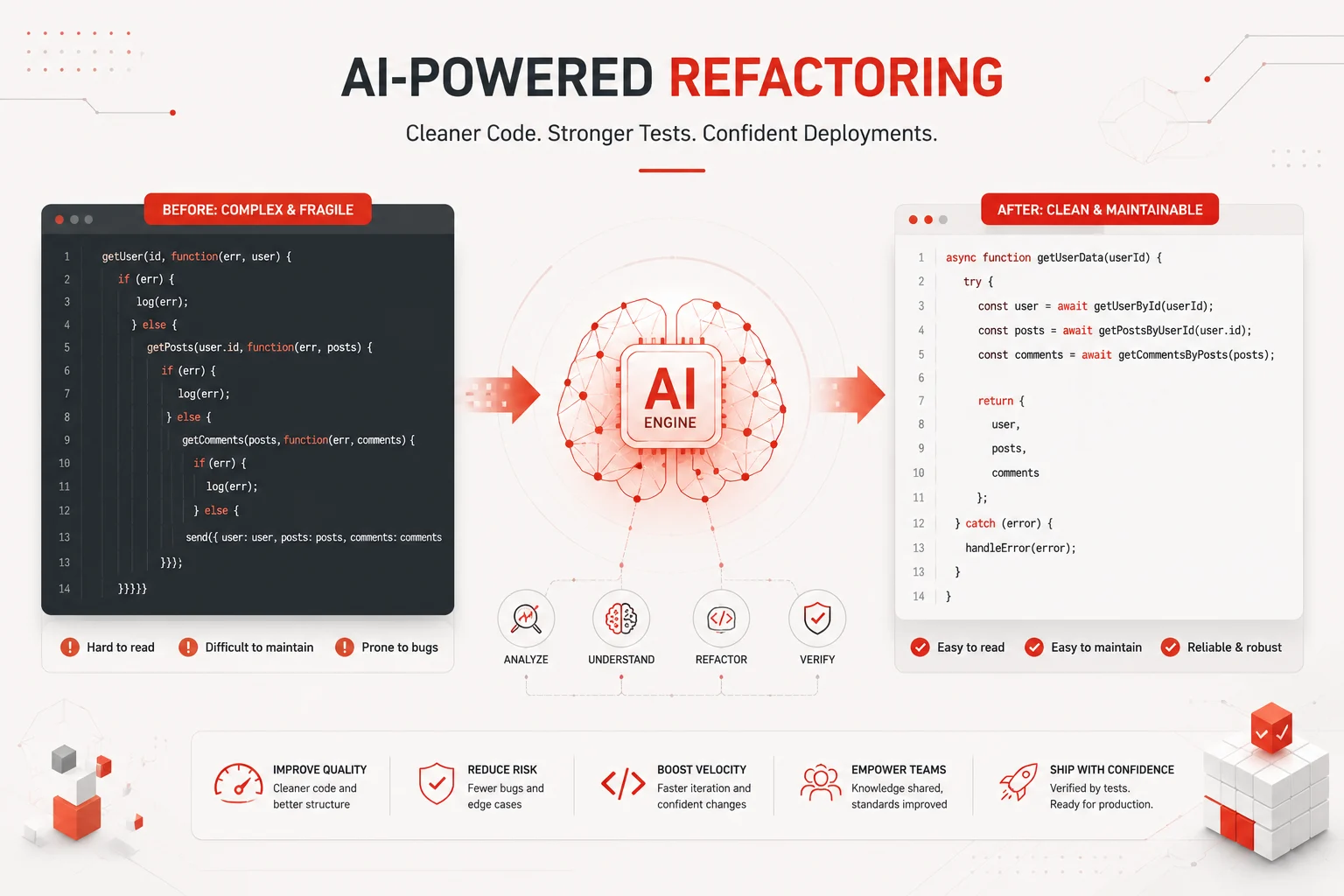
- Structural and mechanical: renaming variables consistently, converting callback patterns to promises or async/await, extracting repeated logic into shared functions, reorganizing imports, removing dead code
- Pattern-based: applying the same transformation across many files, enforcing a naming convention, upgrading deprecated API usage across a codebase
- Well-defined: tasks where you can specify clearly what the output should look like and where the correctness can be verified by running tests
- Scope-limited: changes within a module, a service, or a well-bounded section of the codebase with clear interfaces at its edges
AI tools tend to struggle with refactoring that requires:
- Deep business logic understanding, where the semantic meaning of the code is as important as its structure
- Architectural decisions about how to split or merge systems at a high level
- Performance-critical optimizations that require understanding runtime behavior and profiling data
- Domain-specific conventions that were never written down and exist only in the heads of the original developers
Keep this framework in mind as you read through the tools below. The best tool for mechanical bulk refactoring is often a different tool from the best one for careful targeted cleanup during active development.
The best AI tools for code refactoring in 2026
1. Claude Code (Anthropic)
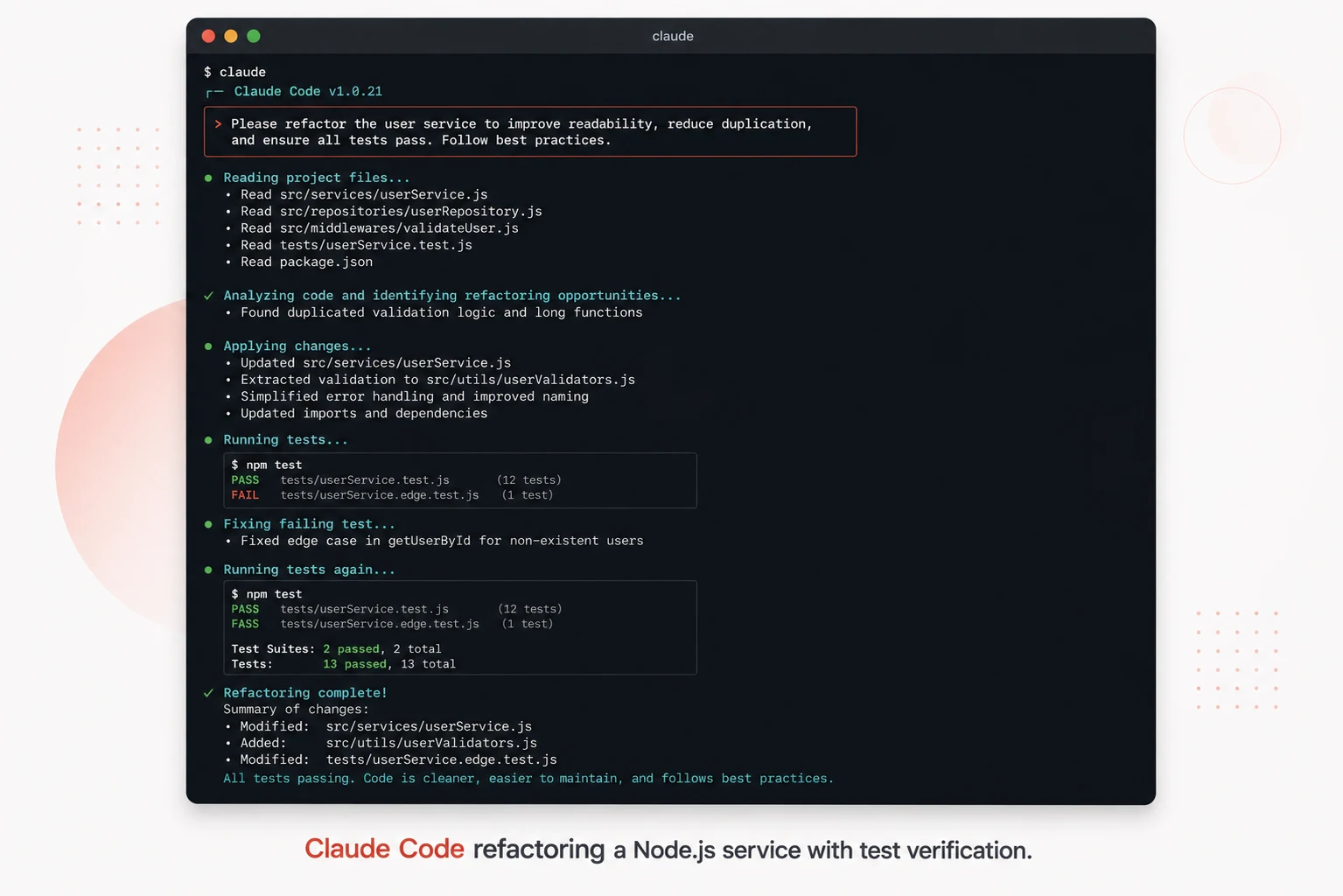
Claude Code is a terminal-native coding agent from Anthropic that has become one of the most capable tools available for large-scale codebase refactoring. It operates as an autonomous agent with direct access to your file system, terminal, and test runner. When you give it a refactoring task, it reads the relevant files, makes the changes, runs the tests, fixes failures it introduced, and surfaces the result for your review.
What sets Claude Code apart for refactoring specifically is the combination of a large context window (meaning it can read and reason across a large portion of your codebase at once), high-quality code understanding, and the ability to verify its own output by running tests. It does not just generate refactored code. It tests that the refactored code works before it is done.
What it does best for refactoring:
- Codebase-wide transformations with consistent application across many files
- Legacy code modernization, like converting callbacks to async/await or migrating to a newer framework version
- Extracting shared logic from duplicated code spread across multiple modules
- Refactoring with verification, because it can run the test suite and fix regressions before you ever see the diff
Where to be careful:
- Always review the diff carefully before accepting. Claude Code is capable but not infallible, and business logic changes require human verification
- Give it precise, testable task descriptions. “Improve the code” produces unpredictable output. “Extract all database query logic from the route handlers in
/src/routesinto a dedicated/src/repositorieslayer and update all tests” produces excellent results - Run it on a dedicated branch and use it on codebases that have good test coverage, since the test-and-fix loop is what makes it most reliable
Best for: Large-scale refactoring, legacy modernization, architectural restructuring across many files, any refactoring task where you want the AI to verify its own output.
2. Cursor (Agent Mode)
Cursor is an AI-first code editor built as a fork of VS Code. It has become one of the most popular development environments for developers who want AI deeply integrated into their editing workflow. For refactoring specifically, its agent mode is what makes it genuinely powerful rather than just a better autocomplete.
In agent mode, Cursor can accept a natural language refactoring instruction, understand the full context of your codebase through its workspace indexing, propose and apply changes across multiple files simultaneously, and show you a unified diff of everything it wants to change before committing. You see exactly what will happen before it happens, which gives you much finer review control than most agentic tools.
Cursor’s inline Chat feature is also excellent for smaller targeted refactoring during active coding. Select a function, open Chat with Cmd+K, describe what you want changed, and it applies the change directly into your editor. The feedback loop is fast enough to feel like a natural part of writing code rather than a separate workflow.
What it does best for refactoring:
- Multi-file refactoring with a clear preview before any changes are applied
- Inline targeted refactoring during active development without context switching
- Refactoring with deep codebase context from its workspace indexing feature
- Interactive back-and-forth refinement when the first output is close but not exactly right
Where to be careful:
- Agent mode does not run tests automatically the way Claude Code does. You are responsible for running the test suite after accepting changes
- Very large codebases can hit context limits even with workspace indexing. For repositories with hundreds of thousands of lines, task scoping matters a lot
Best for: Developers who want refactoring tightly integrated into their editor workflow, multi-file changes with visual review before applying, and interactive refinement during active development.
3. GitHub Copilot
GitHub Copilot is the most widely used AI coding tool in the world, and while it was originally designed as an inline completion tool, it has grown substantially into a refactoring assistant over time. Its Chat panel (available in VS Code, JetBrains, and GitHub.com) lets you select code and ask for specific refactoring transformations directly.
For refactoring, Copilot works best on targeted, single-file improvements. Select a function that is doing too much, open Copilot Chat, and ask it to extract the validation logic into a separate function. It will suggest the refactored version inline, which you accept or modify. This workflow is fast, low-friction, and produces reliable results for well-scoped changes.
Copilot’s code review feature, available on GitHub pull requests, can also flag refactoring opportunities automatically. It will identify functions that are too long, duplicate logic that should be extracted, and patterns that could be simplified, without you having to ask. This passive refactoring suggestion during code review is a genuinely useful addition to any team’s workflow.
What it does best for refactoring:
- Fast targeted refactoring of individual functions or classes during active development
- Refactoring suggestions during code review on GitHub pull requests
- Explaining why refactoring makes sense, which helps less experienced developers learn the reasoning
- Quick cleanups like renaming, extracting constants, simplifying conditionals, and formatting
Where to be careful:
- Multi-file coordinated refactoring is not Copilot’s strength. It handles one file at a time well. For changes spanning many files, Cursor or Claude Code will serve you better
- Copilot does not run or verify code. Whatever it suggests, you are responsible for testing
Best for: Targeted single-file refactoring during active coding, teams already using GitHub for code review, and developers who want refactoring suggestions without changing their editor.
4. JetBrains AI Assistant
JetBrains has built AI assistance deeply into its suite of IDEs, including IntelliJ IDEA, PyCharm, WebStorm, and GoLand. The JetBrains AI Assistant combines the IDE’s already powerful static analysis and refactoring engine with LLM-powered understanding to produce one of the most context-aware refactoring experiences available.
What makes JetBrains AI stand out is the integration with the IDE’s existing refactoring tools. JetBrains IDEs have always had excellent automated refactoring, including safe rename, extract method, inline variable, and change signature. The AI layer adds natural language understanding on top of these existing safe transformations. When JetBrains AI renames a variable across a codebase, it uses the IDE’s own symbol analysis to ensure every reference is updated correctly, not just text matching. This makes its refactoring more reliable at the mechanical level than tools that rely purely on LLM output.
What it does best for refactoring:
- Refactoring within JetBrains IDEs with full language-aware symbol analysis
- Natural language descriptions of complex refactoring tasks are translated into safe IDE operations
- Codebases in Java, Kotlin, Python, JavaScript, TypeScript, Go, and other JetBrains-supported languages
- Teams that live in JetBrains tools and want AI without changing their environment
Where to be careful:
- It is tied to JetBrains IDEs. If your team uses VS Code or Neovim, this tool is not available to you
- For very large cross-service refactoring, it shares the same single-IDE context limitations as Copilot
Best for: JetBrains IDE users who want the most reliable mechanical refactoring with AI-enhanced natural language input layered on top of the IDE’s existing safe transformation engine.
5. Sourcegraph Cody
Sourcegraph Cody is an AI coding assistant built specifically to work with very large and complex codebases, particularly in enterprise environments. Its key differentiator for refactoring is the depth of codebase context it can bring to bear. While most AI tools work with what is in your open files or a local workspace index, Cody connects to Sourcegraph’s code intelligence platform, which indexes and understands dependencies, call graphs, and cross-repository relationships at a level that no editor plugin can match.
For refactoring tasks that require understanding how a function is used across a large codebase or multiple repositories, Cody’s context quality is genuinely superior. It can tell you every place a function is called, what its callers expect, and what the downstream impact of a signature change would be before you make it. That kind of impact analysis is invaluable for refactoring in large enterprise codebases where the blast radius of a change is hard to reason about from within a single editor window.
What it does best for refactoring:
- Refactoring impact analysis across very large codebases or multiple repositories
- Understanding cross-service dependencies before making interface changes
- Enterprise teams with large monorepos or microservice architectures, where the change blast radius is a real concern
Where to be careful:
- The full power of Cody requires a Sourcegraph instance, which adds infrastructure cost and setup compared to editor plugins
- For smaller codebases where context depth is not the limiting factor, simpler tools will be faster and cheaper
Best for: Enterprise development teams working with large or multi-repository codebases where understanding the full impact of a refactoring change before making it is the primary challenge.
Head-to-head comparison: which tool wins for each refactoring scenario
| Refactoring task | Best tool | Why it wins |
|---|---|---|
| Extract a function during active coding | Cursor or GitHub Copilot | Fast inline interaction, no context switching required |
| Convert callbacks to async/await across 30 files | Claude Code | Autonomous multi-file execution with test verification |
| Rename a class and all its references safely | JetBrains AI Assistant | Uses IDE symbol analysis, not text matching. Truly safe rename. |
| Refactor an API endpoint and understand all callers | Sourcegraph Cody | Cross-codebase call graph analysis shows the full impact before you change anything |
| Modularize a monolithic service into smaller modules | Claude Code or Cursor agent mode | Both can reason across the full service and coordinate changes across new files |
| Add consistent error handling across all route handlers | Claude Code | Pattern application across many files with test verification is exactly what it is built for |
| Improve the readability of one complex function | GitHub Copilot or Cursor inline | Targeted, fast, no overhead. Perfect for this scope. |
| Migrate from one ORM to another across the data layer | Claude Code | Understands the full before and after API, applies changes across all models and queries, and runs tests |
| Remove dead code across a large codebase | Sourcegraph Cody or Claude Code | Cody for finding what is truly unused. Claude Code for removing it and verifying nothing breaks. |
| Enforce a new naming convention across a team’s codebase | Claude Code | Consistent pattern application at scale with verification is the core use case |
How to get better refactoring results from any AI tool
The tool matters, but so does how you use it. These practices apply regardless of which tool you choose and will measurably improve the quality of AI-assisted refactoring output.
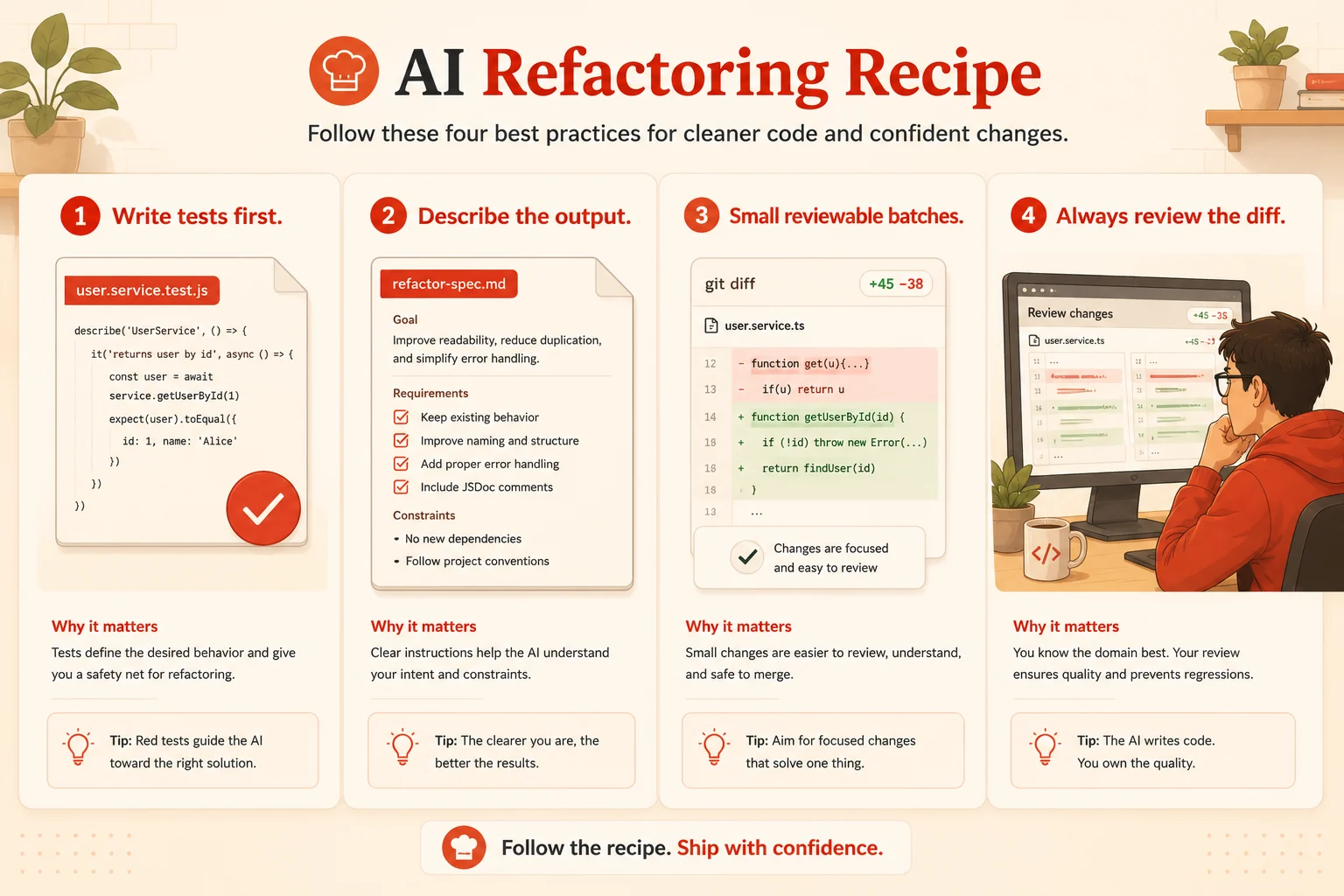
Write test coverage before you refactor
This is the single most impactful thing you can do before any AI-assisted refactoring session. A good test suite lets the AI verify its own output. Tools like Claude Code literally run the tests and fix failures as part of the refactoring workflow. Without tests, you are relying entirely on code review to catch regressions, which is slower and less reliable. If your codebase does not have good coverage, using an AI tool to write tests first and then refactor second is a legitimate and effective strategy.
Describe the output, not just the problem
Vague instructions produce vague results. “Clean up this file” gives the AI almost nothing to work with. “Extract the validation logic from each route handler into a corresponding validator function in a new /validators directory, keeping the same function signatures and updating all imports,” gives it a clear specification. The more precisely you describe what the output should look like, the more reliably the tool produces something close to what you actually want.
Refactor in small, reviewable batches
Even with capable agents, large refactoring changes are harder to review than small ones. Break a large refactoring goal into phases. Phase one: extract all the database calls into a repository layer. Phase two: add error handling to each repository function. Phase three: write tests for the new layer. Each phase produces a reviewable diff of manageable size. This approach also means that if the AI misunderstands something in phase one, you catch it before it propagates through phases two and three.
Always review the diff before accepting
No AI tool is infallible. Refactored code that passes tests can still introduce subtle logic changes, violate your team’s conventions, or solve a different interpretation of the task than the one you intended. Treat every AI-generated diff like a pull request from a capable but new team member. Read it. Check the important parts. Understand what changed. Then accept it.
Use the right tool for the right scope
One of the most common mistakes developers make is reaching for an agentic tool for something an inline assistant handles in five seconds, or reaching for an inline assistant for something that genuinely requires multi-file coordination. Match the tool to the scope of the task. The decision guide below makes this concrete.
Choosing the right tool: a decision guide
| If your refactoring task is… | Use this tool |
|---|---|
| Small, targeted, in a single file during active coding | GitHub Copilot or Cursor inline chat |
| Multi-file with a visual diff preview before applying | Cursor in agent mode |
| Codebase-wide pattern transformation with test verification | Claude Code |
| Safe symbol-level rename across a JetBrains project | JetBrains AI Assistant |
| Impact analysis across a large enterprise codebase before changing anything | Sourcegraph Cody |
| Legacy code modernization across many files with iterative test-driven verification | Claude Code |
| Refactoring suggestions passively during code review on GitHub | GitHub Copilot code review |
| You are in a JetBrains IDE and want the most reliable mechanical refactoring | JetBrains AI Assistant |
What to watch out for across all AI refactoring tools
Refactored code that passes tests but changes behavior
Tests only verify what they test. An AI tool can produce refactored code that makes all existing tests pass while changing behavior in edge cases that were never covered. This is especially common in refactoring that touches error handling, null checks, or boundary conditions. After any significant AI-assisted refactoring, look specifically at the edge cases in the changed code, not just the happy path.
Convention violations that are technically correct
AI tools learn patterns from vast amounts of public code, which means they tend toward common conventions rather than your team’s specific ones. Refactored code might be perfectly valid JavaScript or Python while using naming styles, file organization, or import patterns that conflict with what your codebase has established. Include a note about your team’s conventions in the task description, or add a post-refactoring review pass specifically focused on conventions.
Over-refactoring simple code
AI tools sometimes apply patterns that are genuinely useful in complex scenarios to code that was perfectly fine as it was. A simple ten-line function does not need to be decomposed into a strategy pattern. A clear if-else chain does not always benefit from being replaced with a lookup table. Push back when AI-generated refactoring introduces abstraction that does not earn its complexity cost.
Losing meaningful context in variable renames
Renaming variables is one of the most common refactoring requests, and AI tools sometimes replace meaningful domain-specific names with generic ones. priceAfterTaxAndDiscount becoming finalPrice might look cleaner, but loses precision. Review renamed identifiers specifically and push back when the new name captures less meaning than the original.
Quick tool comparison at a glance
| Tool | Best refactoring scope | Runs tests? | Multi-file? | Best environment |
|---|---|---|---|---|
| Claude Code | Codebase-wide, large-scale | Yes, automatically | Yes, natively | Terminal, any codebase |
| Cursor agent mode | Multi-file with visual review | No, you run them | Yes, with preview | Cursor IDE (VS Code-based) |
| GitHub Copilot | Single-file, targeted | No | Limited | VS Code, JetBrains, GitHub.com |
| JetBrains AI | Single project, symbol-safe | No | Within the IDE project | JetBrains IDEs only |
| Sourcegraph Cody | Enterprise multi-repo analysis | No | Cross-repository | Any editor with Sourcegraph |
Further reading and resources
- Claude Code documentation (Anthropic): complete guide to using Claude Code for autonomous coding tasks, including refactoring, test generation, and codebase-wide transformations
- Refactoring.Guru: the most comprehensive reference on refactoring patterns, code smells, and when to apply which technique. Essential background reading for getting the most out of AI-assisted refactoring.
- GitHub research on AI-assisted developer productivity: the controlled study data behind how AI coding tools affect real-world development speed and quality
The weekend I spent manually refactoring that Node.js codebase was not wasted. It taught me exactly what the work required and made me a much better judge of what the AI produced on Monday. That combination, understanding the task deeply and then delegating it to the right tool, is what separates developers who use AI refactoring tools effectively from those who get burned by them.
Pick the tool that matches your scope. Write tests before you start. Describe the output clearly. Review everything before you merge. And treat AI-generated refactoring the same way you would treat any other pull request: with curiosity, healthy skepticism, and the willingness to push back when something is not quite right. That mindset, more than any specific tool, is what makes AI-assisted refactoring genuinely worth doing.