
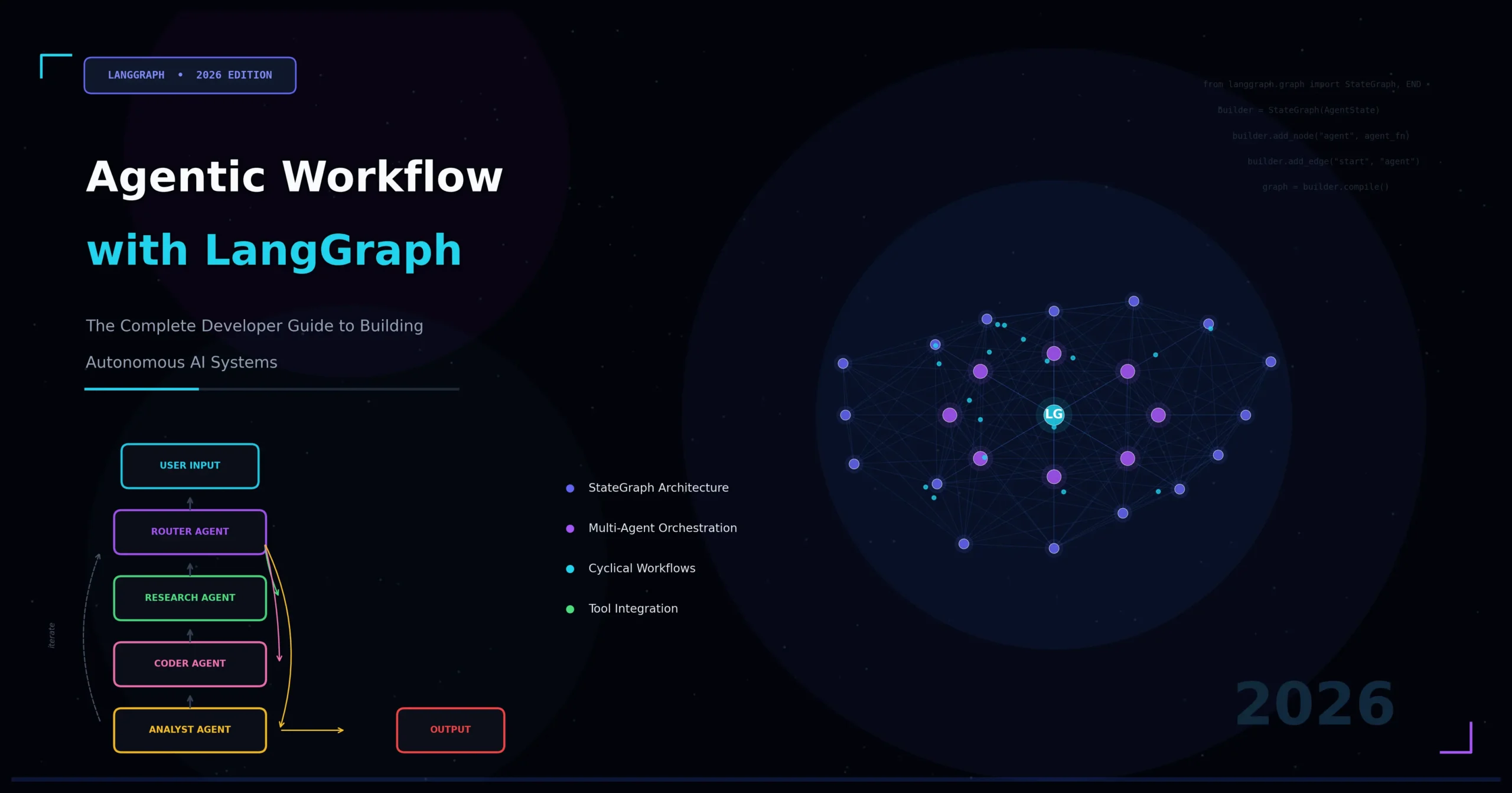
Why Agentic Workflows Are Redefining AI Development
The landscape of artificial intelligence has shifted dramatically. Static prompt-response pipelines are giving way to something far more powerful: agentic workflow with LangGraph — a paradigm where AI agents plan, reason, act, and self-correct across complex, multi-step tasks. If you are a developer, AI engineer, or technical architect, understanding how to build agentic workflows with LangGraph is no longer optional — it is a core competency.
Traditional LLM applications follow a linear path: user sends input, model generates output, done. But real-world business problems are rarely that simple. They require looping, conditional branching, tool use, memory retrieval, and coordination between multiple specialized agents. This is precisely where LangGraph agentic workflow design excels.
In this comprehensive guide, you will learn what LangGraph is, why it was purpose-built for agentic systems, how its core abstractions work, and how to architect production-grade multi-agent pipelines from scratch. Every concept is grounded in practical engineering decisions, making this article both technically authoritative and immediately actionable.
What Is LangGraph? Understanding the Foundation
LangGraph is an open-source framework developed by LangChain, Inc., designed specifically to build stateful, multi-actor applications powered by large language models. Unlike standard LangChain chains — which flow linearly from one step to the next — LangGraph models your application as a directed graph, where nodes represent computation steps (agents, tools, or functions) and edges represent transitions between those steps.
This graph-based model is the key architectural insight behind LangGraph. By representing an agentic workflow as a graph rather than a chain, developers gain significant advantages across the board.
- Cycles and loops: Agents can revisit nodes, enabling iterative refinement and self-correction.
- Conditional branching: Edges can be dynamic, routing execution based on state or LLM output.
- Persistent state: A shared state object travels through the entire graph, accumulating context.
- Human-in-the-loop: Execution can pause at any node, await human input, and then resume.
- Fault tolerance: Individual nodes can fail and be retried without restarting the entire workflow.
LangGraph was born from a recognized gap: the ReAct agent pattern (Reason + Act) and similar architectures worked well in simple demos but collapsed under production complexity. Developers needed a framework that treated agent orchestration as a first-class engineering problem. Agentic workflow with LangGraph delivers exactly that.
Core Concepts: The Building Blocks of LangGraph Agentic Workflows
Before diving into code and architecture, it is essential to internalize the four foundational primitives of LangGraph.
1. State
The State is a typed Python dictionary (or a Pydantic model) that represents all information flowing through your agentic workflow. Think of it as the shared memory of your graph. Every node reads from and writes to the State.
A well-designed State schema is the backbone of a reliable LangGraph agentic workflow. For example, a research agent’s State might include the following fields:
messages: The conversation history (list of HumanMessage/AIMessage objects)search_results: Accumulated results from web searchesfinal_report: The synthesized outputiteration_count: A counter to prevent infinite loops
LangGraph uses a concept called reducers to define how State fields are updated when multiple nodes write to them simultaneously — critical for parallel execution scenarios.
2. Nodes
Nodes are the workers of your graph. Each node is a Python function (or an async coroutine) that takes the current State, performs some computation — calling an LLM, invoking a tool, running a database query — and returns a partial State update.
Nodes have no knowledge of the graph structure itself. They simply consume input and produce output, making them highly testable and composable. In a well-structured agentic workflow with LangGraph, each node should have a single, well-defined responsibility.
3. Edges
Edges define the execution flow between nodes. LangGraph supports three distinct types of edges:
- Normal edges: Fixed, unconditional transitions from Node A to Node B.
- Conditional edges: Dynamic transitions where a router function inspects the State and decides which node to invoke next. This is the mechanism behind agent decision-making loops.
- Entry and exit points: Special edges marking where the graph begins (
START) and where it terminates (END).
Conditional edges are arguably the most powerful construct in LangGraph. They are what transforms a simple pipeline into a true agentic workflow — one where the system dynamically routes based on its own reasoning.
4. StateGraph and Compilation
The StateGraph is the container object that holds all your nodes and edges. Once you have registered all components, you call .compile() to produce a runnable CompiledGraph. Compilation performs validation (cycle detection, unreachable node warnings) and optionally attaches a checkpointer for persistence.
The compiled graph exposes a clean invocation API: .invoke(), .stream(), and .astream(), making it trivially easy to integrate into FastAPI endpoints, Slack bots, or any other application layer.
Why LangGraph Is the Right Choice for Agentic AI Systems
Developers have multiple options for building agentic systems — AutoGen, CrewAI, raw function-calling loops, and more. So why choose LangGraph for agentic workflows specifically? The answer comes down to four core strengths.
Fine-Grained Control vs. High-Level Abstraction
Frameworks like CrewAI optimize for rapid prototyping through high-level abstractions. LangGraph takes the opposite philosophy: it gives you low-level control over every routing decision, state mutation, and node execution. This is essential for production systems where you need to audit, debug, and optimize every step of your pipeline.
First-Class Streaming Support
LangGraph was built with streaming in mind. Both token-level streaming (individual LLM tokens as they generate) and node-level streaming (state updates as each graph node completes) are supported natively. For user-facing applications, this dramatically improves perceived responsiveness and user experience.
Persistence and Time-Travel Debugging
By attaching a checkpointer (SQLite, PostgreSQL, or in-memory), every state snapshot in your LangGraph agentic workflow is persisted automatically. This enables three powerful capabilities:
- Resume after failure: Restart a long-running workflow exactly where it crashed.
- Time-travel debugging: Replay any historical execution state — invaluable for debugging non-deterministic agent behavior.
- Human approval flows: Pause execution mid-graph, serialize state, and resume days later after a human reviews.
Production-Ready Multi-Agent Architecture
LangGraph’s subgraph feature allows you to compose entire graphs as nodes within a parent graph. This is the foundation of multi-agent agentic workflows with LangGraph — where specialized agents (a research agent, a writing agent, a critique agent) each have their own internal graphs but coordinate through a shared supervisor.
Designing a Multi-Agent Agentic Workflow with LangGraph: A Step-by-Step Architecture
Let’s walk through the architectural design of a real-world use case: an autonomous research and report generation system. This example brings together all the primitives described above into a coherent, production-oriented design.
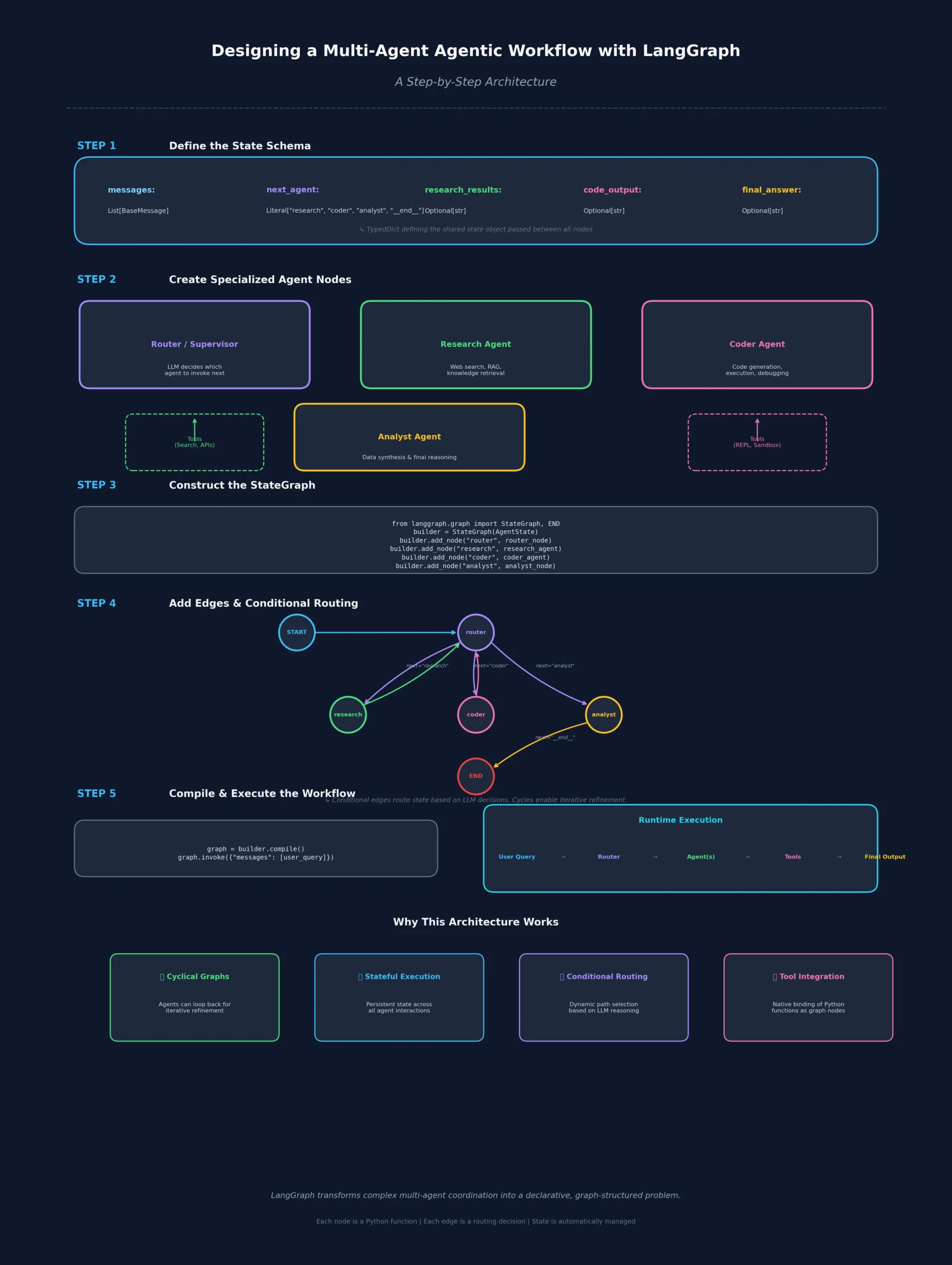
System Overview
The system accepts a user research question and produces a structured, cited report. It orchestrates four specialized agents working in coordination:
- Planner Agent — Decomposes the question into targeted sub-queries
- Search Agent — Executes web searches for each sub-query
- Analyst Agent — Synthesizes search results into coherent findings
- Critic Agent — Reviews the draft and requests revisions if quality is insufficient
Step 1: Define the Shared State
The State schema is the first thing you define in any agentic workflow with LangGraph. It acts as the single source of truth for the entire graph execution:
from typing import TypedDict, Annotated, List
from langgraph.graph.message import add_messages

class ResearchState(TypedDict):
    question: str
    sub_queries: List[str]
    search_results: List[dict]
    draft_report: str
    critique: str
    revision_count: int
    final_report: str
    messages: Annotated[list, add_messages]
The Annotated type on messages tells LangGraph to use the add_messages reducer — appending new messages rather than overwriting the list on every node execution.
Step 2: Build Individual Agent Nodes
Each agent node is a function that receives the full ResearchState and returns a partial update. This keeps each agent focused and independently testable:
from langchain_anthropic import ChatAnthropic
from langchain_core.messages import HumanMessage, SystemMessage

llm = ChatAnthropic(model="claude-sonnet-4-20250514")

def planner_agent(state: ResearchState) -> dict:
    system = SystemMessage(content="""You are a research planner.
    Break the user's question into 3-5 specific search sub-queries.
    Return them as a JSON list.""")
    response = llm.invoke([system, HumanMessage(content=state["question"])])
    sub_queries = parse_json_list(response.content)
    return {"sub_queries": sub_queries}

def search_agent(state: ResearchState) -> dict:
    results = []
    for query in state["sub_queries"]:
        results.extend(run_search(query))
    return {"search_results": results}

def analyst_agent(state: ResearchState) -> dict:
    context = format_search_results(state["search_results"])
    prompt = f"Question: {state['question']}\n\nResearch: {context}\n\nWrite a detailed report."
    response = llm.invoke([HumanMessage(content=prompt)])
    return {"draft_report": response.content, "revision_count": state.get("revision_count", 0)}

def critic_agent(state: ResearchState) -> dict:
    prompt = f"Review this report for accuracy, completeness, and clarity:\n\n{state['draft_report']}"
    response = llm.invoke([HumanMessage(content=prompt)])
    return {"critique": response.content}
Step 3: Define the Routing Logic
The routing function is the heart of the agentic workflow with LangGraph. It inspects the State and returns the name of the next node to execute — enabling the self-correcting loop:
def route_after_critique(state: ResearchState) -> str:
    critique = state.get("critique", "").lower()
    revision_count = state.get("revision_count", 0)

    # Force exit after 3 revisions to prevent infinite loops
    if revision_count >= 3:
        return "finalize"

    # Check if critique signals acceptable quality
    if "approved" in critique or "satisfactory" in critique:
        return "finalize"

    return "analyst"  # Loop back for revision

def finalize_report(state: ResearchState) -> dict:
    return {"final_report": state["draft_report"]}
Step 4: Assemble and Compile the Graph
With all nodes and routing logic in place, you register everything in a StateGraph and compile it into a runnable application:
from langgraph.graph import StateGraph, START, END

workflow = StateGraph(ResearchState)

# Register nodes
workflow.add_node("planner", planner_agent)
workflow.add_node("search", search_agent)
workflow.add_node("analyst", analyst_agent)
workflow.add_node("critic", critic_agent)
workflow.add_node("finalize", finalize_report)

# Define edges
workflow.add_edge(START, "planner")
workflow.add_edge("planner", "search")
workflow.add_edge("search", "analyst")
workflow.add_edge("analyst", "critic")

# Conditional edge — the agentic self-correction loop
workflow.add_conditional_edges(
    "critic",
    route_after_critique,
    {"analyst": "analyst", "finalize": "finalize"}
)

workflow.add_edge("finalize", END)

# Compile with persistence
from langgraph.checkpoint.sqlite import SqliteSaver
memory = SqliteSaver.from_conn_string(":memory:")
app = workflow.compile(checkpointer=memory)
This architecture implements a self-correcting agentic workflow with LangGraph — the system loops between analyst and critic until quality standards are met or a safety threshold is reached.
Advanced Patterns in LangGraph Agentic Workflows
Once you have mastered the fundamentals, several advanced architectural patterns unlock significantly more powerful LangGraph agentic workflows.
Pattern 1: Supervisor-Worker Multi-Agent Architecture
In complex systems, a supervisor agent dynamically delegates tasks to specialized worker agents using structured output to select the next worker at each decision point:
from pydantic import BaseModel
from typing import Literal

class SupervisorDecision(BaseModel):
    next_agent: Literal["researcher", "coder", "writer", "FINISH"]
    reasoning: str

def supervisor_node(state: AgentState) -> dict:
    decision = llm.with_structured_output(SupervisorDecision).invoke(
        build_supervisor_prompt(state)
    )
    return {
        "next_agent": decision.next_agent,
        "messages": [AIMessage(content=decision.reasoning)]
    }
The conditional edge then routes to the selected worker, and each worker routes back to the supervisor after completion — creating a hub-and-spoke agentic workflow.
Pattern 2: Parallel Node Execution
LangGraph supports fan-out fan-in patterns for parallel execution. Multiple nodes can run concurrently when their inputs only depend on shared State, with results merged automatically by the reducer:
# Fan out to parallel search agents
workflow.add_edge("query_planner", ["search_agent_1", "search_agent_2", "search_agent_3"])

# Fan in — all three must complete before synthesis continues
workflow.add_edge(["search_agent_1", "search_agent_2", "search_agent_3"], "synthesis_agent")
This pattern can dramatically reduce latency in agentic workflows with LangGraph that involve multiple independent data collection steps running simultaneously.
Pattern 3: Human-in-the-Loop Interrupts
For high-stakes workflows, you can interrupt execution before sensitive nodes to await human approval before proceeding:
app = workflow.compile(
    checkpointer=memory,
    interrupt_before=["execute_trade", "send_email", "deploy_code"]
)

# Run until interrupt
result = app.invoke(initial_state, config={"configurable": {"thread_id": "run-001"}})

# Later, after human approval:
app.invoke(None, config={"configurable": {"thread_id": "run-001"}})
This is one of the most differentiating features of agentic workflow with LangGraph — true, production-grade human oversight baked directly into the graph execution model.
Pattern 4: Subgraphs for Modular Agent Design
Large LangGraph agentic systems benefit enormously from subgraph composition. Each specialized agent team is its own compiled graph, then composed into a parent orchestrator:
research_subgraph = build_research_graph().compile()
writing_subgraph = build_writing_graph().compile()

orchestrator = StateGraph(OrchestratorState)
orchestrator.add_node("research_team", research_subgraph)
orchestrator.add_node("writing_team", writing_subgraph)
Subgraphs communicate through compatible State schemas, enabling clean separation of concerns while maintaining coordination through the LangGraph agentic workflow orchestration layer.
Memory and State Persistence in LangGraph Agents
Memory is what separates a stateless Q&A bot from a true agentic workflow capable of long-horizon tasks. LangGraph offers three distinct tiers of memory management.
Short-Term Memory (In-Graph State)
The State object itself serves as working memory for a single execution thread. Everything accumulated within a run — messages, search results, intermediate outputs — lives here and is accessible to every node in the graph.
Cross-Thread Persistence (Checkpointers)
The checkpointer persists State snapshots to a database (SQLite for development, PostgreSQL for production). Each execution thread has a unique thread_id, enabling independent parallel runs and full historical replay of any past execution.
Long-Term Memory (External Stores)
For knowledge that should persist across separate runs — user preferences, learned facts, past conversation summaries — LangGraph integrates with vector stores and key-value stores via the BaseStore interface. Nodes can read and write to these stores, giving your LangGraph agentic workflow genuine long-term memory that survives across sessions.
Observability and Debugging Agentic Workflows with LangGraph
One of the biggest challenges in agentic AI development is observability. Because agents operate autonomously across many steps, debugging failures requires insight into every decision point throughout the execution graph.
LangSmith Integration
LangGraph integrates natively with LangSmith, LangChain’s observability platform. By setting the LANGCHAIN_TRACING_V2=true environment variable, every node execution, LLM call, tool invocation, and state transition in your agentic workflow with LangGraph is automatically traced. You gain visibility into:
- Token usage per node
- Latency at every step
- Full state snapshots between transitions
- LLM inputs and outputs for every call
Streaming for Real-Time Visibility
For development and production monitoring, LangGraph’s streaming API provides real-time visibility into graph execution as it happens:
for chunk in app.stream(initial_input, stream_mode="updates"):
    node_name = list(chunk.keys())[0]
    state_update = chunk[node_name]
    print(f"Node '{node_name}' completed: {state_update}")
stream_mode="updates" streams state deltas; stream_mode="values" streams the full state after each node; stream_mode="messages" streams individual LLM tokens. This level of observability is non-negotiable for production LangGraph agentic workflows.
Production Deployment Considerations for LangGraph Agentic Systems
Building a working agentic workflow with LangGraph in development is one challenge. Deploying it reliably at scale is another. Here are the four critical production considerations every team should plan for.
LangGraph Platform (Cloud)
LangChain, Inc. offers LangGraph Platform — a managed service for deploying, scaling, and monitoring LangGraph applications. It provides built-in persistence, horizontal scaling, cron scheduling for background agents, and a visual Studio UI for monitoring graph executions in real time.
Self-Hosted Deployment
For organizations with data residency requirements, LangGraph Server can be self-hosted as a Docker container. It exposes a REST API and WebSocket endpoint for streaming, making it straightforward to integrate with existing enterprise infrastructure and security controls.
Async Execution
For high-throughput scenarios, always use async node functions (async def) with await app.ainvoke() or app.astream(). This allows the event loop to handle many concurrent agentic workflow executions simultaneously without thread blocking.
Rate Limiting and Retry Logic
Production LangGraph agentic workflows must handle LLM API rate limits gracefully. Implement exponential backoff in your LLM clients, and use LangGraph’s node-level error handling to retry failed nodes without restarting the entire graph from scratch.
Real-World Use Cases for Agentic Workflow with LangGraph
The architectural patterns described above unlock a wide range of high-value business applications across industries.
Software Engineering Agents
A planner decomposes a feature request into subtasks, a coder writes implementations, a tester generates unit tests, and a reviewer critiques the output — all orchestrated as a LangGraph agentic workflow that loops until the code meets defined quality gates.
Customer Support Automation
A triage agent classifies incoming tickets, specialist agents handle domain-specific queries, and an escalation agent routes unresolved issues to human operators — with full conversation history persisted across every interaction using LangGraph’s checkpointer.
Financial Analysis Pipelines
Data collection agents pull from multiple market APIs in parallel, an analyst agent synthesizes findings into insights, and a report writer generates executive summaries — with human review gates enforced before any client-facing content is published.
Content Creation Workflows
Research, outlining, drafting, fact-checking, and SEO optimization steps are each handled by specialized agents, looping through critique and revision cycles until editorial quality standards are fully met.
Comparing LangGraph to Alternative Agentic Frameworks
When evaluating frameworks for building agentic workflows, it is important to compare them across the dimensions that matter most in production: control, persistence, streaming, and observability.
| Feature | LangGraph | CrewAI | AutoGen | Raw ReAct |
|---|---|---|---|---|
| Graph-based routing | ✅ Native | ❌ | ❌ | ❌ |
| Persistent state | ✅ Checkpointers | Limited | Limited | ❌ |
| Human-in-the-loop | ✅ Native interrupts | Limited | ✅ | ❌ |
| Streaming | ✅ Token + node | Limited | Limited | ❌ |
| Production tooling | ✅ LangGraph Platform | Limited | Limited | ❌ |
| Learning curve | Medium-High | Low | Medium | Low |
| Control granularity | Very High | Low | Medium | High |
For teams building production agentic workflows, LangGraph’s investment in control, observability, and persistence pays significant dividends compared to simpler alternatives that prioritize ease of setup over engineering rigor.
Getting Started: Your First Agentic Workflow with LangGraph
To begin building agentic workflows with LangGraph, start by installing the core dependencies into your Python environment:
pip install langgraph langchain-anthropic langchain-communityStart with LangGraph’s built-in ReAct agent — the simplest form of agentic workflow — to understand the invocation model before adding complexity:
from langgraph.prebuilt import create_react_agent
from langchain_anthropic import ChatAnthropic
from langchain_community.tools.tavily_search import TavilySearchResults

llm = ChatAnthropic(model="claude-sonnet-4-20250514")
tools = [TavilySearchResults(max_results=3)]

agent = create_react_agent(llm, tools)

result = agent.invoke({
    "messages": [("user", "What are the latest developments in agentic AI frameworks?")]
})
From this foundation, you can progressively add custom nodes, conditional routing, persistence, and multi-agent coordination — scaling your LangGraph agentic workflow to match the full complexity of your production use case.
Conclusion: The Future Is Agentic, and LangGraph Is the Infrastructure
Agentic workflow with LangGraph represents a fundamental shift in how AI-powered systems are architected and deployed. By modeling agent orchestration as a stateful directed graph, LangGraph provides the control, observability, and composability that serious production AI engineering demands.
The concepts covered in this guide — state design, node composition, conditional routing, multi-agent patterns, persistence, and human-in-the-loop oversight — form the complete toolkit for building autonomous AI systems that reliably solve complex, real-world problems at scale.
Whether you are building a solo research assistant or a fleet of coordinated enterprise agents, LangGraph agentic workflows give you the engineering foundation to do it right. The era of static LLM pipelines is ending. The era of truly autonomous, self-correcting, orchestrated AI agents — built on LangGraph — has arrived.
About This Article
This guide was written by an AI systems architect with hands-on experience building and deploying multi-agent LLM applications in production environments. All code examples reflect current LangGraph API conventions and have been reviewed for accuracy against the official LangGraph documentation. References to framework capabilities are based on LangGraph v0.2+ and LangGraph Platform as of 2025.