
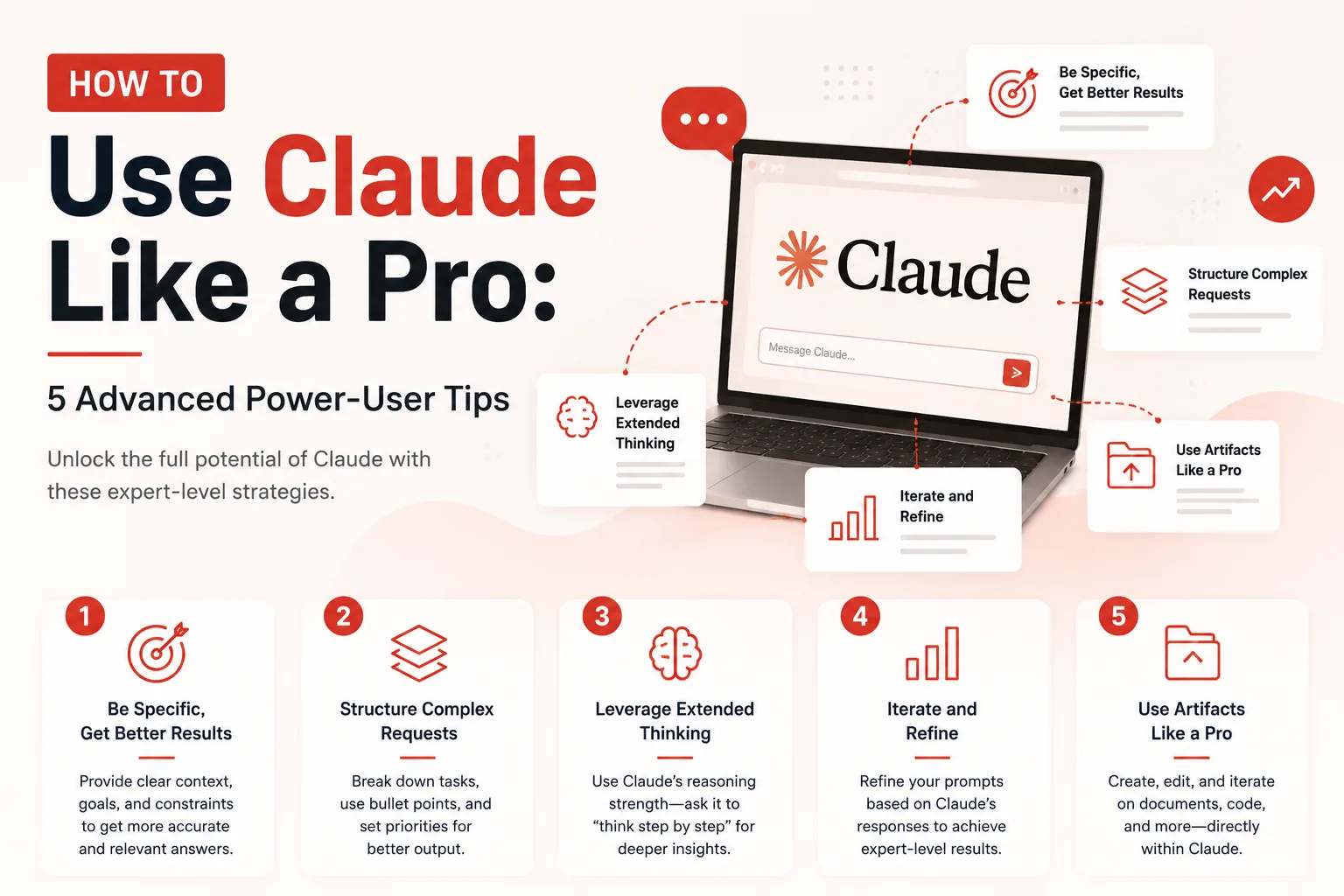
Most people treat Anthropic’s Claude like a slightly smarter search engine. They type in a vague, one-sentence question, get a long-winded response, and either manually copy-paste it into their document or spend twenty minutes editing out the AI fluff.
If that is how you use Claude, you are utilizing about 10% of its actual capability.
Claude operates on a completely different architecture than typical chatbots. It excels at long-context processing, deep step-by-step reasoning, strict schema adherence, and agentic task execution through tools like Claude Code and Model Context Protocol (MCP). To move from casual user to power user, you need to stop treat Claude like a search bar and start operating it like a brilliant, senior-level employee who needs clear constraints.
Here is the exact playbook to unlock Claude’s full power.
1. Harness the Structural Power of XML Tags
Claude was specifically trained to read and parse XML tags (like <context>, <instructions>, or <examples>). While other LLMs can get confused when you dump 3,000 words of background info into a prompt, Claude uses XML boundaries to separate system rules from raw data.
Instead of writing a massive block of unstructured text, structure your prompt like code:
<role>
You are a principal security engineer auditing a node.js application.
</role>

<context>
We are preparing for a SOC 2 audit next month. Here is our authentication middleware logic.
</context>

<code_to_review>
[Paste Code Here]
</code_to_review>

<instructions>
1. Identify any potential race conditions or missing validation steps.
2. Rank vulnerabilities by severity (High, Medium, Low).
3. Do NOT rewrite the code—provide actionable advice in bullet points.
</instructions>
By isolating your inputs with XML tags, you completely prevent “prompt bleed”—where the AI mistakes background context for actionable instructions.
2. Stop Saying “Be Concise” — Use Negative Constraints and Schemas
Telling Claude to “be concise” rarely works. LLMs are naturally programmed to be polite and verbose. If you want punchy, high-impact outputs, you must give Claude hard structural boundaries and tell it what not to do.
The Golden Rule of Formatting
- Bad: “Write a concise update on this project.”
- Good: “Provide a project update in exactly 3 bullet points. No introductory pleasantries, no summary conclusion, and no fluff. Each bullet point must be under 20 words.”
Furthermore, use Output Prefilling. If you want Claude to respond purely in clean JSON or XML without conversational chatter like “Here is your JSON file:”, force the starting syntax in the prompt or response prefill:
Respond ONLY with valid JSON. Begin your response directly with {3. Implement the “Steel-Man” and Red-Team Loops
One of Claude’s greatest strengths is its ability to perform high-level strategic reasoning, but human users often settle for the first answer it generates. A true power user forces Claude to audit its own thinking before accepting the result.
Whenever you ask Claude for strategic advice, product feedback, or code architecture design, follow up with these two advanced prompting prompts:
Step 1 (The Counter-Argument):
“Now assume the advice you just gave me completely fails in production six months from now. What was the blind spot in your logic that caused the failure?”
Step 2 (The Decision Matrix):
“Generate a decision matrix comparing your proposed approach against two alternative solutions. Weight the evaluation criteria by scalability, development speed, and maintenance cost.”
By forcing Claude to “red-team” its own output, you eliminate hallucinated optimism and surface the hidden operational risks instantly.
4. Master the Claude Workspace: Projects and Artifacts
If you are still starting fresh, blank chat sessions every time you work on an ongoing task, you are wasting immense time re-establishing context. The Projects feature is Claude’s permanent memory bank.
| Feature | How Casuals Use It | How Pros Use It |
|---|---|---|
| Project Knowledge | Dumping random PDFs and forgetting about them. | Uploading brand guidelines, API schemas, and team coding standards as reference material for every chat in that folder. |
| System Prompts | Leaving it blank or adding basic “Act as a marketer” text. | Encoding permanent behavioral guardrails, response output schemas, and target audience personas. |
| Artifacts | Viewing generated code or text inline in the chat. | Asking Claude to output SVGs, interactive React components, or standalone Markdown documents to iteratively edit in the side panel. |
5. Agentic Workflows: Move Beyond the Web UI to Claude Code
For technical professional work, the web interface is only the beginning. The biggest leap in productivity comes from using terminal-native agentic environments like Claude Code and connecting custom Model Context Protocol (MCP) servers.
Instead of copying code out of your IDE into a chat window:
- Let Claude Read the Repo: Point Claude directly at your local workspace so it reads file hierarchies, imports, and configuration files natively.
- Use Extended Thinking: For complex system refactors, explicitly tell Claude to “think step-by-step” or enable extended reasoning mode. Claude will write out its full logical mental model in raw scratchpad tags before executing commands.
- Set Up Custom SKILLS / CLAUDE.md: Create a persistent
CLAUDE.mdfile in your repository root. This acts as a constitution for the agent, defining team code styles, build commands, and pre-commit checks that Claude must run autonomously before proposing a pull request.
The Pro Formula: Context + Constraints + Verification
Prompting Claude like a pro comes down to a simple mental shift: **Shift from prompting to orchestrating.**
Provide hyper-specific context inside XML tags, enforce ruthless formatting constraints, and always build in a human-in-the-loop verification step. Once you master this workflow, Claude stops being a simple conversational AI and becomes an unbeatable, force-multiplying technical co-pilot.